
This post contains affiliate links. If you buy through them, DumbSwitches may earn a commission at no extra cost to you. See our full disclosure.
A Blink camera spots motion with a passive infrared sensor, wakes up, records a short clip, and beams that clip over your home Wi-Fi to Amazon’s cloud (or to a USB stick plugged into a Sync Module, if you’d rather keep things local). Battery-powered Blinks talk to a Sync Module over a proprietary 900 MHz radio, and the Sync Module handles the Wi-Fi heavy lifting. Plug-in cameras like the Mini skip the Sync Module and connect straight to Wi-Fi. That is the whole system in one paragraph – everything below is the detail.
The 30-second mental model
Think of a battery Blink setup as three layers stacked on top of each other.
- The camera – a low-power sensor with two AA lithium batteries, a PIR motion detector, an IR night-vision LED, a microphone, a speaker, and a short-range radio. It sleeps almost all the time.
- The Sync Module – the hub. It listens on 900 MHz for the cameras, talks to your router on 2.4 GHz Wi-Fi, and acts as the go-between. It also runs the optional USB drive that gives you local recording.
- The Blink cloud – Amazon’s servers, which store your clips, run the AI features, and push notifications to the Blink app on your phone.
The clever part of the design is the 900 MHz radio between the camera and the Sync Module. Wi-Fi is power-hungry. If a battery camera had to keep a Wi-Fi connection alive 24/7 just to wait for a motion event, the AAs would be dead in weeks. The low-power 900 MHz radio lets the camera doze and still get pinged when needed, which is how Blink can advertise a two-year battery life on the Outdoor 4.
What happens when something walks past your camera
End-to-end, this is the chain of events from motion to phone notification:
- The PIR sensor on the front of the camera detects a change in infrared heat in its field of view.
- The camera wakes up, points its lens at the source, and starts recording at the configured length (up to 60 seconds per clip on current models).
- It streams that clip over 900 MHz to the Sync Module sitting somewhere inside your house.
- The Sync Module forwards the clip to Amazon’s cloud over your 2.4 GHz Wi-Fi.
- The cloud stores the clip, runs any AI processing your subscription tier entitles you to (person detection, vehicle detection, video descriptions), and fires a push notification to your phone.
- You open the Blink app, watch the clip, and either dismiss it or actually do something about it.
The whole loop runs in three to seven seconds in a well-set-up system. If you’re seeing notifications arrive thirty seconds late or clips that start half a second after the action, the problem is usually weak 900 MHz signal between the camera and the Sync Module, or a flaky Wi-Fi link between the Sync Module and the router. Walls, distance, and microwave ovens are the usual suspects.
Sync Module: the actual brains of the system
The Sync Module does almost everything the camera doesn’t. There are three flavors in current circulation and they aren’t interchangeable in feature terms.
- Sync Module Core – the cheap one bundled inside most Outdoor 4 starter kits. It does the radio relay and nothing else. No USB port, no local storage.
- Sync Module 2 – has a USB-A port. Plug in a flash drive (up to 256 GB, exFAT, USB 2.0 or 3.0), and clips get saved locally as well as (or instead of) the cloud. This is the only way to use Blink long-term without a subscription.
- Sync Module XR – the 2024 hub that pairs with the Outdoor 4 line. Same job as the Sync Module 2, but with a beefier 900 MHz radio that pushes effective camera range out to 250 feet at 720p, or 400 feet at a downgraded 360p in XR Plus mode. Useful if you want a camera at the end of a long driveway or out by the garage.
One Sync Module can support up to 10 Blink devices on a single account, which is enough for any sane residential setup. If you go past that, you’ll need a second Sync Module on the same account.
The Mini and Mini 2K+ are different beasts
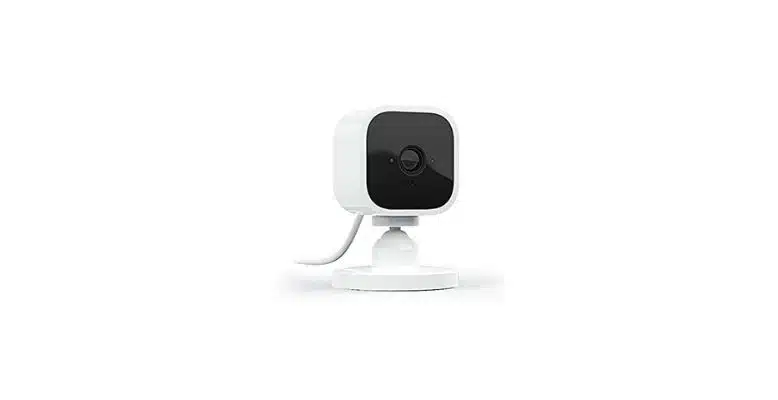
The Blink Mini, Mini 2, and Mini 2K+ don’t follow the three-layer model above. They’re wired indoor cameras with a USB-C power input, and they connect directly to your 2.4 GHz Wi-Fi without going through a Sync Module at all.
This is why Mini setup feels different from Outdoor setup, and why Mini cameras get a different LED scheme than the battery models (Blink documents the differences in their red-light troubleshooting guide). A Mini can join an existing Sync Module 2 system if you want USB local storage for it, but it doesn’t need one to record to the cloud.
The downside of having no Sync Module hop is that the Mini has no 900 MHz fallback. If your Wi-Fi falls over, the Mini is dead until it comes back. The Outdoor 4 will at least keep talking to the Sync Module on 900 MHz and queue clips until Wi-Fi returns.
The current camera lineup, in plain terms
Blink sells a confusing number of cameras. Here’s what each one is actually for as of 2026:
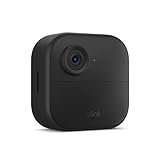
- Outdoor 4 – battery-powered, 1080p, weather-rated, two-year battery life. The default outdoor camera. Works with any Sync Module.
- Outdoor 2K+ – the 2025 refresh of the Outdoor 4. Same battery design, but 2K resolution and a brighter sensor. Pick this one if you’re starting from scratch.
- Outdoor 4 Floodlight – the Outdoor 4 strapped to a 700-lumen LED floodlight mount, powered by four D-cell batteries for the lights and two AAs for the camera. Motion-activated lighting plus camera in one unit.
- Mini 2 and Mini 2K+ – plug-in indoor cameras. Wired, no Sync Module needed. The 2K+ adds 2K resolution and a built-in spotlight for color night vision.
- Blink Arc – launched October 2025. It’s a mount that holds two Mini 2K+ cameras at an angle and stitches their feeds into a single 180-degree panoramic view. Requires a Blink Plus subscription for the dual-cam stitching to work.
- Video Doorbell (2nd Gen) and Battery Doorbell 2K+ – doorbells with the same Blink ecosystem behind them. Battery-powered, with the option of wiring them into existing doorbell power.
- Wired Floodlight Camera – the only properly wired outdoor option. Hardwired to your home power. Same sensor and Wi-Fi as the rest.
Storage: cloud, local, or both
Blink gives you three storage paths and the right one depends on how much you trust Amazon with your driveway footage.
Cloud only (subscription required)
Pay Blink monthly and clips get stored in their cloud for 60 days, with a 30-day free trial out of the box. As of October 2025, the tiers are Basic at $3.99/mo per camera (or $39.99/yr), Plus at $11.99/mo for unlimited cameras (or $119.99/yr), and the AI variants which add the Plus AI / Basic AI features on top.
Local only (no subscription)
Stick a USB drive into a Sync Module 2 or Sync Module XR. Clips save to the drive when motion fires. You won’t get person/vehicle detection, you won’t get cloud backup, and you won’t get the AI features, but you also won’t pay anyone a monthly fee. Compatible with Outdoor 4, Wired Floodlight, Video Doorbell, Outdoor 3rd Gen, Indoor 3rd Gen, and Mini.
Both at once (the practical choice)
If you have a subscription AND a USB drive in the Sync Module, Blink runs a once-daily cloud-to-USB backup automatically. This is the belt-and-suspenders setup. Cloud handles the heavy lifting and AI features, the USB stick is your fallback if your account ever gets locked or Blink discontinues a service.
AI features and the Plus AI tier
Worth being explicit about how the smart features actually work, because Blink markets them in a way that implies on-device intelligence. There isn’t any. All the AI runs in Amazon’s cloud after the clip arrives.
- Person detection – included with Basic and Plus plans. Distinguishes human-shaped motion from cars, animals, or wind in trees. Available on Mini 2K+, Mini 2, Outdoor 4, Wired Floodlight, and Video Doorbell (2nd Gen).
- Vehicle detection – same tier and same model list as person detection. Flags when something car-shaped enters the frame.
- Blink Video Descriptions (Plus AI / Basic AI) – the 2025-launched feature that uses a multimodal AI to write a short text description of what’s in the clip (“A person in a dark jacket approached the front door and rang the bell”). The description shows up in the push notification before you open the app. Useful if you’re juggling 47 motion alerts a day and want to filter at a glance.
Because all of this happens in the cloud, none of it works if your internet is down. None of it works if you cancel your subscription either. And because Amazon owns Blink, your clips and any AI descriptions of them live under Amazon’s privacy policy. That’s the trade-off.
What you need to run the whole thing
- A 2.4 GHz Wi-Fi network. Blink does not support 5 GHz, period. If your router merges both bands under one SSID, you may need to temporarily split them during setup.
- At least one Blink camera (Mini if you want indoor-only, Outdoor 4 or Outdoor 2K+ if you want anything weatherproof).
- A Sync Module, unless every camera you own is a Mini. The Mini doesn’t strictly require one, but the Outdoor models do.
- The Blink app on a phone or tablet, and an Amazon account to sign into it.
- Energizer Ultimate Lithium AAs if you’re running any battery cameras. Alkalines technically work but die roughly four times faster, especially in cold weather.
Setting up a new Blink system from scratch
The setup flow is the same whether you bought a single Outdoor 4 starter kit or a five-camera bundle. Do the Sync Module first, then the cameras.
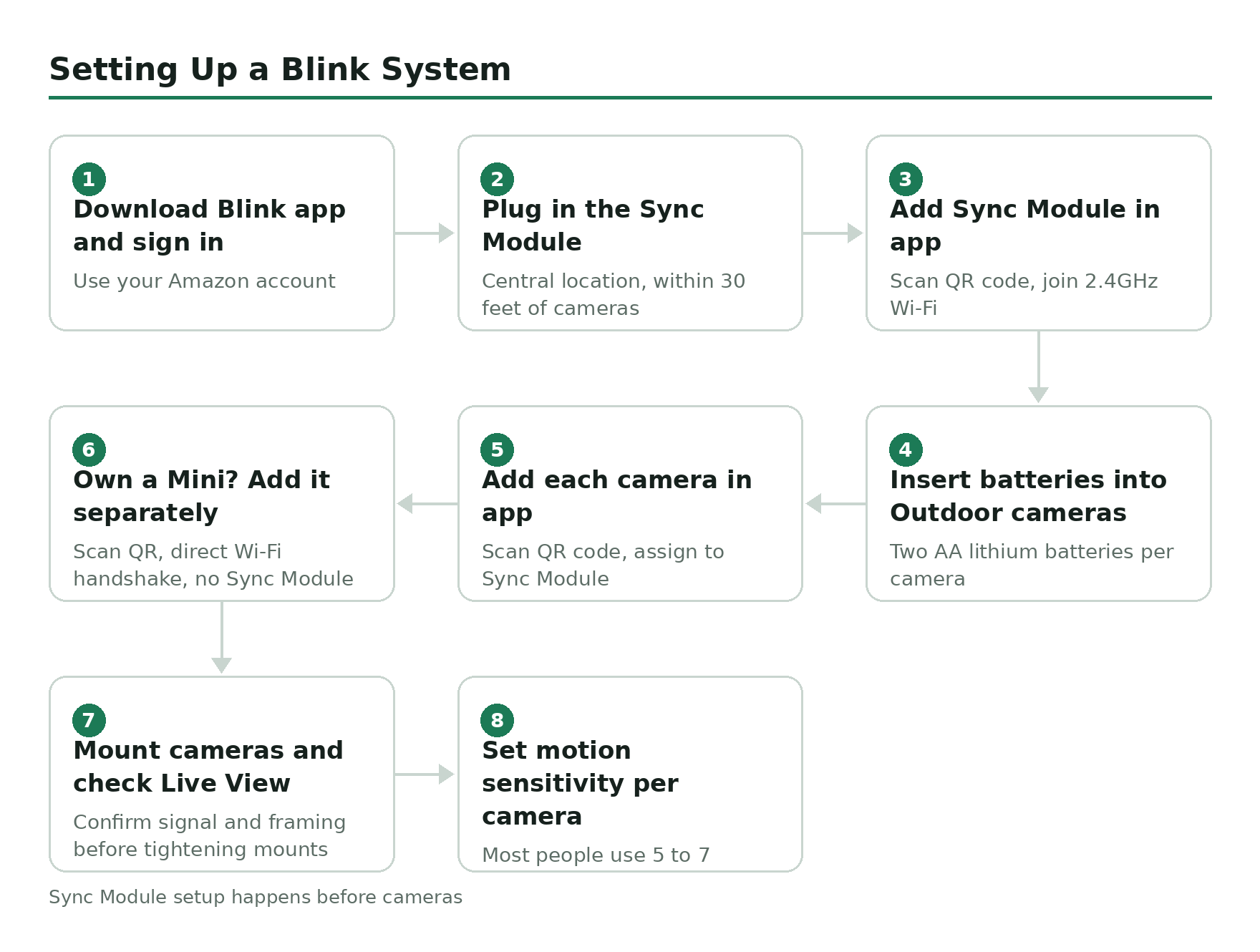
Download the Blink Home Monitor app and sign in with your Amazon account.
Plug in the Sync Module somewhere central in your home, ideally within 30 feet of where your cameras will live.
Tap the plus icon in the app, scan the QR code on the back of the Sync Module, and follow the prompts to join it to your 2.4 GHz Wi-Fi.
Insert two AA lithium batteries into each Outdoor camera. The cameras will boot up and start hunting for the Sync Module.
Tap the plus icon again in the app, scan the QR code on each camera, and assign each one to the Sync Module system you just created.
For any Blink Mini cameras, plug them in, scan their QR codes in the app, and walk through the Wi-Fi handshake directly – they don’t need to be assigned to the Sync Module.
Mount the outdoor cameras at the locations you want, then run a Live View on each to confirm signal strength and framing before you screw the mounts in tight.
Set your motion sensitivity per camera in Settings – higher numbers mean more sensitive, which means more false alerts. Most people land between 5 and 7.
After that, the system runs itself. You’ll spend most of your future Blink time fiddling with motion sensitivity and tuning when each camera is armed versus disarmed.
What about HomeKit, Google Home, and the rest?
Blink is an Amazon company, so the integration story is Alexa-first and everything-else-distant. You can stream a Blink feed to an Echo Show, ask Alexa to arm or disarm the system, and get motion announcements through any Alexa device. Beyond that, support gets thin – Blink and Apple HomeKit don’t talk to each other directly, and Google Home support is limited to basic clip viewing through workarounds. If you want a camera that lives natively inside Apple’s ecosystem, Blink is not it.
When things go wrong (and they will)
The two failure modes you’ll actually hit are Wi-Fi dropouts and battery drain. For Wi-Fi: if a camera starts flashing red or blinking green, that’s almost always a connection issue with the Sync Module or your router. Reboot the router first, then the Sync Module, then check whether the Sync Module itself shows offline in the app.
For batteries: the two-year claim is real but assumes default sensitivity and a reasonable number of daily motion events. A camera pointed at a busy sidewalk will eat its batteries in three to six months instead. If you can’t get either fix to stick, a factory reset usually clears whatever firmware gremlin is in the way.
Related guides
- What the Blink Sync Module does – deeper dive on the hub.
- Do Blink cameras require a subscription? – the short answer is no, but it depends what you want.
- Armed vs disarmed mode – and why your camera isn’t recording when you think it should be.
- Motion sensitivity settings explained – the single setting that fixes 80% of false-alert problems.