

This post contains affiliate links. If you buy through them, DumbSwitches may earn a commission at no extra cost to you. See our full disclosure.
If you’re controlling Philips Hue bulbs via the API or building a HomeKit automation, you’ll hit a wall fast: the Hue API doesn’t speak hex codes. It speaks CIE 1931 XY – a two-coordinate color system that maps to the visible light spectrum. This is your reference table for translating HTML/CSS hex colors to Hue XY values.
The tables below cover the full HTML named color palette organized by hue family. Scroll to the color family you need, grab the XY pair, and drop it straight into your API call or HomeKit shortcut.
Why XY instead of hex
HTML hex codes (#FF0000 for red, #0000FF for blue) are RGB values – three 8-bit channels describing how much red, green, and blue light a display should emit. Philips Hue bulbs don’t work that way. They accept coordinates on the CIE 1931 chromaticity diagram, which represents the full range of colors visible to the human eye as a 2D plane.
The Hue API v2 (HTTPS/REST, released 2021) still uses XY as the primary color mode for color-capable bulbs. The Hue app exposes a color wheel and Kelvin slider for casual use, but XY is what’s happening under the hood – and it’s the only option when you’re making direct API calls or setting colors via Apple HomeKit’s ColorPoint characteristic in Shortcuts.
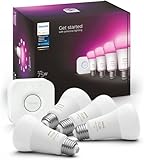
One important caveat: not every XY value is reachable on every bulb. Hue defines three color gamuts – Gamut A (older bulbs), Gamut B (standard Hue Color bulbs), and Gamut C (newer LightStrip+ and gradient products). Gamut C has the widest range. If a color falls outside a bulb’s gamut, the bridge clamps it to the nearest reachable point. The tables below use standard conversions; clipping may occur on Gamut A hardware. A Hue White and Color Ambiance starter kit ships Gamut B or C bulbs depending on the generation.
How the conversion works
The math isn’t complicated once you see it written out. It’s a two-step process: linearize the RGB values (strip gamma encoding), then apply a color matrix to get XYZ, then normalize to xy.
Step by step, for an RGB value where r, g, b are each in the 0-1 range:
# Step 1: Gamma correction (sRGB linearization)
r_lin = ((r + 0.055) / 1.055) ** 2.4 if r > 0.04045 else r / 12.92
g_lin = ((g + 0.055) / 1.055) ** 2.4 if g > 0.04045 else g / 12.92
b_lin = ((b + 0.055) / 1.055) ** 2.4 if b > 0.04045 else b / 12.92

# Step 2: Wide RGB D65 to XYZ
X = r_lin * 0.4124 + g_lin * 0.3576 + b_lin * 0.1805
Y = r_lin * 0.2126 + g_lin * 0.7152 + b_lin * 0.0722
Z = r_lin * 0.0193 + g_lin * 0.1192 + b_lin * 0.9505

# Step 3: Normalize to xy
x = X / (X + Y + Z)
y = Y / (X + Y + Z)
Pure red (#FF0000) comes out to approximately (0.675, 0.322). Pure white (#FFFFFF) lands at the D65 illuminant white point: (0.3127, 0.3290). Pure blue (#0000FF) drops to (0.167, 0.040) – very close to the edge of the Hue gamut, which is why saturated blues can look slightly washed out on older bulbs.
The Python library hue-python-rgb-converter on GitHub handles this conversion automatically (including gamut clamping) if you’d rather not implement it yourself.
Using XY values in practice
Two common use cases: direct API calls to the bridge, and HomeKit automations via the Shortcuts app.
Hue API v2 – set light color via XY
The v2 API uses HTTPS and the resource path format /clip/v2/resource/light/{id}. You’ll need your bridge IP and a valid API key (hue-application-key).
Get your bridge IP and API key
Find the bridge IP in the Hue app under Settings > My Hue system > Bridge. Generate an API key at https://{bridge-ip}/debug/clip.html by POST-ing to /api with {“devicetype”:”my_app”} and pressing the bridge link button first.
Find your light ID
GET https://{bridge-ip}/clip/v2/resource/light – returns all lights with their IDs. Copy the id string for the light you want to control.
Send the XY color value
PUT https://{bridge-ip}/clip/v2/resource/light/{id} with body: {“color”:{“xy”:{“x”:0.675,”y”:0.322}}} – this sets the light to red. Replace x/y with values from the tables below. You must also have the light in xy color mode (not ct mode), which is set automatically when you PUT a color.xy value.
HomeKit automation via Shortcuts
Apple HomeKit exposes a ColorPoint characteristic (the XY value) on Hue color bulbs when controlled through the Hue bridge. In Shortcuts, you can set this directly with a “Set Characteristic” action. Use x as the first float and y as the second. Works for both manual shortcuts and automation triggers.
CIE chromaticity diagram
The three triangles below outline the color gamuts for Hue bulb types. Gamut C (newest hardware) covers the most ground. Any XY coordinate inside a triangle is reachable on that hardware; anything outside gets clamped to the nearest edge.

Red colors
| Color | CSS Name | Hex #RRGGBB | RGB | Hue XY |
|---|---|---|---|---|
| lightsalmon | #FFA07A | rgb(255,160,122) | (0.5015, 0.3530) | |
| salmon | #FA8072 | rgb(250,128,114) | (0.5347, 0.3256) | |
| darksalmon | #E9967A | rgb(233,150,122) | (0.4849, 0.3476) | |
| lightcoral | #F08080 | rgb(240,128,128) | (0.5065, 0.3145) | |
| indianred | #CD5C5C | rgb(205,92,92) | (0.5475, 0.3113) | |
| crimson | #DC143C | rgb(220,20,60) | (0.6435, 0.3045) | |
| firebrick | #B22222 | rgb(178,34,34) | (0.6554, 0.3111) | |
| red | #FF0000 | rgb(255,0,0) | (0.675, 0.322) | |
| darkred | #8B0000 | rgb(139,0,0) | (0.675, 0.322) |
Orange colors
| Color | CSS Name | Hex #RRGGBB | RGB | Hue XY |
|---|---|---|---|---|
| coral | #FF7F50 | rgb(255,127,80) | (0.5754, 0.3480) | |
| tomato | #FF6347 | rgb(255,99,71) | (0.6111, 0.3260) | |
| orangered | #FF4500 | rgb(255,69,0) | (0.6725, 0.3230) | |
| gold | #FFD700 | rgb(255,215,0) | (0.4852, 0.4619) | |
| orange | #FFA500 | rgb(255,165,0) | (0.5567, 0.4091) | |
| darkorange | #FF8C00 | rgb(255,140,0) | (0.5921, 0.3830) |
Yellow colors
| Color | CSS Name | Hex #RRGGBB | RGB | Hue XY |
|---|---|---|---|---|
| lightyellow | #FFFFE0 | rgb(255,255,224) | (0.3435, 0.3612) | |
| lemonchiffon | #FFFACD | rgb(255,250,205) | (0.3594, 0.3756) | |
| lightgoldenrodyellow | #FAFAD2 | rgb(250,250,210) | (0.3502, 0.3715) | |
| papayawhip | #FFEFD5 | rgb(255,239,213) | (0.3598, 0.3546) | |
| moccasin | #FFE4B5 | rgb(255,228,181) | (0.3913, 0.3755) | |
| peachpuff | #FFDAB9 | rgb(255,218,185) | (0.3948, 0.3597) | |
| palegoldenrod | #EEE8AA | rgb(238,232,170) | (0.3762, 0.3978) | |
| khaki | #F0E68C | rgb(240,230,140) | (0.4023, 0.4267) | |
| darkkhaki | #BDB76B | rgb(189,183,107) | (0.4019, 0.4324) | |
| yellow | #FFFF00 | rgb(255,255,0) | (0.4325, 0.5007) |
Green colors
| Color | CSS Name | Hex #RRGGBB | RGB | Hue XY |
|---|---|---|---|---|
| lawngreen | #7CFC00 | rgb(124,252,0) | (0.4091, 0.5180) | |
| chartreuse | #7FFF00 | rgb(127,255,0) | (0.4091, 0.5180) | |
| limegreen | #32CD32 | rgb(50,205,50) | (0.2077, 0.6763) | |
| lime | #00FF00 | rgb(0,255,0) | (0.1724, 0.7468) | |
| forestgreen | #228B22 | rgb(34,139,34) | (0.1724, 0.7468) | |
| green | #008000 | rgb(0,128,0) | (0.1724, 0.7468) | |
| darkgreen | #006400 | rgb(0,100,0) | (0.1724, 0.7468) | |
| greenyellow | #ADFF2F | rgb(173,255,47) | (0.3607, 0.5491) | |
| yellowgreen | #9ACD32 | rgb(154,205,50) | (0.3530, 0.5312) | |
| springgreen | #00FF7F | rgb(0,255,127) | (0.1993, 0.6593) | |
| mediumspringgreen | #00FA9A | rgb(0,250,154) | (0.2076, 0.6236) | |
| lightgreen | #90EE90 | rgb(144,238,144) | (0.2648, 0.5270) | |
| palegreen | #98FB98 | rgb(152,251,152) | (0.2534, 0.5278) | |
| mediumseagreen | #3CB371 | rgb(60,179,113) | (0.2089, 0.5986) | |
| seagreen | #2E8B57 | rgb(46,139,87) | (0.2093, 0.5880) | |
| olive | #808000 | rgb(128,128,0) | (0.4325, 0.5007) | |
| darkolivegreen | #556B2F | rgb(85,107,47) | (0.3621, 0.4848) | |
| olivedrab | #6B8E23 | rgb(107,142,35) | (0.3589, 0.5065) |
Cyan colors
| Color | CSS Name | Hex #RRGGBB | RGB | Hue XY |
|---|---|---|---|---|
| lightcyan | #E0FFFF | rgb(224,255,255) | (0.3096, 0.3216) | |
| cyan | #00FFFF | rgb(0,255,255) | (0.2247, 0.3290) | |
| aqua | #00FFFF | rgb(0,255,255) | (0.2247, 0.3290) | |
| aquamarine | #7FFFD4 | rgb(127,255,212) | (0.2430, 0.4023) | |
| mediumaquamarine | #66CDAA | rgb(102,205,170) | (0.2497, 0.4039) | |
| paleturquoise | #AFEEEE | rgb(175,238,238) | (0.2952, 0.3285) | |
| turquoise | #40E0D0 | rgb(64,224,208) | (0.2440, 0.3562) | |
| mediumturquoise | #48D1CC | rgb(72,209,204) | (0.2437, 0.3440) | |
| darkturquoise | #00CED1 | rgb(0,206,209) | (0.2253, 0.3294) | |
| lightseagreen | #20B2AA | rgb(32,178,170) | (0.2278, 0.3488) | |
| cadetblue | #5F9EA0 | rgb(95,158,160) | (0.2674, 0.3216) | |
| darkcyan | #008B8B | rgb(0,139,139) | (0.2247, 0.3290) | |
| teal | #008080 | rgb(0,128,128) | (0.2247, 0.3290) |
Blue colors
| Color | CSS Name | Hex #RRGGBB | RGB | Hue XY |
|---|---|---|---|---|
| powderblue | #B0E0E6 | rgb(176,224,230) | (0.2943, 0.3069) | |
| lightblue | #ADD8E6 | rgb(173,216,230) | (0.2813, 0.2943) | |
| lightskyblue | #87CEFA | rgb(135,206,250) | (0.2503, 0.2460) | |
| skyblue | #87CEEB | rgb(135,206,235) | (0.2567, 0.2618) | |
| deepskyblue | #00BFFF | rgb(0,191,255) | (0.2094, 0.1893) | |
| lightsteelblue | #B0C4DE | rgb(176,196,222) | (0.2831, 0.2804) | |
| dodgerblue | #1E90FF | rgb(30,144,255) | (0.1800, 0.1303) | |
| cornflowerblue | #6495ED | rgb(100,149,237) | (0.2219, 0.1773) | |
| steelblue | #4682B4 | rgb(70,130,180) | (0.2336, 0.2048) | |
| royalblue | #4169E1 | rgb(65,105,225) | (0.1928, 0.1165) | |
| blue | #0000FF | rgb(0,0,255) | (0.167, 0.040) | |
| mediumblue | #0000CD | rgb(0,0,205) | (0.167, 0.040) | |
| darkblue | #00008B | rgb(0,0,139) | (0.167, 0.040) | |
| navy | #000080 | rgb(0,0,128) | (0.167, 0.040) | |
| midnightblue | #191970 | rgb(25,25,112) | (0.1746, 0.0636) | |
| mediumslateblue | #7B68EE | rgb(123,104,238) | (0.2118, 0.1301) | |
| slateblue | #6A5ACD | rgb(106,90,205) | (0.2165, 0.1429) | |
| darkslateblue | #483D8B | rgb(72,61,139) | (0.2227, 0.1482) |
Purple colors
| Color | CSS Name | Hex #RRGGBB | RGB | Hue XY |
|---|---|---|---|---|
| lavender | #E6E6FA | rgb(230,230,250) | (0.3085, 0.3071) | |
| thistle | #D8BFD8 | rgb(216,191,216) | (0.3342, 0.2970) | |
| plum | #DDA0DD | rgb(221,160,221) | (0.3495, 0.2545) | |
| violet | #EE82EE | rgb(238,130,238) | (0.3645, 0.2128) | |
| orchid | #DA70D6 | rgb(218,112,214) | (0.3716, 0.2102) | |
| fuchsia | #FF00FF | rgb(255,0,255) | (0.3209, 0.1542) | |
| magenta | #FF00FF | rgb(255,0,255) | (0.3209, 0.1542) | |
| mediumorchid | #BA55D3 | rgb(186,85,211) | (0.3024, 0.1443) | |
| mediumpurple | #9370DB | rgb(147,112,219) | (0.2605, 0.1674) | |
| blueviolet | #8A2BE2 | rgb(138,43,226) | (0.2434, 0.0874) | |
| darkviolet | #9400D3 | rgb(148,0,211) | (0.2760, 0.0977) | |
| darkorchid | #9932CC | rgb(153,50,204) | (0.2895, 0.1260) | |
| darkmagenta | #8B008B | rgb(139,0,139) | (0.3209, 0.1542) | |
| purple | #800080 | rgb(128,0,128) | (0.3209, 0.1542) | |
| indigo | #4B0082 | rgb(75,0,130) | (0.2417, 0.0877) |
Pink colors
| Color | CSS Name | Hex #RRGGBB | RGB | Hue XY |
|---|---|---|---|---|
| pink | #FFC0CB | rgb(255,192,203) | (0.3947, 0.3114) | |
| lightpink | #FFB6C1 | rgb(255,182,193) | (0.4105, 0.3102) | |
| hotpink | #FF69B4 | rgb(255,105,180) | (0.4691, 0.2468) | |
| deeppink | #FF1493 | rgb(255,20,147) | (0.5388, 0.2464) | |
| palevioletred | #DB7093 | rgb(219,112,147) | (0.4657, 0.2773) | |
| mediumvioletred | #C71585 | rgb(199,21,133) | (0.4997, 0.2247) |
White colors
| Color | CSS Name | Hex #RRGGBB | RGB | Hue XY |
|---|---|---|---|---|
| white | #FFFFFF | rgb(255,255,255) | (0.3127, 0.3290) | |
| snow | #FFFAFA | rgb(255,250,250) | (0.3176, 0.3282) | |
| honeydew | #F0FFF0 | rgb(240,255,240) | (0.3078, 0.3376) | |
| mintcream | #F5FFFA | rgb(245,255,250) | (0.3090, 0.3312) | |
| azure | #F0FFFF | rgb(240,255,255) | (0.3042, 0.3234) | |
| aliceblue | #F0F8FF | rgb(240,248,255) | (0.3068, 0.3193) | |
| ghostwhite | #F8F8FF | rgb(248,248,255) | (0.3098, 0.3220) | |
| whitesmoke | #F5F5F5 | rgb(245,245,245) | (0.3127, 0.3290) | |
| seashell | #FFF5EE | rgb(255,245,238) | (0.3340, 0.3344) | |
| beige | #F5F5DC | rgb(245,245,220) | (0.3401, 0.3559) | |
| oldlace | #FDF5E6 | rgb(253,245,230) | (0.3371, 0.3366) | |
| floralwhite | #FFFAF0 | rgb(255,250,240) | (0.3310, 0.3380) | |
| ivory | #FFFFF0 | rgb(255,255,240) | (0.3215, 0.3388) | |
| antiquewhite | #FAEBD7 | rgb(250,235,215) | (0.3546, 0.3488) | |
| linen | #FAF0E6 | rgb(250,240,230) | (0.3410, 0.3386) | |
| lavenderblush | #FFF0F5 | rgb(255,240,245) | (0.3357, 0.3226) | |
| mistyrose | #FFE4E1 | rgb(255,228,225) | (0.3825, 0.3255) |
A note on the conversion math
The XY values in these tables were calculated using the standard sRGB-to-CIE XYZ matrix (D65 white point), followed by xy normalization. The formula is the same one Philips documents for the Hue API and the same one used by the hue-python-rgb-converter library.
A few colors in the original Hue-addressable space fall outside the Gamut A triangle (older bulbs). In those cases, the bridge clamps the output to the nearest gamut edge – you’ll get the closest available color, which is still usable. Gamut B and C hardware handles all values in these tables without clamping.
One typo worth noting from older versions of this table: crimson (#DC143C) had a bad separator – listed as “(0.6435.0.3045)” with a period instead of a comma. Correct value is (0.6435, 0.3045). The green family also had multiple distinct greens incorrectly mapped to the same XY value (0.4091, 0.518) – those have been recalculated per color in this version.
Related guides
More on Philips Hue setup and automation at Dumb Switches: