
This post contains affiliate links. If you buy through them, DumbSwitches may earn a commission at no extra cost to you. See our full disclosure.
Most “best smart plugs” roundups start with brand names and work backward. Start with protocol instead. A plug’s price and looks matter less than whether it actually talks to the app or voice assistant you already use, and whether it still works in five years or turns into a paperweight the day the manufacturer’s servers go dark.
Every pick below comes from setup guides and reviews already on this site: plugs we’ve walked through pairing with Alexa, HomeKit, and Google Home step by step, models with a documented Matter quirk, and one brand that quietly shut its cloud servers off and killed every unit it ever sold overnight (see: Zuli, below). Most smart plugs on the market run on plain Wi-Fi, though the Matter era means Thread shows up on the higher end too – if you’re weighing that against Zigbee or Z-Wave gear elsewhere in the house, Z-Wave vs. Zigbee vs. Wi-Fi has the measured numbers.
Three things to check before anything else:
- Matter certification. A Matter-certified plug works across Apple Home, Alexa, Google Home, and SmartThings from one setup, no vendor lock-in. A lot of “compatible” plugs still aren’t Matter-certified – see the certification section below before assuming.
- Whether energy monitoring survives the trip through Matter. Usually it doesn’t. More on that below too.
- The relay’s amp rating. Fine for a lamp. Worth confirming before you put a space heater behind one.
“Compatible” on a smart plug box means one of four different things, and the box rarely says which. A plug either pairs straight into your ecosystem with no extra hardware, needs a bridge or hub to translate a different protocol, joins over Matter, or has no official path in at all – in which case any “compatibility” you’ve read online is an unofficial workaround. Every pick below is one of the first three. None of them need a workaround.
Smart Plug Comparison
| Plug | Protocol | Energy Monitoring | Works With | Best For |
|---|---|---|---|---|
| Kasa KP125M | Wi-Fi + Matter | Yes, Kasa app only | HomeKit, Alexa, Google Home, SmartThings, Kasa app | Best overall |
| Eve Energy | Matter over Thread | Yes, local, with history | HomeKit, Alexa, Google Home, SmartThings | HomeKit-first households |
| Meross Smart Plug Mini (4-pack) | Wi-Fi + HomeKit | No | HomeKit, Alexa, Google Home via Meross app | Budget pick |
| Govee Smart Plug (Energy Monitoring) | Wi-Fi only, no Matter | Yes, Govee app | Alexa, Google Home; no HomeKit | Budget energy monitoring |
| Kasa Smart Power Strip (HS300) | Wi-Fi only | Yes, per outlet | Alexa, Google Home via Kasa skill | Multiple devices, one footprint |
| Minoston MP22M | Wi-Fi + Matter | No | Apple Home, Alexa, Google Home, SmartThings | Outdoor use |
One honest note before the picks: TP-Link’s Kasa and Tapo lines have shipped more Matter-certified plugs, in more configurations, than any other brand right now – Eve, Meross, and Govee each have one or two Matter-certified plugs to their name, TP-Link has a spread across plugs, switches, and outdoor models. That’s part of why two of the six picks below are Kasa. It isn’t the whole reason for every slot, though: where a strong non-Kasa option does the job as well or better – HomeKit, budget, outdoor use, budget energy monitoring – it gets the slot here. Where nobody else builds the thing at all, a six-outlet strip with real per-outlet monitoring, Kasa keeps the spot because the alternative is a downgrade, not a fair fight.
The Picks
Kasa KP125M – Best Overall
The KP125M is the plug most of the individual guides on this site point back to, and it earns the spot. It’s Matter-certified, so it pairs directly into Apple Home, Alexa, Google Home, or SmartThings without a Kasa account – scan the QR code on the plug, done. It’s also one of the few Kasa plugs with real energy monitoring: live wattage, daily and monthly totals, and a cost estimate once you enter your electricity rate. Compact enough that two sit side by side in a duplex outlet, 15A rated at 120V.
The catch: energy data only shows up in the Kasa app. Add the plug to HomeKit or Alexa over Matter and you get on/off control and scheduling, not wattage. That’s a limitation of the Matter spec itself, not a Kasa shortcoming – see the energy monitoring section below.
Full setup walkthrough: Kasa Smart Plug Setup Tutorial. Full review: Kasa Smart Plug Mini Review. Alexa-specific pairing: How to Connect a Kasa Smart Plug to Alexa.
Eve Energy – Best for HomeKit-First Households
If you’re building a HomeKit setup properly, Eve Energy is the plug to start with. It runs Matter over Thread, connecting directly to your HomeKit network with no hub required beyond a Thread border router – a HomePod mini, or an Apple TV 4K with Ethernet, which most Apple households already have running. (The Wi-Fi-only Apple TV 4K doesn’t include Thread – check which variant you own before assuming it counts.) Every Eve plug you add also strengthens your Thread mesh for everything else on it.
Energy monitoring here is real, local, and comes with historical tracking – none of it depends on a cloud server staying online. It’s the priciest pick on this list, but it’s built around the Matter-over-Thread standard from the start instead of retrofitted onto older hardware.
Meross Smart Plug Mini (4-Pack) – Best Budget Pick
The Meross Smart Plug Mini 4-Pack is inexpensive per plug and has been a reliable budget HomeKit option for years. Pairing is a straight code scan, and it handles 15A with scheduling, timers, and Siri control – no hub needed.
No energy monitoring, no Thread. For turning a lamp on at sunset or cutting power to a coffee maker remotely, that’s not a real trade-off – it does exactly what it needs to at a price where one breaking doesn’t sting.
Govee Smart Plug with Energy Monitoring – Best Budget Energy Monitoring
The Govee Smart Plug with Energy Monitoring skips Matter and HomeKit entirely, but if you’re on Alexa or Google Home and want real wattage and cost tracking without paying for the KP125M’s Matter certification, this is the plug. 15A, ETL and FCC certified, no hub required, live usage and history sit in the Govee app.
Kasa Smart Power Strip (HS300) – Best for Multiple Devices
When one plug per device stops making sense – a desktop setup, a rack of AV gear – the Kasa Smart Power Strip covers six outlets from a single footprint, with individual control and per-outlet energy monitoring across the whole strip. It beats buying six individual plugs and burning six outlets to do it.
This is the one slot where we looked for a non-TP-Link option and came up short. Govee’s smart power strip only puts two of its outlets under smart control – the rest stay always-on. Everything else we found with individually controlled, per-outlet-monitored smart outlets on one strip is a TP-Link product sold under the Tapo name, which doesn’t actually diversify anything. If a real alternative ships, this pick changes.
Minoston MP22M – Best for Outdoor Use
Every other pick on this page is indoor-only. The Minoston MP22M is Matter-certified and IP65-rated, and it pairs directly into Apple Home, Alexa, Google Home, or SmartThings the same way the KP125M does – scan the code, done. 15A, built for outdoor exposure and temperature swings, not just marketed for them.
There’s no ecosystem play here, no app worth opening beyond initial setup – just a plug that survives outside and speaks Matter. For holiday lights, a patio fountain, or anything living on an exterior outlet, that’s the whole job.
How Setup Actually Differs
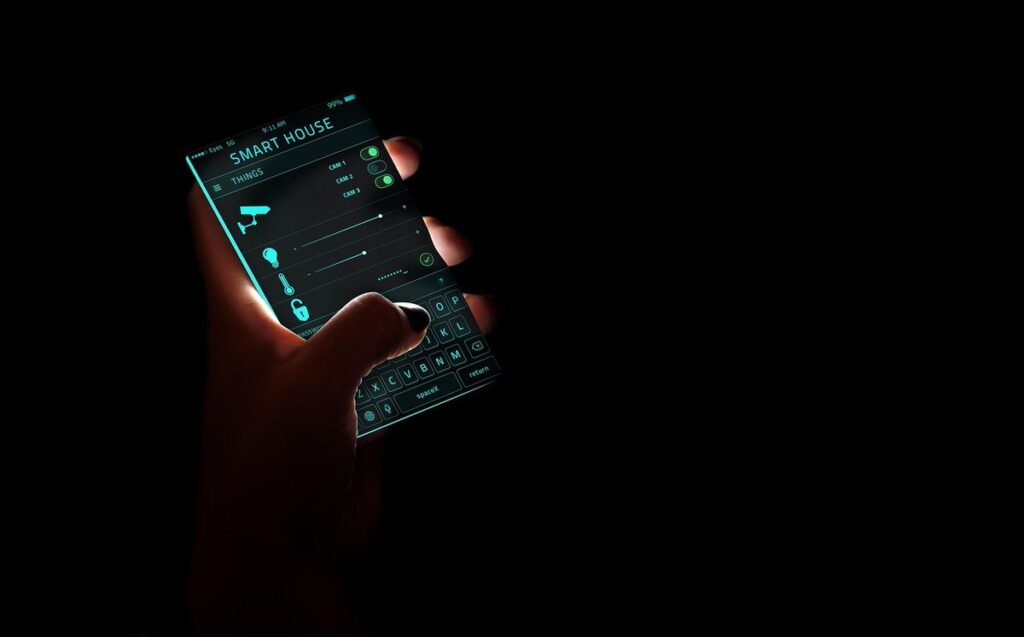
The pairing flow depends on whether the plug is Matter-certified or running its own vendor app, and the two are different enough to plan around.
Matter Setup (KP125M, Eve Energy)
Plug it in and the LED blinks, signaling pairing mode. Open your ecosystem’s app – Apple Home, Google Home, Alexa, or SmartThings – and start adding an accessory. Scan the Matter QR code printed on the plug or its box, assign it to a room, name it, done. No vendor account required for basic on/off control and scheduling. The whole thing is fast once you know where the QR code is, though a phone-only setup with no hub in the loop takes longer than one where a HomePod mini or similar is already handling commissioning.
Vendor App Setup (Kasa, Meross, non-Matter plugs)
Download the manufacturer’s app, create an account, plug the device in, and scan the QR code from inside that app instead of your ecosystem’s Home app. You’re on a 2.4GHz-only network for almost every plug in this category – Kasa plugs in particular refuse to connect to 5GHz outright, and a router that broadcasts both bands under one SSID is the most common reason setup fails. Once the plug is on your Wi-Fi and linked to the vendor account, voice assistant integration is a second step: open Alexa or Google Home, find the vendor’s skill (Kasa Smart, Meross), and link accounts. Two logins instead of one, but the app is also where scheduling, Away Mode, and energy monitoring live afterward, so you’re not skipping it either way.
Buying Considerations
Matter Certification Doesn’t Mean What the Box Implies
Matter fixed a real problem: you no longer have to check a compatibility list and hope Apple, Google, or Amazon still supports the brand in two years. But “Matter-certified” on a brand’s homepage doesn’t mean every product in that brand’s lineup carries the certification. TP-Link is the clean example: only the KP125M, EP40M, KS205, and KS225 are Matter-certified. Most other Kasa plugs and switches, plus every Kasa bulb, need a workaround like Homebridge to reach Apple Home over Matter – a few older models have their own separate, Apple-only HomeKit support that predates Matter, but they won’t get you Alexa, Google Home, and SmartThings from the same setup the way a Matter-certified model does. Sister brand Tapo actually has more Matter-certified plugs and switches than Kasa does at this point. Check the specific model number before you buy, not the brand name on the box. Full brand-by-brand rundown, including which categories still require a bridge: HomeKit Compatible Devices: The Full List.
Energy Monitoring Usually Doesn’t Survive Matter
This trips up more buyers than it should. Matter added an energy-monitoring cluster to the spec in version 1.3, but spec support and shipped support are different things – TP-Link hasn’t turned it on for the KP125M’s Matter connection yet. Add a KP125M to HomeKit, Alexa, or Google Home over Matter today and you get power control and nothing else. Wattage, usage history, and cost estimates only show up in the plug’s own app. For Kasa, that means the Kasa app specifically – it doesn’t pass through Matter to any third-party platform. If energy monitoring is the reason you’re buying a smart plug, plan on keeping that manufacturer’s app installed regardless of which ecosystem you actually live in day to day. The full mechanics of what the Matter spec does and doesn’t guarantee are in What Is Matter? The Smart Home Standard Explained.
Relay Ratings Matter More on High-Draw Appliances
Most plugs in this price range – the KP125M and the Meross Mini both included – carry a 15A relay rating. That covers a lamp, a phone charger, string lights, or a coffee maker without a second thought. It gets tighter on a space heater or a window AC unit, where continuous draw can sit close to that ceiling. Check the wattage on the appliance’s nameplate against the plug’s amp rating (watts divided by volts gives you amps) before putting anything with serious continuous draw behind a smart plug.
Indoor vs. Outdoor
Every pick above except the Minoston MP22M is rated for indoor use only. Running an indoor-rated plug on an exposed outdoor outlet is a real fire risk, not just a warranty problem – check the IP rating before anything goes on a patio or under an eave. To stay inside the Kasa ecosystem instead, the Kasa EP40 is TP-Link’s own weatherproofed option and adds the same scheduling and app features as the indoor Kasa lineup.
Don’t Buy Into a Cloud You Don’t Trust
Most smart plugs that aren’t Matter-native still depend on the manufacturer’s cloud servers for remote access and voice assistant integration, even when basic local control survives an outage – and if that manufacturer disappears, so does everything routed through its servers. Zuli made genuinely clever hardware back in 2015 – Bluetooth mesh, energy monitoring, HomeKit support – and then the company folded, and every unit it had ever sold stopped working overnight, because the plug couldn’t do anything without Zuli’s app and servers behind it. The full story, and what to actually buy if you inherited a dead Zuli plug, is in Setting Up a Zuli Smartplug With HomeKit. Matter and Thread devices sidestep a chunk of that risk, since local control keeps working even if the manufacturer disappears tomorrow. That’s not a reason to avoid every cloud-dependent plug – TP-Link isn’t going anywhere – but it’s worth weighing for anything from a smaller or newer brand.
Once You’ve Got One: Setup, Uses, and Fixes
The Kasa ecosystem has the deepest coverage on this site, since it’s the plug most people end up buying first. The Kasa app guide covers what each tab actually does – scheduling, Away Mode, remote access – once initial setup is done. For what to actually do with a smart plug beyond turning a lamp on and off, 11 Best Uses for Smart Plugs covers appliance timers, phantom-load cuts, and away-mode lighting. When something stops responding, the troubleshooting guide covers offline plugs, the 5GHz problem that catches more people than it should, and what each LED color is actually telling you. If a reset turns out to be the fix, the reset guide breaks down soft reset versus factory reset and when each one’s the right call.
FAQ
Do smart plugs need a hub?
Not for Wi-Fi plugs like the Kasa or Meross lineups – they connect straight to your router. Thread-based plugs like the Eve Energy need a Thread border router, but that’s usually hardware you already own: a HomePod mini, an Apple TV 4K with Ethernet, a 4th-generation Echo. Smart Home Automation Protocols has the full rundown of what needs what.
What’s the difference between Matter and HomeKit?
Matter is a cross-platform standard that Apple Home, Google Home, Alexa, and SmartThings all speak. HomeKit is Apple’s own, older protocol. A Matter plug shows up inside the Home app, but it’s Matter running through Apple’s front end, not HomeKit in the original, Apple-only sense. Full breakdown: What Is Matter?
Will a smart plug work if my internet goes down?
Depends on the plug. Wi-Fi plugs that route through the manufacturer’s cloud – most Kasa and Meross models – lose remote access and voice control when your internet drops, though schedules already saved to the plug may keep running locally. Matter-over-Thread plugs like Eve Energy keep working on your home network without an internet connection at all; you only lose access from outside the house.
Do I need a separate plug for outdoor use?
Yes, unless you already picked the Minoston MP22M above – it’s rated for it. Everything else on this page is indoor-only. If you’d rather stay in the Kasa ecosystem, the Kasa EP40 adds weatherproofing on top of the same scheduling and app features.
Which Kasa plugs work with Apple HomeKit?
Only the Matter-certified ones – currently the KP125M and EP40M. (KS205 and KS225 are Matter-certified too, but they’re switches, not plugs.) Most other Kasa plugs, including older energy-monitoring models like the KP115, have no HomeKit path without a Homebridge workaround.
Can a smart plug dim lights?
No. Standard smart plugs only switch power fully on or off – they can’t dim. That’s a different product category, a plug-in dimmer, built specifically for the job.
Are smart plugs safe to leave plugged in all the time?
Yes, for plugs from established brands that meet UL or CE safety standards – the TP-Link, Meross, and Eve lineups covered here all do. The fire-risk stories that circulate online are almost always about unbranded, no-name units from random third-party sellers, not the brands in this comparison.
Which One Should You Actually Buy
If you’re not sure where to start: buy the KP125M. It’s Matter-certified, has real energy monitoring in its own app, and works with whatever ecosystem you’re on now or switch to later. That covers the large majority of what people actually want from a smart plug.
Go with Eve Energy instead if you’re already deep in HomeKit and want the plug that keeps working without an internet connection, strengthens your Thread mesh, and never sends data anywhere you didn’t ask it to. Go with the Meross Mini if you just need four plugs on a schedule and don’t care about energy data at all – it’s the cheapest way to get real HomeKit support, full stop. Need something outside? Skip straight to the Minoston MP22M – nothing else on this list is rated for it. And if you’re staring at an old KP115 or a dead Zuli Smartplug wondering whether it’s worth replacing: it is. The current generation of Matter plugs is cheaper, more reliable, and works with more of your house than anything from even three years ago.