
This post contains affiliate links. If you buy through them, DumbSwitches may earn a commission at no extra cost to you. See our full disclosure.
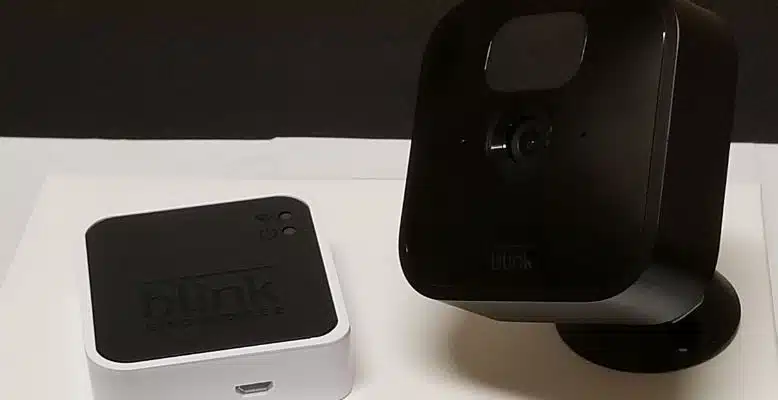
Every Blink Sync Module – the original Sync Module (now sold as Sync Module Core), Sync Module 2, and the newer Sync Module XR – tops out at 10 cameras in a single system. That has been the limit since Blink launched and Amazon has held the line through every generation since. If you need more than 10, you add a second Sync Module and run a second system on the same account.
The short version
- One Sync Module = up to 10 cameras. Doesn’t matter which generation.
- Mini and Mini 2K+ cameras count toward that 10. They can run without a Sync Module, but if they’re paired to one (which most people do for local storage), they take a slot.
- A Blink Arc takes two slots. The Arc is a mount that stitches two Mini 2K+ or Mini 2 cameras together into a 180-degree feed. Each physical camera still registers as its own device.
- Need more than 10? Add another Sync Module. Run it as a separate system in the same Blink account. Blink doesn’t publish a hard cap on systems per account, and people in the wild are running three and four.
- The Sync Module XR has an extra limit you need to know about. See the XR section below.
Why 10? And why has it never changed?
Blink’s documentation gives the same answer for every Sync Module generation: “Connect up to ten cameras, including Outdoor 4, Wired Floodlight, Outdoor and Indoor (all models), Video Doorbell, Mini, Mini 2, XT2, and XT in a single system.” It’s a per-Sync-Module ceiling, not a per-account ceiling, and Amazon (which owns Blink) hasn’t moved it even as the cameras themselves got better antennas, faster radios, and 2K sensors.
The cap exists because the Sync Module is doing real work. It coordinates motion events from every paired camera, brokers their connection to the cloud, optionally writes clips to a USB stick or microSD card, and keeps everything in sync (hence the name). Adding more than ~10 cameras to one hub introduces latency on motion alerts and live view, and the radio gets congested. Blink would rather you split into a second system than ship you a worse experience on one.
Does each Sync Module generation really hold the same 10?
Yes – but the modules aren’t identical otherwise.
Sync Module 1 (now sold as Sync Module Core)
The original. It’s still around because it ships bundled with current Outdoor 4 starter kits as “Sync Module Core.” Caps at 10 cameras, no local storage, no microSD slot. If you got a Blink system before 2020 this is what you have. It works fine; it just won’t save anything locally if your subscription lapses.
Sync Module 2
Released in 2020, this is the one most people own. Same 10-camera limit, but it added a USB port for local backup to a flash drive. If you don’t pay for a Blink Subscription Plus plan, this is how you keep clips. Available standalone on Amazon as the Blink Sync Module 2.
Sync Module XR
Launched late 2024, the Blink Sync Module XR is the new flagship. Same 10-camera total limit. The difference is range: paired with Blink Outdoor 4 cameras, it can push the wireless signal up to 250 feet (Extended Range mode, “XR”) or 400 feet (Extended Range Plus, “XR+”). Up to ten Outdoor 4 cameras can use Extended Range simultaneously per XR module, per Blink’s current FAQ – so the 400-foot mode doesn’t artificially limit you to two cameras the way some older write-ups claimed. It also has a microSD slot (cards up to 256 GB) instead of a USB-A port.
One caveat on XR+: at 400 feet, two-way talk is disabled and the resolution drops to 720p or 360p. If you want full 1080p and a microphone, you stay in standard XR mode (still 250 feet, still up to 10 Outdoor 4s). And Extended Range only works with Outdoor 4 cameras – older Outdoors, Indoors, and Minis on an XR module behave like they would on any other Sync Module.
What counts toward the 10?
Per Blink’s list: Outdoor 4, Outdoor 2K+, Outdoor 3rd Gen, Indoor (all models), XT2, XT, Wired Floodlight, Video Doorbell, Battery Doorbell 2K+, Wired Doorbell 2K+, Mini, Mini 2, and Mini 2K+. If it shows up as a device in the Blink app under a given Sync Module’s system, it eats a slot.
The Mini cameras are the one that trips people up. The Mini, Mini 2, and Mini 2K+ don’t require a Sync Module – they connect straight to your Wi-Fi and can record to the cloud on their own. But if you’ve added them to an existing Sync Module system (which you’d do if you want them to write to your local USB or microSD storage), each Mini still counts as one of your 10. Same goes for the Wired Floodlight, Video Doorbell, and the Battery Doorbell 2K+ – they don’t technically need a Sync Module either, but if they’re in a system, they count.
The Blink Arc footnote
The Blink Arc, announced in 2024, is a clever mount that holds two Mini 2K+ (or Mini 2) cameras and stitches their feeds into a single panoramic 180-degree view in the app. The reason this matters here: even though it looks like one camera, the Blink app sees two devices. Buying an Arc means giving up two of your 10 slots, not one.
What about more than 10? Multiple systems explained
If you’ve maxed out one Sync Module and you want more cameras, you buy another Sync Module and create a second system inside the same Blink account. Open the app, tap the plus icon, add the new Sync Module – it shows up as its own system with its own 10-camera bucket. Swipe between systems at the top of the Home screen.
Blink doesn’t publish an official ceiling on systems per account. The XR-specific footnote in the docs caps Extended Range usage at two XR modules per account, which is the closest thing to a stated limit. People running three or four Sync Module 2 systems show up regularly in Blink’s community forum and Amazon Q&A, and the app handles it fine.
Adding cameras to a Sync Module system
Once the Sync Module is online, adding cameras to it is a five-tap operation in the Blink app. Procedure is the same whether you’re at camera one or camera ten.
Make sure your Sync Module is plugged in and showing as Online in the Blink app.
Tap the plus icon in the top-right of the Blink app home screen, then choose Blink Wireless Camera (or Mini, or Doorbell – whatever you’re adding).
Scan the QR code on the back of the new camera with your phone’s camera, or enter the serial number manually.
Select which system the camera should join. If you’ve got multiple Sync Modules, pick the one with slots left.
Insert the AA lithium batteries (or plug in the USB cable for Minis) when the app prompts you. The camera’s LED will flash blue, then go dark when it’s connected.
Name the camera and pick a thumbnail. Done. Repeat for the rest, up to 10 per system.
Splitting cameras across two Sync Modules
If you’ve hit the 10-camera cap and need to keep growing, here’s the actual procedure for running a second system on the same account. (You can also use this to logically separate your property – say, house cameras on one Sync Module, garage and shop on another.)
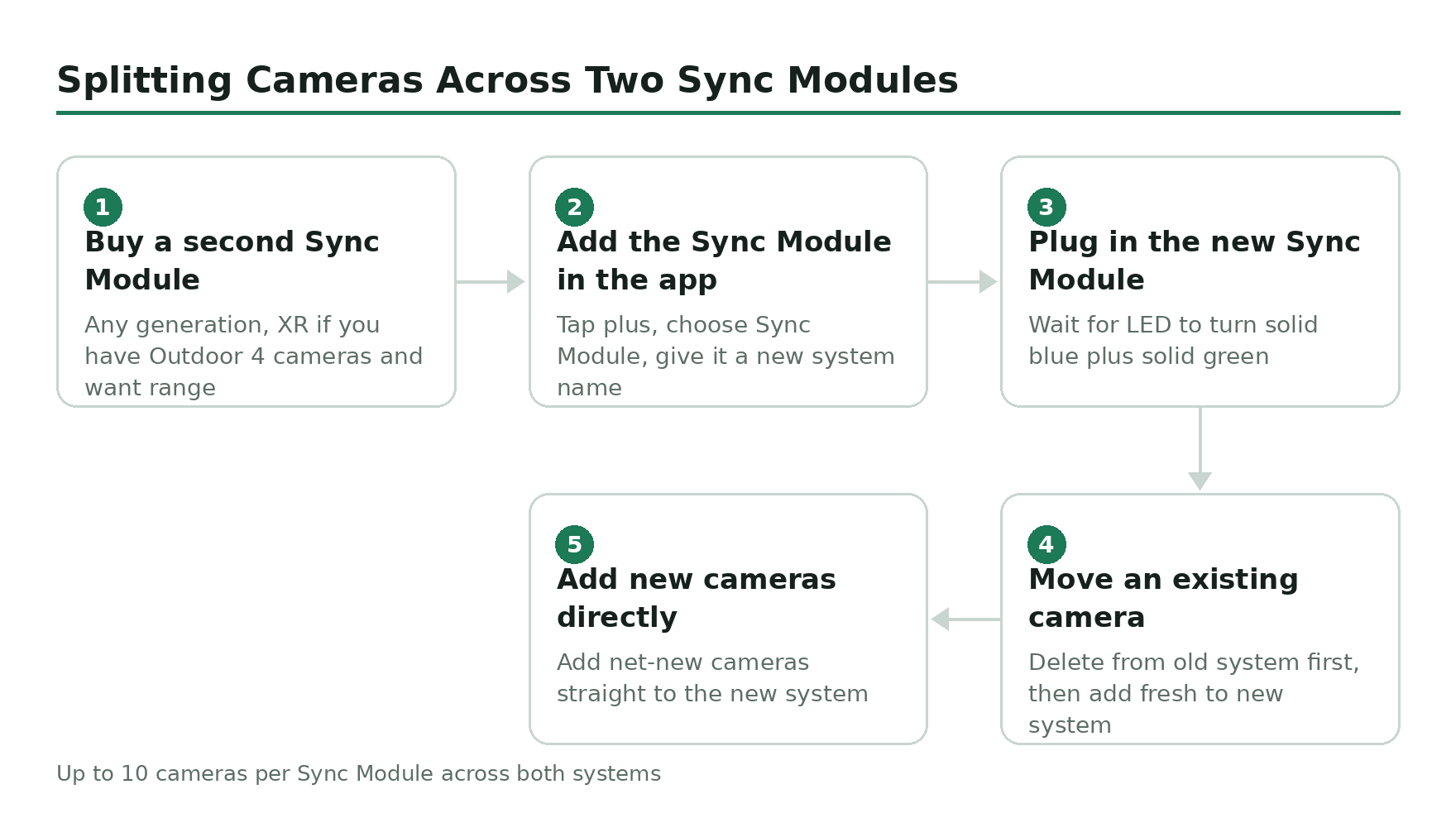
Buy a second Sync Module – any generation. If you have Outdoor 4 cameras and want range, get the XR; otherwise the Sync Module 2 is fine.
In the Blink app, tap the plus icon, choose Sync Module, and follow the prompts to add it to your account. Give it a new system name (something obvious, like ‘Garage’ or ‘House’).
Plug the new Sync Module into power somewhere central to the cameras it will manage. Wait for the LED to turn solid blue plus solid green.
To move an existing camera from the old system to the new one, delete it from the old system first (camera settings, scroll to bottom, Delete Camera), then add it fresh to the new system using the steps above.
Add any net-new cameras directly to the new system from the start. You can now run up to 10 cameras per Sync Module across both systems.
The real-world ceiling is lower than 10
Blink’s 10-camera number is the firmware limit. The practical limit is whatever your batteries, Wi-Fi, and radio environment can sustain – and that’s usually less than 10 for battery-powered cameras spread across a large property.
Two failure modes show up consistently:
- Signal degradation at the edge. A standard Sync Module (not the XR) was designed around cameras within roughly 100 feet, line-of-sight, no walls. Stack two exterior walls and a steel door in between, and the 10th camera at the back of the property starts dropping motion clips. The XR module helps with this for Outdoor 4 cameras specifically.
- Battery drain at scale. A camera that records 30 short clips a day burns through AAs in eight months. Run 10 of them and you’re swapping batteries somewhere on the property every couple of weeks. Use lithium AAs (Blink recommends Energizer Ultimate Lithium), not alkaline – they last three to four times longer and survive cold weather.
For most single-family-home setups, four to six cameras hits the sweet spot: front door, backyard, driveway, side yard, maybe a garage. If you find yourself wanting nine or ten, you’re probably covering a property where a wired system would serve you better anyway.
Best bundles if you’re starting from zero
Building a Blink system from scratch is cheaper if you buy a starter pack rather than individual cameras plus a Sync Module separately. Two solid options:
- Outdoor 4 three-camera system with Sync Module Core – covers most small-to-medium homes (front, back, driveway).
- Outdoor 4 four-camera system with Sync Module Core – one extra camera, modest discount versus buying the fourth separately.
- Outdoor 4 XR one-camera system with Sync Module XR – the right starting point if you have a long driveway, an outbuilding, or anywhere you need the 250 to 400 foot range. Add cameras as needed.
Viewing all your cameras at once
The Blink app’s Home screen shows every camera you own as a stack of live-preview tiles. Pull-to-refresh updates all of them at once. Tap any tile to go full-screen on that camera; pinch out to return to the grid. If you have multiple systems (multiple Sync Modules), they appear as separate tabs you swipe between – the app doesn’t merge everything into one giant grid, which is fine in practice because nobody’s monitoring 20 feeds on a phone at once.
The Blink app is on iOS, Android, and Fire OS only. There’s no native desktop or web app. You can mirror the Android app to a TV with Chromecast if you want a wall display, but Blink hasn’t built a proper viewer for that use case.