How Do Blink Cameras Work?

blink mini camera setup

A Blink camera spots motion with a passive infrared sensor, wakes up, records a short clip, and beams that clip over your home Wi-Fi to Amazon’s cloud (or to a USB stick plugged into a Sync Module, if you’d rather keep things local). Battery-powered Blinks talk to a Sync Module over a proprietary 900 MHz … Read more

What Is A Good Sensitivity For A Blink Camera?
blink camera sensitivity

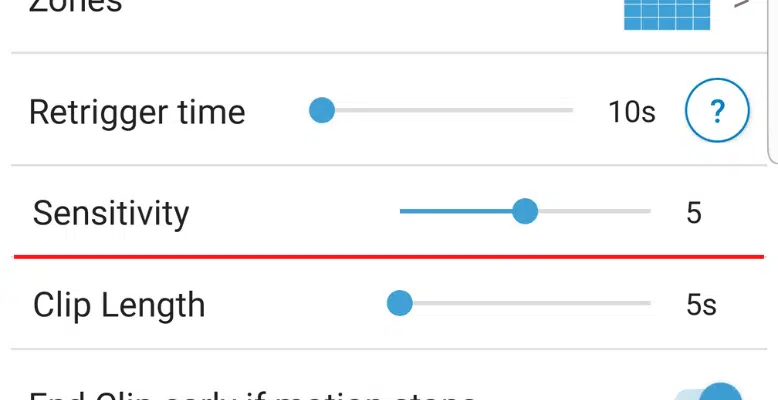
For most Blink cameras, a sensitivity of 5 is the right starting point – that’s the default, and it’s roughly where the engineers calibrated the rest of the system to work. The Outdoor 4 ships at 6. The slider runs from 1 (low, ignores most motion) to 9 (high, fires on a moth’s eyelash). Bump … Read more

Why Is My Blink Camera Blinking Green?

blink camera flashing green

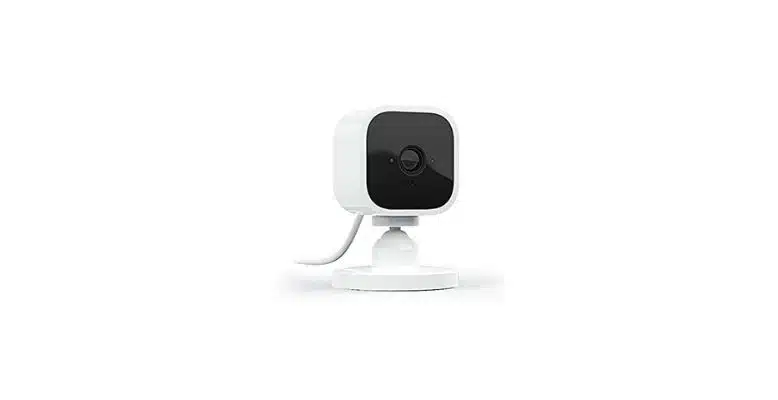
A green light on a Blink camera almost always points to one specific model family – the Blink Mini line – and almost always means one of two things: the camera is in pairing mode (solid green plus blinking blue), or it fell offline and is trying to crawl back onto your Wi-Fi (blinking green). … Read more

How To Setup A Blink Mini Camera

blink mini camera setup

Setting up a Blink Mini is one of the simpler smart-camera jobs: install the app, scan the QR code on the bottom of the camera, type your Wi-Fi password, wait for a solid blue LED. The whole flow takes about three minutes if your Wi-Fi cooperates, and the same steps apply across the Mini 2, … Read more

How To Reset A Blink Camera Back To Factory Settings

blink camera reset

Resetting a Blink camera takes one button press and about 10 seconds, but the exact procedure depends on which camera you own. The reset button location, the hold duration, and whether you need to pull batteries first all change between the Mini lineup, the AA-powered Outdoor cameras, the Doorbells, and the Wired Floodlight. Here’s the … Read more

Best Blink Camera Settings (Doorbell & Outdoor Camera)

best blink camera settings

The Blink app gives you about a dozen camera settings worth touching, and the defaults are conservative on purpose – they prioritize battery life over usefulness. If you want fewer false alerts, sharper clips, and actually-useful AI notifications, change these settings in this order: motion sensitivity, Activity Zones, retrigger time, clip length, end clip early, … Read more