

This post contains affiliate links. If you buy through them, DumbSwitches may earn a commission at no extra cost to you. See our full disclosure.
Smart plugs do one thing – switch power on and off – but that deceptively simple capability maps onto a surprising number of genuinely useful scenarios. Here are 11 uses that go beyond “I can turn my lamp on with my phone” (though that’s fine too). If you haven’t picked a plug yet, our best smart plugs guide breaks down which one fits your ecosystem before you dive into what to do with it.
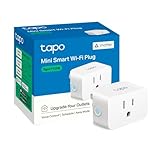
11 Uses for Smart Plugs
1. Stop Overcharging Your Devices Overnight
Modern chargers do cut off once a battery is full – but trickle current keeps flowing anyway, and over time that degrades battery capacity. If you charge overnight, a smart plug with a timer solves this cleanly: set it to cut power after the number of hours your device needs to reach 100%.
Check your device manual for rated charge time. Most phones hit full in 1-2 hours; laptops take longer. Set the timer, plug in before bed, wake up to a charged device that didn’t spend 6 extra hours baking.
The Kasa Smart Plug Mini (EP10) works well here – compact, no extra outlet-blocking bulk, and the Kasa app’s scheduler is the least annoying one in this category. See our full Kasa Smart Plug Mini review if you want specifics.
2. Auto-Off When You Leave Home
Hair dryer left on. Toaster with bread in it. Coffee maker still heating a pot that ran dry an hour ago. These are not hypothetical – they’re the devices people leave running when they’re in a hurry. A smart plug with geofencing automation shuts everything down the moment your phone leaves your home Wi-Fi range.
Set it up once in whatever app came with your plug – location-based rules are now standard in Kasa, Meross, and most HomeKit-compatible plugs. Every device plugged through the smart plug goes off automatically. You don’t have to remember anything.
3. Kill the Standby LED That’s Keeping You Awake
TV standby LEDs are engineered by people who apparently sleep in offices. That small red or white dot in a dark bedroom is enough to ruin sleep for a light-sensitive person. The fix is to cut power to the TV entirely at bedtime – which also eliminates the standby draw.
Schedule the plug to cut power at whatever time you’re reliably in bed, or put it in a “bedtime” voice routine. “Hey Google, goodnight” can turn off the TV, the lamps, and the monitor in one shot. Your eyes will thank you.
4. Cut Phantom Load From Always-On Devices
Devices in standby still draw power – typically 1-10W each, which sounds trivial until you count how many devices in your home are always half-on. A game console in standby uses about 10W. Multiply that across a fully equipped living room and you’re looking at a meaningful chunk of your electricity bill doing nothing useful.
Smart plugs with energy monitoring (the Kasa EP25 tracks real-time wattage in the app) let you see exactly what each device is pulling. Once you know which ones are the worst offenders, schedule them off during hours you’re not using them.
There’s a secondary benefit: anything that’s fully unplugged can’t be damaged by a power surge. Cheap smart plug takes the hit instead of your TV.
5. Have Coffee Ready When Your Alarm Goes Off
This is the one that converts skeptics. Fill your coffee maker the night before, flip the physical switch to on, and plug it into a smart plug on a morning schedule. At 6:45am the plug powers on, the machine starts brewing, and by the time you’ve dragged yourself to the kitchen there’s a full pot waiting.
Same logic works for a toaster (put bread in the night before, switch set to on) and an egg cooker. It’s a slightly absurd domestic hack but it works, and it works with appliances you already own. No need to replace anything with a “smart” version that costs three times as much and requires its own app.
For the kitchen appliance angle, our smart kitchen appliances guide covers how this fits into a broader setup.
6. Run Security Cameras Only When They’re Actually Needed
Running a wired security camera 24/7 makes sense if you’re monitoring a high-risk property. For most people – a front door camera, a driveway cam – the useful footage window is “when I’m asleep” or “when nobody’s home.” The rest is just gigabytes of your dog walking past.
Put the camera on a smart plug and automate it based on your schedule or location. Away from home: camera on. Back home and awake: camera off (or switched to a lower-resolution mode on cameras that support it via their own app).
The most efficient setup pairs a smart plug with a motion sensor – camera powers on when motion is detected, powers off after a set idle period. For a more integrated option, some outdoor floodlights already have cameras and motion sensors built in, which cuts the parts count considerably.
7. Pre-Heat or Pre-Cool Before You Walk In the Door
Walking into a freezing apartment after a winter commute is unpleasant in a way that’s easy to fix. A portable heater or fan on a smart plug with location-based automation can have your room at a reasonable temperature before you arrive. Trigger it when you leave work, arrive home to a space that isn’t hostile.
Same for a humidifier in dry winter air or a dehumidifier in a damp climate. You don’t need smart versions of any of these appliances – just the smart plug between them and the wall. It’s the cheapest possible upgrade path.
8. Fake Occupancy While You’re Traveling
Most smart home apps include a “vacation mode” or “away” schedule that randomly toggles plugged-in devices to simulate someone being home. Lights on in the living room at 7pm, off at 11, bedroom light on at 9 – that kind of thing. It’s not foolproof, but it’s a reasonable deterrent that costs nothing beyond plugs you might already own.
Connect your lamps, a radio, or a TV through smart plugs and set the vacation schedule before you leave. The randomization is what matters – fixed schedules are easy to spot after a few days of watching from the street.
9. Restart Devices That Freeze Regularly – Without Getting Up
If your router needs a power cycle every few weeks to stop acting up, that walk across the house gets old fast. Put it on a smart plug and tell your voice assistant to restart it. The plug cuts power, waits a few seconds, restores it. You don’t move.
Same with network switches, media players, streaming sticks, anything that occasionally needs the “turn it off and on again” treatment. You can also schedule a weekly overnight restart for devices that accumulate memory leaks over time – routers especially benefit from this.
Our Kasa smart plug setup guide covers how to configure schedules and routines if you’re new to this.
10. Automate Pet Feeding When You’re Away
A Wi-Fi-connected automatic pet feeder with an app is convenient but runs $60-150 for a decent one. An electronic pet feeder that just uses a timer mechanism costs $15-30. Plug that cheaper feeder into a smart plug and you get remote scheduling, override control from your phone, and the ability to trigger an extra feeding without the premium price tag.
It’s not identical to a purpose-built smart feeder – you lose portion-level granularity on some models – but for a cat or small dog that eats on a predictable schedule, it does the job.
11. Make Any Dumb Appliance Schedulable
The underlying value of a smart plug is that it turns any AC-powered device with a physical on/off state into something you can schedule, automate, or control remotely. Space heater, floor fan, string lights, an old lava lamp – if it has a physical switch and runs on AC, a smart plug makes it schedulable.
When you’re starting to build out a smart home on a budget, this is almost always the right first move. Replacing every appliance with a “smart” version is expensive and often unnecessary when a $10-15 plug gets you 80% of the functionality. Buy the smart version when the appliance actually wears out and needs replacing.
For a deeper look at how smart plugs fit into a broader home setup, understanding smart home protocols is worth a read before you buy anything – it’ll save you from building a system where half the devices can’t talk to each other.
FAQ
Are smart plugs safe?
Smart plugs sold by established brands (TP-Link, Meross, Eve) have to meet UL or CE safety standards before they can be sold in the US or Europe. The fire and hack risks that get circulated online mostly apply to unbranded no-name units from random Amazon sellers. Stick to recognized brands and you’re fine.
Can smart plugs turn on a TV?
Yes – plug the TV into the smart plug and control it from your phone or voice assistant. Note that this does a hard power cut rather than using the TV’s standby mode, which is actually useful for killing the standby LED entirely.
Can smart plugs dim lights?
Standard smart plugs only switch power on and off – they can’t dim. There are plug-in dimmers designed for this, like the Leviton Decora Smart Plug-in Dimmer, but those are a different product category.
How much power do smart plugs use?
Wi-Fi smart plugs draw roughly 1-2W in standby – the cost of staying connected and listening for commands. That’s around $1-2 per plug per year at average US electricity rates. Zigbee and Z-Wave plugs draw even less.
Can smart plugs work without internet?
Wi-Fi plugs paired with a local home hub (like Apple Home or Home Assistant) can operate on your local network without an active internet connection. You lose remote access from outside the house, but schedules and local automations keep running. See our guide on smart home protocols for how local vs. cloud control works across different platforms.
Can smart plugs be used outdoors?
There are smart plugs built specifically for outdoor use with weatherproofing and higher IP ratings. Standard indoor plugs should not be used outside – moisture ingress in an outdoor outlet is a genuine fire risk.
Are Smart Plugs Worth It?
At $10-15 per plug, the question is almost too easy to answer. If even one of these use cases maps onto something you actually do – forgetting devices on, charging overnight, wanting coffee ready at 7am – the plug pays for itself in convenience within a week.
The one caveat: smart plugs only make sense for devices with physical on/off switches that stay in the “on” position. If your coffee maker has a touch-capacitive button that resets to off after every power cycle, a smart plug can’t help you. Check before you buy.
For a comparison of the current best options, our Kasa Smart Plug Mini review is a good starting point – it’s been the go-to recommendation for years and the 2024 EP10 revision still holds up. If you’re setting one up specifically for HomeKit, see our guide to pairing a Zuli Smartplug with HomeKit.