
This post contains affiliate links. If you buy through them, DumbSwitches may earn a commission at no extra cost to you. See our full disclosure.
Leviton Decora Smart is the most dependable Wi-Fi smart switch line you can buy at a home improvement store – reliable hardware, no hub required, and now fully Matter-compatible on current models. The lineup has been significantly updated since 2021, so if you bought a first-gen DW-series device, there are faster, smarter replacements worth knowing about.
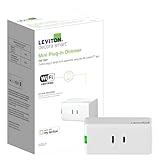
This review covers the current Decora Smart lineup: the D315S switch, D36HD dimmer, D24SF fan speed controller, D23LP plug-in dimmer, and the DWVAA voice dimmer that still lives in Leviton’s catalog as a first-gen holdout. All prices and availability confirmed May 2026.
Quick Comparison
| D315S Switch | D36HD Dimmer | DWVAA Voice Dimmer | D24SF Fan Controller | D23LP Plug-in Dimmer | |
|---|---|---|---|---|---|
| Form Factor | In-wall | In-wall | In-wall | In-wall | Plug-in |
| Hub Required | No | No | No | No | No |
| Neutral Wire | Required | Required | Required | Required | Not required |
| Max LED/CFL Load | 3A (LED/CFL) | 300W | 300W | 1.5A motor | 100W |
| Dimming | No | Yes | Yes | 4-speed | Yes |
| Matter | Yes (native) | Yes (native) | No | Via firmware update | Via firmware update |
| Apple Home | Yes (via Matter) | Yes (via Matter) | No | Yes (via firmware) | Yes (via firmware) |
| 3-Way | Yes | Yes | Yes | Yes | Yes |
| Check Price | Check Price | Check Price | Check Price | Check Price |
What Changed: The Generation Update
Leviton quietly replaced the original DW-series switches in 2021-2022 with second-gen D-series models, and the lineup has kept moving since. The original DW15S switch and DW6HD dimmer are effectively discontinued – still findable online but not what you should buy. Current in-wall models are the D315S switch and D36HD dimmer, both with Matter support built in from the factory (no firmware dance required).
Matter is the big story here. If you have an Apple Home setup and avoided Leviton because the old HomeKit-specific models required a separate purchase, that limitation is gone. The current D315S and D36HD connect to Apple Home, Google Home, Amazon Alexa, and SmartThings without needing different hardware for each platform.
One caveat: Leviton’s first-gen (DW-series) devices will not get a Matter update. If you have older switches and want Matter, you are buying new hardware. Second-gen devices (D215S, D26HD) can get Matter via a firmware update through the My Leviton app. Third-gen (D315S, D36HD) ship with it already on.
Smart Switch (Leviton D315S) Review
Form Factor: In-wall
Supported Load: 3A LED/CFL, 15A general use, 1/3 HP motor
3-Way Capability: Yes
Dimming: No
Price: Check Here
Hub Required: No
Neutral Wire Required: Yes
Matter: Yes (native, no firmware update needed)
Compatible with: Amazon Alexa, Google Assistant, Apple Home/Siri, SmartThings, Home Assistant
The D315S is Leviton’s current flagship on/off switch. It is a straight swap for the old DW15S – same Decora form factor, same neutral wire requirement – but with Matter native out of the box and a slimmer 1.09-inch depth that makes it easier to fit in tight electrical boxes.
One genuinely useful addition: schedules are stored in the device’s memory, so they keep running if your internet goes down. The original DW15S required a cloud connection for schedules to work, which is the kind of design decision that makes you question someone’s priorities at 2am when your router dies. That problem is fixed.
It does still need a neutral wire – if your house is pre-1985 and you do not have a neutral in the switch box, this is not your switch. Color change kits (DDKIT-S) let you swap the faceplate to almond, ivory, brown, black, gray, or light almond.
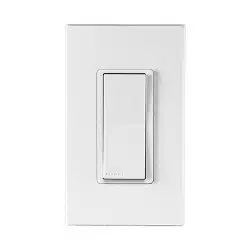
Leviton Decora Smart Switch (D315S)
The Good
- Matter native – works with Apple Home, Google Home, Alexa, SmartThings without separate hardware
- Schedules stored on-device (work without internet)
- No hub required
- Slimmer depth than previous gen – easier install in crowded boxes
- Color change kits available in six finishes
The Bad
- Neutral wire required – not an option for older homes without one
- No dimming capability (buy the D36HD if you need that)
Smart Dimmer (Leviton D36HD) Review
Form Factor: In-wall
Supported Load: 300W LED/CFL/INC
3-Way Capability: Yes
Dimming: Yes
Price: Check Here
Hub Required: No
Neutral Wire Required: Yes
Matter: Yes (native)
Compatible with: Amazon Alexa, Google Assistant, Apple Home/Siri, SmartThings, Home Assistant
The D36HD is Leviton’s current dimmer – third generation, Matter native, certified September 2025. It handles 300W of LED, CFL, or incandescent load, which covers most residential lighting setups without issue. If you had the old DW6HD or DW1KD (the 600W/1000W first-gen dimmers), this is the current replacement.
The brightness rocker and LED indicator bar from the original line are still here. Dimming performance on dimmable LEDs is solid – you get full range from about 1% to 100% without the low-end flicker issues that plague cheaper dimmers. One note: some LED bulbs squeal at low dim levels. That is usually a bulb compatibility issue, not the dimmer, but it is worth testing before you install six of them in a dining room.
Same features apply across the line: schedules stored on-device, sunrise/sunset timers, vacation mode (randomized on/off to deter burglars), and app-configurable fade rates. The 3-way setup uses either a wired companion switch or Leviton’s wire-free Anywhere Dimmer Companion (DAWDC) – no new wire runs needed for multi-location control.
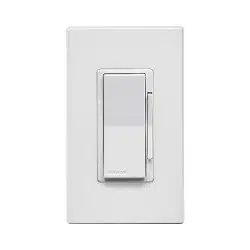
Leviton Decora Smart Dimmer (D36HD)
The Good
- Matter native – current generation (certified Sep 2025)
- Full-range dimming with custom fade rates
- Wire-free 3-way option (no new wiring required)
- Vacation/randomization mode
- Schedules stored on-device
The Bad
- Neutral wire required
- 300W max load – not suitable for high-wattage incandescent runs
- Some LED bulbs audibly hum at low dim settings (bulb compatibility issue)
Smart Voice Dimmer (Leviton DWVAA) Review
Form Factor: In-wall
Supported Load: 300W (LED/CFL/INC)
3-Way Capability: Yes
Dimming: Yes
Price: Check Here
Hub Required: No
Neutral Wire Required: Yes
Matter: No (first-gen device, no update planned)
Compatible with: Amazon Alexa (built-in), Google Assistant, SmartThings
The DWVAA puts a full Alexa module inside the switch itself – microphone, speaker, the whole setup. You can bark commands directly at your wall without needing a separate Echo. It sounds like a gimmick until you have one in a kitchen with no counter space for a smart speaker, and then it makes more sense.
That said, this is a first-gen device from 2019 and Leviton has not replaced it with a newer version. There is no Matter update coming for the DWVAA – Leviton confirmed that first-gen Wi-Fi devices are not in the firmware update path. If you are building out a Matter home, skip it. If you just want an Alexa speaker baked into your dimmer and do not care about Matter, it still works fine.
The 300W load cap is the practical limit. It also lacks the color change kit option, so you are locked into white.
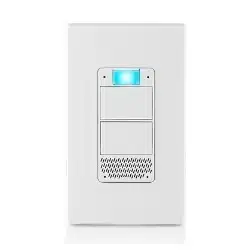
Leviton Decora Smart Voice Dimmer (DWVAA)
The Good
- Full Alexa module built in – works as a standalone voice assistant
- Microphone mute button for privacy
- All standard Decora Smart scheduling features included
- Good for spaces where counter space for a smart speaker is tight
The Bad
- First-gen device – no Matter support, no firmware path to get it
- No Apple Home compatibility
- No color change kits – white only
- 300W load limit
Smart Fan Speed Controller (Leviton D24SF) Review
Form Factor: In-wall
Supported Load: 1.5A overhead paddle fan motor
3-Way Capability: Yes
Dimming: N/A (4-speed fan control)
Price: Check Here
Hub Required: No
Neutral Wire Required: Yes
Matter: Via firmware update (My Leviton app)
Compatible with: Amazon Alexa, Google Assistant, Apple Home/Siri, SmartThings
The D24SF is a second-gen replacement for the original DW4SF. Same concept: four-speed control for overhead paddle fans (low, medium, high, max) with full smart home integration. Voice commands work across Alexa, Google, and Apple Home (via firmware update). The LED speed indicator shows current fan state at a glance.
Important caveat that the original post buried: this controller only handles the fan motor. If your ceiling fan has a light kit, you need a separate Leviton dimmer wired in alongside it. The two devices pair together in the My Leviton app for combined control. It is not a deal-breaker but it is an extra $40-50 and an extra wire run if your fan box does not already have separate conductors for fan and light.
The auto-shutoff timer and min/max speed limits are genuinely useful. Setting a max speed limit prevents the controller from hammering a smaller fan motor at settings it was not built for.
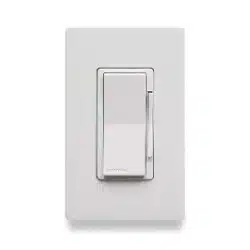
Leviton Decora Smart Fan Speed Controller (D24SF)
The Good
- 4-speed control with voice and app automation
- LED speed indicator bar
- Configurable min/max speed limits to protect fan motor
- Matter support via firmware update
The Bad
- Controls motor only – fan light requires a separate dimmer switch
- Neutral wire required
Smart Plug-in Dimmer (Leviton D23LP) Review
Form Factor: Plug-in
Supported Load: 100W (LED/CFL), 300W (INC)
3-Way Capability: Yes
Dimming: Yes
Price: Check Here
Hub Required: No
Neutral Wire Required: No
Matter: Via firmware update (My Leviton app)
Compatible with: Amazon Alexa, Google Assistant, Apple Home/Siri, SmartThings
The D23LP is the answer to the neutral wire problem. Plug it into a standard outlet, plug a lamp into it, and you have a smart dimmer with zero wiring involved. If your house predates the early 1980s and lacks neutral wires in the switch boxes, this is how you get Decora Smart features without calling an electrician.
It is the second-gen replacement for the original DW3HL – smaller form factor, front-facing plug rather than bottom-mounted. Matter support is available via firmware update through the My Leviton app. Features are otherwise identical to the in-wall models: scheduling, vacation mode, voice control, sunrise/sunset timers.
The 100W LED limit is the practical constraint. Most modern LED lamps pull well under that, so it is rarely an issue. If you are running an older halogen or incandescent lamp, the 300W incandescent rating has you covered.
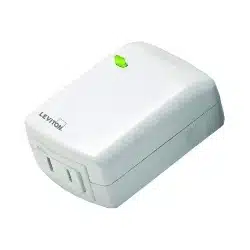
Leviton Decora Smart Plug-in Dimmer (D23LP)
The Good
- No neutral wire required – works in any outlet
- No wiring required at all
- Matter support via firmware update
- Smaller form factor than the original DW3HL
The Bad
- 100W LED limit (fine for most lamps, not for heavy loads)
- Only works on plug-in lamps, not hardwired fixtures
Matter, HomeKit, and the Protocol Picture in 2026
The old Leviton playbook was to sell separate hardware for each platform – Wi-Fi switches for Alexa/Google, HomeKit-specific switches for Apple, Z-Wave switches for hub-based systems. You had to pick your platform at purchase and were stuck with it.
Matter changed that. The current D315S and D36HD are a single SKU that works across all four major platforms (Apple Home, Google Home, Alexa, SmartThings) through the Matter protocol. You do not need a separate HomeKit version anymore. If you want to run Apple Home, buy the standard D315S or D36HD and enable Matter – it connects to Apple Home natively. For more on how the protocols compare, the Z-Wave vs Zigbee vs Wi-Fi guide covers the tradeoffs in detail.
Z-Wave variants (like the ZW4SF fan controller) still exist for people with Z-Wave hubs. Zigbee variants are not part of Leviton’s current lineup. If you are committed to a Z-Wave hub setup, check Leviton’s current Z-Wave offerings – they parallel the Wi-Fi line closely in features. But for new installs, the Wi-Fi + Matter path is simpler and more future-proof. You can also read the full rundown on Leviton and HomeKit compatibility if you are deep in the Apple ecosystem.
Installation: What You Need to Know
Every in-wall Decora Smart switch requires a neutral wire. This is the white wire in the switch box – not the hot, not the ground, the one that often gets capped off and ignored in older homes because traditional switches did not need it. Smart switches draw a small standby current even when off, and that requires a neutral to complete the circuit.
If you open your switch box and see only two wires plus a ground, you do not have a neutral. Your options are: run a new neutral wire (requires opening walls or fishing cable), use the D23LP plug-in dimmer for lamps, or look at no-neutral smart switches from other brands. Leviton does not currently offer a no-neutral in-wall option in this lineup.
If you do have a neutral wire, installation is straightforward. Leviton’s wire leads connect to standard residential wiring, and the switches have a shallow depth (1.09″ for the D315S) that fits even in cramped single-gang boxes. The official Leviton installation video walks through the full process.
FAQ
Does Leviton Decora Smart require a neutral wire?
All in-wall Decora Smart devices require a neutral wire. The plug-in models (D23LP) do not, since they connect to a standard outlet rather than hardwired into the switch box.
Does Leviton Decora Smart support Matter?
Current-generation models (D315S switch, D36HD dimmer) have Matter support built in from the factory. Second-gen models (D215S, D26HD, D24SF, D23LP) can enable Matter via a firmware update through the My Leviton app. First-gen DW-series devices (DW15S, DW6HD, DWVAA) will not receive a Matter update.
Does Leviton work with Apple HomeKit?
Yes. Current Decora Smart devices connect to Apple Home through Matter, which eliminates the need for a separate HomeKit-specific switch. The older dedicated HomeKit product line is being phased out in favor of the universal Matter approach.
Does Leviton Decora Smart require a hub?
No hub required. The Wi-Fi line connects directly to your 2.4 GHz home network and is controlled via the My Leviton app. Matter-enabled devices can also connect to any Matter controller (Apple HomePod, Google Nest Hub, Amazon Echo, etc.).
Can Leviton be used as a 3-way or 4-way switch?
Yes. 3-way control works with a wired companion switch or Leviton’s wire-free Anywhere Companion (no new wire runs needed). For 4-way control, pair two Leviton 3-way switches via a traveler wire.
How do you reset a Leviton Decora Smart switch?
Press and hold the top paddle button until the LED indicator turns amber, then release. The switch will reset and disconnect from your Wi-Fi network. You will need to re-add it through the My Leviton app.
What is the difference between the DW15S and D315S?
The DW15S is a first-gen Wi-Fi switch from around 2017 – no Matter support, schedules require cloud connectivity. The D315S is the current third-gen replacement with native Matter, on-device schedule storage, slimmer depth, and a 2-year warranty. If you are buying new, get the D315S.
Does Leviton work with Google Home and Alexa?
All current Decora Smart Wi-Fi devices work with both Google Home and Amazon Alexa. Matter-enabled models also work with Apple Home and Samsung SmartThings from the same hardware.
Bottom Line
Leviton Decora Smart is the right call if you want in-wall switches that work without a hub, support Matter natively, and do not require you to trust a startup that might be acquired by a Roomba manufacturer in three years. The D315S and D36HD are the builds to buy in 2026 – current-gen hardware, native Matter, no fidgeting with firmware first.
The 5-year warranty on most models is the kind of confidence statement that larger, less-credible competitors avoid making. Leviton has been making switches since 1906 (yes, that is not a typo) and the hardware reflects it. The My Leviton app has had connectivity complaints over the years – that is the one legitimate knock. But with Matter, you can control the switches directly through Apple Home, Google Home, or Alexa without routing through Leviton’s cloud at all, which mostly sidesteps the issue.
Skip the DWVAA voice dimmer unless you specifically need a wall-mounted Alexa speaker and do not care about Matter. For everything else, go current-gen D-series. If Leviton isn’t your only option, see our full roundup of the best smart light switches for 2026.