

This post contains affiliate links. If you buy through them, DumbSwitches may earn a commission at no extra cost to you. See our full disclosure.
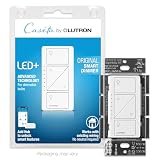
The best smart light switch for most homes is the Lutron Caseta PD-6ANS – it works without a neutral wire, runs on a rock-solid proprietary mesh, and plays nicely with every major voice assistant. If you have a neutral wire and want Matter compatibility, the Leviton Decora D315S is the cleaner long-term bet.
Smart switches are a better upgrade than smart bulbs in almost every situation. You replace one switch and everything connected to it gets smart – no juggling a dozen individual bulbs, no telling your roommate not to touch the wall switch ever again.
Here’s every pick worth considering in 2026, starting with the question everyone has when they open up a wall plate for the first time.
Do I Need a Neutral Wire?
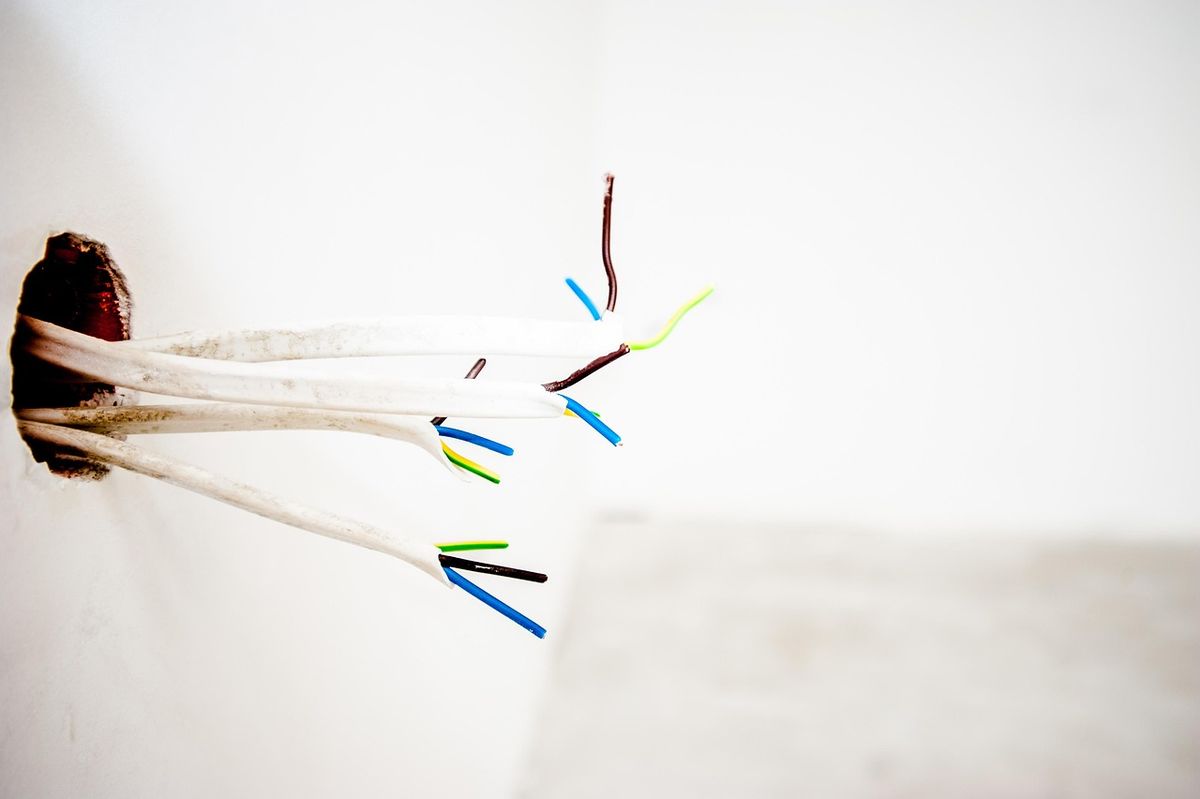
This is the question that derails more smart home projects than anything else. Most homes built after ~2000 have a neutral wire in the electrical box – it’s the white wire that completes the circuit. Older homes often don’t, because older wiring ran the neutral back through the fixture and never brought it to the switch.
To check: turn off the breaker, pull out the existing switch, and count the wires. If there’s a bundle of white wires capped together that aren’t connected to the switch itself, you have a neutral. If you only see two wires going to the switch terminals and nothing else in the box, you probably don’t.
Why does this matter? Most smart switches need a neutral wire to power their electronics when the load is off. A handful – notably Lutron Caseta and Inovelli Blue – use clever workarounds to function without one. The no-neutral options used to be rare; they’re more common now, but Caseta still does it best. For the full picture on what the electrical code requires and which specific models work without a neutral, see our guide to smart switches without a neutral wire.
Lutron Caseta PD-6ANS – Best Overall (No Neutral)
Lutron has been making light switches since the 1960s. The Caseta line is what happens when a company that actually understands electrical engineering decides to build a smart switch. The PD-6ANS (standard on/off) and PD-10NXD (dimmer) run on Lutron’s proprietary Clear Connect RF mesh, which operates on a different frequency than Wi-Fi and Zigbee – meaning your smart switch won’t slow down when you’re streaming 4K.
No neutral wire required. Works with HomeKit, Alexa, and Google Home – Caseta’s HomeKit integration is as clean as it gets. The bridge is required (included in starter kits, ~$80), which adds to the upfront cost but also means local control that doesn’t rely on anyone’s cloud server staying online.
The physical design is functional rather than beautiful. Pico remote support is a genuine selling point – you can put a battery-powered switch anywhere without running new wire.
Lutron Caseta PD-6ANS on Amazon
- Pros: No neutral required, rock-solid reliability, local control via bridge, Pico remote ecosystem
- Cons: Requires a bridge, proprietary protocol (not Matter), higher cost per switch (~$40-50)
Leviton Decora D315S – Best for Matter / Neutral Wire
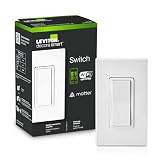
Matter is the smart home standard that’s supposed to make everything work with everything. The Leviton Decora D315S is one of the cleaner native Matter switches on the market. It connects over Wi-Fi Thread or standard Wi-Fi depending on your setup, works with every major platform without needing a bridge, and the Leviton Decora hardware quality is well above budget-tier.
The catch: it needs a neutral wire. If you have one, this is a strong long-term choice because you’re buying into an open standard rather than a proprietary ecosystem. If Leviton stops making smart home products tomorrow, your switch still works with everything else that speaks Matter.
Leviton Decora D315S on Amazon
- Pros: Native Matter, no bridge needed, open ecosystem, solid build quality
- Cons: Requires neutral wire, app setup can be fussy on first run
Inovelli Blue Series – Best for Home Assistant / Power Users

The Inovelli Blue Series is a Zigbee 3.0 switch with Matter support via Zigbee binding. It’s the switch for people who are already running Home Assistant, have a Zigbee coordinator, and want features that don’t exist anywhere else – per-switch scene control, LED bar notifications, multi-tap actions, power monitoring.
No neutral wire required in the dimmer version. The on/off variant needs one. Inovelli is a small company, which means firmware updates driven by actual community feedback and genuine responsiveness when something breaks. It also means you’re not going to buy this at Best Buy.
Inovelli Blue Series on Amazon
- Pros: No neutral option (dimmer), Matter via Zigbee, LED bar notifications, power monitoring, strong community
- Cons: Requires Zigbee hub, not a plug-and-play experience, US only
Eve Light Switch – Best for Apple HomeKit (Thread)
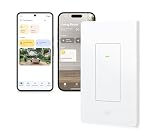
Eve makes hardware specifically for the Apple ecosystem, and the Eve Light Switch reflects that focus. It runs on Thread, which is the low-latency mesh protocol that underpins Matter – and it doesn’t need a neutral wire. Response times are faster than Wi-Fi switches. If your home is heavily HomeKit and you have an Apple TV 4K or HomePod acting as a Thread border router, Eve switches are close to instant.
Works only with HomeKit out of the box. Matter support is present, but Eve’s strength is the tight Apple integration and thread reliability. No app required for setup if you have a HomeKit home already configured.
- Pros: Thread-based (fast and local), no neutral required, native HomeKit, Matter support
- Cons: Best on Apple ecosystem, higher price per switch
Kasa EP25 – Best Budget Pick (No Neutral)
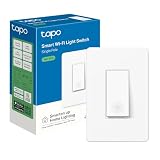
If you’re furnishing a rental or just want something cheap that works, the Kasa EP25 is the answer. It’s a Wi-Fi switch, runs on the Kasa app, and doesn’t need a neutral wire. Alexa and Google Home support is there. HomeKit is not.
TP-Link’s Kasa app is one of the better ones in the budget category – functional, reliable enough, and not trying to sell you a subscription. The hardware feels like a $25 switch, which is what it is. For a vacation home, a secondary room, or a situation where you need to cover a lot of switches without spending a lot of money, it does the job.
Kasa EP25 Smart Switch on Amazon
- Pros: No neutral required, cheap (~$20-25), decent app, Alexa + Google Home
- Cons: No HomeKit, Wi-Fi dependent, cloud-reliant
TP-Link Tapo S220 – Best Budget (Neutral Required)
The Tapo S220 is where TP-Link gets genuinely competitive on price. It’s a two-gang switch with individual control of each gang, needs a neutral wire, and sits around $15-20. The Tapo app is a level above the older Kasa experience. Matter support was added via firmware update.
If your boxes have neutral wires and you don’t care about HomeKit or advanced automations, the Tapo S220 is hard to argue with at this price point. It’s not exciting, which is fine – light switches shouldn’t be exciting.
- Pros: Very cheap, two-gang, Matter support, good app
- Cons: Needs neutral wire, single-gang version less competitive
GE Cync Smart Switch – Honorable Mention
The GE Cync line is widely available (Target, Home Depot, Amazon) which is its main selling point. Wi-Fi connected, Alexa and Google Home support, neutral wire required. The app works. The hardware is fine. It’s not a bad switch – it’s just that Kasa and Tapo are both cheaper and have better app ecosystems.
Worth buying if it’s on sale or if local availability matters to you and you need it today rather than waiting for Amazon delivery.
Smart Switch vs Smart Bulb – Which Should You Use?
The short answer: use a smart switch. Switches control the whole fixture, work with any bulb you put in it, and don’t break when someone flips the physical switch off. Smart bulbs go dark the moment a switch cuts power – and then require a restart sequence that your non-tech family members will find deeply unreasonable.
The exceptions are situations where a switch replacement isn’t practical – rental properties where you can’t modify wiring, fixtures with multiple bulbs where you want individual color control, or lights in locations with no switch at all (like a lamp plugged into an outlet). For color-changing accent lights or reading lamps, smart bulbs make sense. For overhead lighting on a standard switch circuit, a smart switch is almost always the better call.
One specific case: using multiple smart bulbs in a single fixture is more complicated than it looks and creates sync issues. A smart switch with regular bulbs sidesteps the whole problem.
How to Install a Smart Light Switch
Installing a smart switch takes about 20 minutes if you’ve done basic electrical work before. If you haven’t – the main rules are: turn off the breaker, verify power is off with a voltage tester before touching anything, and take a photo of the existing wiring before you disconnect anything.
How to install a smart light switch, step by step.
Turn off the circuit breaker
Locate the breaker for the circuit you’re working on and switch it off. Use a non-contact voltage tester at the switch plate to confirm power is dead before touching any wires.
Remove the existing switch
Unscrew the switch plate cover and the switch mounting screws. Pull the switch out from the box and take a photo of the wiring before disconnecting anything. Label wires with tape if needed.
Identify your wires
Standard US wiring: black = line (hot), white = neutral (if present), green or bare copper = ground. The wire coming from the panel is the line; the wire going to the fixture is the load. Your smart switch instructions will label which terminal takes which wire.
Connect the wires to the smart switch
Follow the wiring diagram included with your switch. Most smart switches have labeled terminals: Line, Load, Neutral (if required), and Ground. Use the wire connectors or terminals provided. Tug each connection gently to confirm it’s seated.
Mount and test
Fold the wires carefully into the box and mount the smart switch to the wall plate. Restore power at the breaker, then follow the switch manufacturer’s app pairing instructions. Test both manual operation and app/voice control before installing the cover plate.
Smart Switch Quick-Reference
| Switch | Neutral Required | Protocol | HomeKit | Best For |
|---|---|---|---|---|
| Lutron Caseta PD-6ANS | No | Clear Connect (proprietary) | Yes | Best overall, no neutral |
| Leviton Decora D315S | Yes | Matter (Wi-Fi/Thread) | Yes | Matter / long-term pick |
| Inovelli Blue Series | No (dimmer) | Zigbee 3.0 / Matter | Via Matter | Home Assistant / power users |
| Eve Light Switch | No | Thread / Matter | Yes | Apple ecosystem |
| Kasa EP25 | No | Wi-Fi | No | Budget, no neutral |
| Tapo S220 | Yes | Wi-Fi / Matter | Via Matter | Budget, neutral wire |