

This post contains affiliate links. If you buy through them, DumbSwitches may earn a commission at no extra cost to you. See our full disclosure.
The Schlage Encode Plus (BE499WB) is the one to buy. It works natively with Apple HomeKit – no hub, no bridge, no extra gear – plus Alexa and Google Assistant, and it’s built to ANSI Grade 1/AAA standards. If you don’t care about HomeKit, the standard Encode saves you $30 and does everything else the same way. The Connect is for Z-Wave households only. That’s the short version.
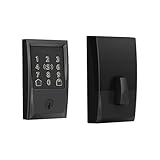
Quick Comparison
| Model | Connectivity | HomeKit | Hub Required | Access Codes | Street Price |
|---|---|---|---|---|---|
| Encode Plus (BE499WB) | WiFi | Yes (native) | No | 100 | ~$329 |
| Encode (BE489WB) | WiFi | No | No | 100 | ~$299 |
| Connect (BE469ZP) | Z-Wave Plus | No (via hub) | Yes | 30 | ~$179 |
| Sense (BE479) | Bluetooth | Yes (Bluetooth) | No | 30 | ~$199 |
The Sense is technically still in the lineup but treats it as legacy at this point – Bluetooth-only range limits make it impractical as a primary lock for most people.
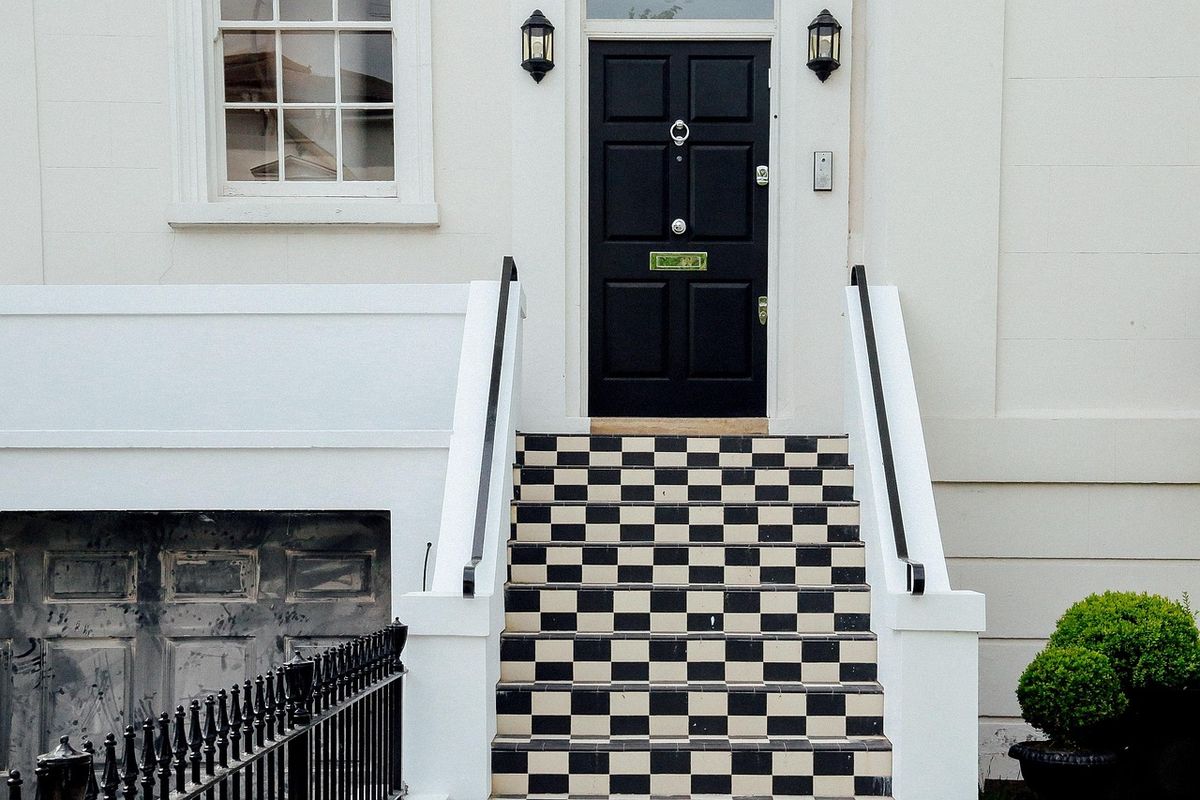
Schlage Encode Plus (BE499WB) – Best Overall
The Encode Plus is what you want if you’re buying a Schlage lock in 2026. WiFi built in, Apple HomeKit built in, no additional hardware required. You can lock and unlock from anywhere, share access codes with guests, and check status from the Home app on your iPhone. Buy the Schlage Encode Plus on Amazon.
The capacitive touchpad lights up immediately on contact – feels noticeably more responsive than the standard Encode. Schlage rates it Grade AAA under ANSI/BHMA A156.40, which is the highest rating for residential deadbolts and covers forced entry, picking, and drilling resistance.
Specs
- Model: BE499WB
- Connectivity: Built-in WiFi (2.4GHz)
- Smart home: Apple HomeKit (native), Amazon Alexa, Google Assistant
- Apple Home Key: Yes – tap iPhone or Apple Watch to unlock
- Access codes: up to 100
- Battery: 4x AA (6-12 months), 9V backup terminal on exterior
- Security grade: ANSI/BHMA Grade 1 and Grade AAA
- Built-in alarm: Yes (tamper, forced entry detection)
Who It’s For
Apple household, or anyone who wants one app (Schlage Home) to handle everything without buying a smart home hub first. Also the right call for Airbnb hosts – 100 access codes with scheduling is plenty for rotating guests.
Who Should Skip It
If you already have a Z-Wave hub and want your lock to work inside that ecosystem, the Encode Plus won’t play. Get the Connect instead. Also: WiFi deadbolts drain batteries faster than Z-Wave models – figure 6 months on a set of AAs if you’re running it hard.
Schlage Encode (BE489WB) – Best Value WiFi Lock
The standard Encode is the Encode Plus with HomeKit removed and $30 knocked off the price. Same WiFi, same touchscreen, same 100 access codes, same ANSI Grade 1 build. If you’re on Android or just don’t use HomeKit, there’s no functional reason to pay the premium. See the Schlage Encode on Amazon.
Works with Alexa and Google Assistant natively. The Schlage Home app handles scheduling, code management, and remote lock/unlock on both iOS and Android. Setup takes about 20 minutes.
Specs
- Model: BE489WB
- Connectivity: Built-in WiFi (2.4GHz)
- Smart home: Amazon Alexa, Google Assistant (no HomeKit)
- Access codes: up to 100
- Battery: 4x AA, 9V backup terminal
- Security grade: ANSI/BHMA Grade 1
- Built-in alarm: Yes
Who It’s For
Android users, Google Home households, and anyone who wants solid WiFi-based remote access without the HomeKit tax. This is also the better pick for property managers who want simple access code management with no ecosystem commitment.
Schlage Connect (BE469ZP) – Best for Z-Wave Homes
The Connect uses Z-Wave Plus instead of WiFi – which means it needs a Z-Wave hub (SmartThings, Hubitat, HomeSeer, etc.) but draws significantly less power in return. Real-world battery life on Z-Wave locks runs 12-18 months. If you’re deep in a Z-Wave ecosystem, this is the lock that fits. See the Schlage Connect on Amazon.
The trade-off is codes – you get 30 access codes versus 100 on the Encode models, and remote access runs through your hub rather than a direct cloud connection. If that hub goes offline, so does remote control. The lock itself still works via keypad or key. For more on how Z-Wave fits into a broader smart home setup, see our Z-Wave and HomeKit compatibility guide.
Specs
- Model: BE469ZP
- Connectivity: Z-Wave Plus (S2 encryption)
- Smart home: Works with any Z-Wave hub (SmartThings, Hubitat, HomeSeer, Ring Alarm)
- Access codes: up to 30
- Battery: 4x AA (12-18 months typical)
- Security grade: ANSI/BHMA Grade 1 and Grade AAA
- Built-in alarm: Yes
Who It’s For
Anyone already running a Z-Wave hub who wants the lock to participate in automations – “everyone left, lock the door” type rules. The longer battery life is a real advantage if you have a hard-to-reach deadbolt.
Schlage vs. August vs. Yale – Who Wins What
August (especially the August Wi-Fi Smart Lock) installs over your existing deadbolt interior – meaning you keep your existing keys and hardware. That’s genuinely useful in rental situations where you can’t swap out the whole lock. Schlage replaces your deadbolt entirely. Both approaches work fine; it’s a function of how much you want to commit to the swap.
Yale makes a direct Encode competitor in the Yale Assure Lock 2 – similar WiFi-plus-HomeKit feature set. Yale’s build quality is solid but doesn’t have quite the same brand recognition in the US residential security space, and availability at hardware stores tends to be narrower. If HomeKit plus August branding matters to you, August is worth a look – here’s how August handles HomeKit.
For pure value: Schlage wins on security certifications (Grade AAA on the Encode Plus and Connect is genuinely hard to match at the price point), August wins on retrofit flexibility, Yale is a reasonable alternative if Schlage is out of stock. The Schlage brand is a Century old and makes the hardware in a way that shows – the deadbolt throw and keypad feel more substantial than most of the competition at the same price.
Installation Notes
All current Schlage smart locks – Encode Plus, Encode, Connect – are standard deadbolt replacements. No neutral wire required (they’re battery powered), no special door prep beyond what any deadbolt needs. Most US exterior doors are pre-drilled for a standard deadbolt and this will drop straight in.
Door prep: standard single-cylinder deadbolt cutout, 2-1/8″ cross bore (door face), 1″ edge bore. Backset is 60mm (2-3/8″) or 70mm (2-3/4″) – both are adjustable on the latch included in the box. If you’re replacing an existing deadbolt, you almost certainly won’t need to drill anything.
WiFi models (Encode, Encode Plus) need to be within range of your 2.4GHz network – most front doors are fine, but if your router is at the back of the house you may need a WiFi extender. The Connect (Z-Wave) range depends on your mesh network; the signal will hop through other Z-Wave devices.
HomeKit note: the Encode Plus does HomeKit over WiFi, so you need a home hub (Apple TV, HomePod, or iPad set as a home hub) for remote access and automations to work when you’re away from home. The lock pairs directly in the Home app via QR code during setup.
How to Install a Schlage Smart Deadbolt
How to replace a standard deadbolt with a Schlage smart lock (Encode, Encode Plus, or Connect). No special tools required.
Remove the existing deadbolt
Unscrew the two screws on the interior escutcheon plate, pull the interior and exterior assemblies apart, then slide the latch out of the door edge. Set the old hardware aside.
Insert the new latch
Slide the Schlage latch into the door edge hole with the angled face pointing toward the door frame. Secure with the two screws provided. Confirm the correct backset (60mm or 70mm) matches your door – the latch can be swapped by pressing the release tab.
Install the exterior assembly
Thread the connecting rod and cable through the door hole, then seat the exterior keypad/touchscreen against the door face. Route the cable carefully so it won’t get pinched.
Attach the interior assembly
Connect the cable from the exterior to the interior assembly, then press the interior piece over the connecting rod. Secure with the two mounting screws. Install 4 AA batteries.
Test the deadbolt manually
With the door open, press the Schlage button and enter the programming code (shipped on a tag inside the box) to confirm the lock throws and retracts correctly before you close the door.
Connect to the app
Download the Schlage Home app, create an account, and follow the in-app pairing flow. Encode and Encode Plus connect via WiFi QR code. The Connect requires pairing through your Z-Wave hub’s device inclusion process.