

This post contains affiliate links. If you buy through them, DumbSwitches may earn a commission at no extra cost to you. See our full disclosure.
No. HomeKit does not work with Android – full stop. It requires an Apple device (iPhone or iPad running iOS 16 or later) to set up, control, and manage everything. If you’re on Android, the Home app doesn’t exist for you, and there’s no official workaround from Apple.
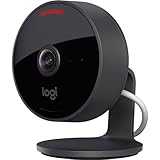
That’s the one-line answer. The real answer is Matter, specifically a feature called multi-admin, which lets a single smart home device answer to your partner’s iPhone and your Android phone at the same time. Here’s how it works, plus the older workarounds if Matter doesn’t cover your situation.
What HomeKit Requires
HomeKit is Apple’s smart home platform. It runs through the Apple Home app, which is only available on iOS and macOS. To add a HomeKit device, create automations, or control accessories, you need an iPhone or iPad.
For remote access and automations to work, you also need a home hub – an Apple TV, HomePod, or HomePod mini that stays at home. Android doesn’t interact with any part of this stack.
As of early 2026, Apple also ended support for the legacy HomeKit architecture, requiring a full migration to the newer Apple Home system. None of this affects Android – it was never in the picture, and there are no announced plans to change that. There’s a business reason for that, not just an engineering one: HomeKit is one of the reasons people stay on iPhone once they’ve bought in, and an Android app would give that reason away for free. Don’t hold your breath waiting for one.
Matter multi-admin: the real fix
Matter is the cross-platform smart home standard Apple, Google, Amazon, and Samsung all agreed to build together, and it’s the reason this question has a real answer in 2026 that it didn’t have back in 2022. A Matter-certified device – a plug, a bulb, a lock, most new smart home hardware at this point – doesn’t belong to one ecosystem. It can be commissioned into as many as five at once. That’s multi-admin. For the full mechanics of how the standard works, see our guide to what Matter is and how it works.
Setup runs one ecosystem at a time. Whoever has the iPhone adds the device to Apple Home first, using the QR code in the box. From inside Apple Home, that device has a share or “add to another platform” option, which generates a second one-time code. You scan that code inside Google Home or SmartThings on your Android phone, and the device joins your ecosystem too. Nobody re-buys hardware, nobody re-pairs from scratch, and nobody has to give up their phone.
What you get is real control – turn the light on, set the thermostat, lock the door, all from your own app on your own phone. What you don’t get is HomeKit itself. You’re not looking at the Apple Home app, you’re not getting Siri, and Apple’s automations don’t see your side of things. Multi-admin shares the device. It doesn’t share the ecosystem.
This isn’t a corner case anymore, either. Philips Hue, Eve, Nanoleaf, Aqara, and IKEA’s DIRIGERA-connected TRADFRI line all ship Matter-certified in 2026, which covers most of what’s on shelves right now. If a box says Matter on it, multi-admin is available – you don’t need to research it device by device.
Expect a small lag. Flip a switch from Google Home and Apple Home can take a few seconds to catch up, and vice versa – the two ecosystems are talking to the device independently, not to each other. And in 2026, Google Home is still running an older Matter spec version than Apple Home, Alexa, and SmartThings, so it supports fewer device categories. Fine for a plug or a bulb. Worth checking before you buy something more exotic.
The practical upshot: if you’re buying new smart home hardware for a mixed household, buy Matter-certified and this whole problem goes away before it starts. Both of you add the same device to your own app, and neither of you has to think about the other’s phone again.
Your options at a glance
| Approach | What you can control | Effort |
|---|---|---|
| Matter multi-admin | Any Matter-certified device, from your own Android app | Low – one share code, no new hardware |
| Google Home or SmartThings | Everything in that ecosystem’s catalog | Low – just build around a shared platform |
| Homebridge or HOOBS web UI | Any HomeKit accessory Homebridge has a plugin for | Medium – dedicated hardware plus plugin setup |
| Home Assistant + HomeKit bridge | Everything on your network, HomeKit and non-HomeKit alike | High – dedicated hardware, real configuration time |
| Ask the iPhone owner | Everything, but not by you | None – and it’s not a fix |
Legacy workarounds: Homebridge and HOOBS
Before Matter, the workaround was Homebridge, and it’s still there if you’d rather run something yourself than wait on Google and Apple’s roadmaps.
Homebridge is free and open-source, runs on a Raspberry Pi or a spare laptop, and mirrors your HomeKit accessories into a system you can reach from a browser. Its own dashboard, Config UI X, runs on port 8581 and works fine in Chrome or Firefox on Android – save it to your home screen as a web app and it behaves close enough to a native one.
HOOBS is the plug-and-play version of the same idea: a Raspberry Pi with the SD card and Homebridge software already installed, running about $169, with the same kind of web dashboard built in out of the box. You’re paying for not having to flash an image yourself, nothing more.
A few Android apps skip the browser tab and talk to a Homebridge instance directly. Bridge Control for Homebridge is the one worth naming – free on the Play Store, and it covers restarting bridges, toggling accessories, and checking logs without opening a browser at all.
One thing worth clearing up: you’ll see an app called Controller for HomeKit mentioned in roundups like this one, and the name makes it sound cross-platform. It isn’t. It’s iOS, iPadOS, and Mac only, with no Android version and none planned. If a HomeKit tool’s name doesn’t say Homebridge or HOOBS, assume it’s Apple-only until you’ve confirmed otherwise.
The catch with either Homebridge or HOOBS: you still need a HomeKit hub for Apple’s side to keep working (Apple TV, HomePod, or HomePod mini), plus a second piece of hardware running Homebridge itself. This is a real project, not a five-minute fix – budget an afternoon, not ten minutes.
Android Smart Home Alternatives
Three platforms are worth your time, depending on what you want.
Google Home
The obvious choice for Android users. Google Home is deeply integrated with Android, works with Nest hardware out of the box, and the Google Assistant / Gemini voice control is strong. Device compatibility is broad – most mainstream smart home brands support it.
If you’re starting from scratch on Android and don’t want to think too hard about it, Google Home is where to start. The app has improved significantly, and the Matter integration – though slightly behind on spec version – covers the basics well.
Samsung SmartThings
SmartThings has had a quiet resurgence. After pivoting hard to Matter, it’s now one of the more capable mainstream hubs – compatible with a wide range of devices including Nest, Philips Hue, and most Z-Wave and Zigbee hardware. The 2026 app redesign made it significantly more approachable.
You can control SmartThings via the app, Alexa, or Google Assistant. It’s a solid middle ground if you want broader device support than Google Home offers without going full DIY. See also: Does SmartThings Work With HomeKit?
Home Assistant
Home Assistant is the power-user option and it’s gotten genuinely approachable. A Home Assistant Green (about $99) plus a Zigbee USB stick gives you a working hub in under an hour. The 2026 version has a cleaner dashboard and a plain-language automation editor that’s a real improvement on what it used to be.
The upside: it integrates with essentially everything, runs locally (no cloud dependency), and you can expose devices to other ecosystems including HomeKit via a HomeKit bridge. The downside: initial setup still takes more patience than a commercial platform. See: Home Assistant vs Apple HomeKit.
Mixed Household Scenarios
The most common real-world version of this problem: you’re on Android, your partner is on iPhone, and you both want to control the same devices.
The cleanest answer is to build around a platform both phones support. Google Home and Amazon Alexa both have apps on iOS and Android, so either works. SmartThings does too.
If your partner is committed to HomeKit and you don’t want to rebuild around a shared platform, Matter multi-admin is the practical bridge. Buy Matter-certified hardware, add it to HomeKit for the iPhone user, and add it to Google Home for yourself. Both of you control the same device from different apps, without conflict.
What won’t work: trying to add yourself as a HomeKit home member from an Android phone. HomeKit’s home-sharing feature needs an Apple ID for every person invited, but the ID alone doesn’t get you anywhere – you need an Apple device signed into that iCloud account to accept the invite and use it. Typing an Apple ID into an Android phone changes nothing. There’s no guest link, no web dashboard, and no cross-platform sharing option built into HomeKit itself.
That’s what pushes most mixed households toward Matter multi-admin or a shared platform, not a fight with HomeKit’s sharing model. It’s not a workaround for HomeKit – it’s a way to stop needing one.