

This post contains affiliate links. If you buy through them, DumbSwitches may earn a commission at no extra cost to you. See our full disclosure.
Blink’s claim of two-year battery life is real – but only if you use lithium AAs. Put alkalines in a Blink camera and you’ll be climbing a ladder to swap batteries twice a year instead of once every two years. The chemistry matters more than the brand. If you want the full walkthrough on swapping them, see our Blink camera battery replacement guide.

Which Blink Models Use Which Batteries
Not every Blink camera runs on the same power setup, and it’s worth knowing which one you actually own before you buy a case of batteries you don’t need.
| Model | Power | Blink’s rated battery life |
|---|---|---|
| Blink Outdoor 4 | 2x AA lithium | Up to 2 years (Blink’s test: 8.5-second clips, 10 events/day) |
| Blink Video Doorbell | 2x AA lithium | Up to 2 years; longer if trickle-charged off existing doorbell wiring |
| Blink Outdoor 4 Floodlight | 2x AA lithium (camera) + 4x D-cell alkaline (floodlight/mount) | Up to 2 years for the camera; the floodlight batteries drain separately and faster if the light triggers often |
| Blink Mini 2 | USB-C power adapter (wired) | No battery – it’s mains-powered, indoors or out with the weather-resistant adapter |
The two-year number only applies to the camera itself running on AA lithium cells at Blink’s test settings. Push more motion events through it, record longer clips, or run it through a hard winter, and that number drops. The Floodlight is really two separate battery budgets – the camera pack lasts on the same schedule as a standalone Outdoor 4, but the D-cells running the light itself get consumed based on how often the light triggers, which has nothing to do with the camera’s runtime.
Why Battery Type Matters for Blink
Alkaline batteries lose voltage in the cold. Below about 20F, they drop off significantly – which matters for any outdoor camera. Lithium batteries maintain stable voltage down to -40F. If you live somewhere with actual winters, this is not a minor issue.
Blink cameras are optimized around lithium chemistry. The two-year estimate in their marketing is based on lithium AAs at moderate temperatures with moderate motion activity. That number assumes you’re using the right batteries.
One thing worth flagging directly: Blink’s own support documentation specifies non-rechargeable lithium AAs. Rechargeable lithium AAs exist, they’re a different voltage curve than what Blink’s firmware expects, and Blink doesn’t recommend them. It’s not that they can’t physically fit – it’s that Blink hasn’t validated the camera’s power management against them, so battery-level readings and low-battery warnings may not behave the way they’re supposed to. Stick with standard non-rechargeable lithium AAs and skip the experiment.
Lithium AAs also weigh less and have a longer shelf life. Neither of those things matters much for a camera – but they’re free benefits when you’re already buying them for the cold-weather performance.
Best Batteries Ranked
Energizer Ultimate Lithium is Blink’s own recommendation and the clear top pick. They’re rated for the widest temperature range, last the longest, and have a 20-year shelf life. Buy them in bulk when they’re on sale – they don’t expire anytime soon.
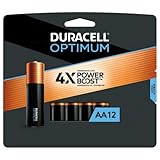
Duracell Optimum is a solid alternative if you want batteries that perform better than standard alkalines in cold conditions. They’re not as strong as lithium at temperature extremes, but they’re widely available and cost less per battery. Good choice for indoor cameras or mild climates where outdoor temps stay above freezing.
How to Extend Battery Life
The biggest drain on Blink batteries is motion clips. Every time the camera detects motion and records a clip, it burns battery. Reduce motion zones to cover only the areas you actually care about – a camera pointed at your front porch doesn’t need to trigger on every car passing the street.
Clip length matters too. The default 5-second clip is often enough. If you’ve set it to 30 seconds, you’re burning through battery recording the last 25 seconds of someone walking away from your door.
Activity Zones in the Blink app let you define specific areas of the camera frame that trigger recording. A more targeted zone means fewer false triggers from wind-blown trees or passing cars. Less recording equals better battery life.
Video quality also affects battery. 1080p uses more processing power than 720p. If you have a close-range camera where you don’t need extra resolution, dropping to 720p extends runtime meaningfully. For the full settings walkthrough – clip length, sensitivity, zones, resolution, all of it in one place – see our best Blink camera settings guide.
How to Check Battery Level
Open the Blink app, go to your camera, and tap the Settings gear. Battery level shows as a percentage. Anything above 50% is fine. Below 20%, start thinking about replacement – you’ll lose reliability in cold weather before you actually hit zero.
The app will also send a notification when battery drops below a threshold. Make sure notifications are enabled. Running a security camera on dead batteries defeats the purpose.
When to Replace
Don’t wait for 0%. Replace at 20% or when you start seeing motion clip delays or video quality drops – both are signs the voltage is getting low. Cold snaps will drop battery performance fast, so if winter is coming, swap them out at 25-30% instead of waiting.
Keep a spare set of Energizer lithiums somewhere easy to reach. The two-minute battery swap isn’t worth dreading – it’s easier when you’re not hunting for batteries at the moment you need them. For the full rundown on the Outdoor 4 specifically, see our Blink Outdoor camera review, or for the Outdoor 4, Mini 2, and Floodlight together, our Blink camera review.
Blink Battery FAQs
Can I use rechargeable AA batteries in a Blink camera?
Blink’s own documentation calls for non-rechargeable lithium AAs specifically. Rechargeable lithium AAs will physically fit, but they run a different voltage curve than what Blink’s power management expects, so battery percentage readings and low-battery alerts can end up wrong. Standard rechargeable NiMH batteries are worse still – they run at 1.2V instead of 1.5V and lose that cold-weather stability entirely. Neither is worth the savings.
Does a Blink camera need both AA batteries replaced at once?
Yes. Replace both AAs together, not one at a time. Mixing a fresh battery with a partially drained one creates a voltage mismatch the camera doesn’t handle well, and you won’t get anywhere close to the rated life out of the new one.
Why is my Blink camera draining batteries faster than two years?
Almost always one of three things: too many motion triggers, clip length set longer than default, or a spot with heavy foot or vehicle traffic in frame. Cold climates also shorten the real-world number even with lithium AAs installed – the -40F rating means the batteries still function, not that they last the full two years at that temperature. Tightening motion zones is the fastest fix.