
This post contains affiliate links. If you buy through them, DumbSwitches may earn a commission at no extra cost to you. See our full disclosure.
Ring is fine. It’s also subscription-dependent, Alexa-centric, and not particularly private. Once you see what else is out there, the reasons to default to Ring get thinner – and the reason that actually gets you to switch is usually one specific thing, not a general dissatisfaction. So let’s start there.
Why Look Beyond Ring
Ring’s subscription is the ongoing cost people underestimate. Without a plan, you get no video history, no package detection alerts, and no sharing with emergency services – just live view and two-way talk in the moment. The hardware cost is the entry fee. The subscription is the real, recurring cost, renamed Ring Protect (Solo, Multi, and Pro tiers) as of January 2026 but functionally the same deal it’s always been: pay per device, or pay more to cover everything at once.
Privacy is a legitimate concern. Ring has a documented history of sharing footage with law enforcement without user consent, and its neighborhood watch integrations raise reasonable questions about surveillance scope. That might not matter to you. For some people it does.
Ring still doesn’t natively support HomeKit. Amazon owns Ring and has no incentive to support Apple’s ecosystem – it never has, and nothing about the March 2026 hardware refresh changed that. If your home runs on HomeKit, you’re working around Ring, not with it.
The ecosystem lock-in is real too. Ring works best with more Ring devices. Once you add cameras, an alarm, and a doorbell, you’re committed to Amazon’s platform for the long haul.
Which Alternative Fits, Based on Why You’re Leaving
“Best Ring alternative” isn’t one answer – it depends on what’s actually driving you away. Here’s how the three picks below map to the three most common reasons.
| Why you’re leaving Ring | Best pick | Why |
|---|---|---|
| Don’t want a subscription at all | Eufy Video Doorbell S330 | Local storage via HomeBase – footage never leaves your hardware |
| Already a Google Home household | Nest Doorbell (Battery) | Full-time streaming and event notifications without a subscription |
| Renting or no drill, no wiring wanted | Nest Doorbell (Battery) or Eufy S330 | Both run on battery with no wiring required; third-party no-drill mounts exist for renters |
| Want the clearest wired video | Arlo 2K Doorbell | 2K HDR with a genuinely wide head-to-toe view, if you have wiring |
| Need real Apple HomeKit support | None of these three | See the HomeKit note below – this is the one case where switching doorbells doesn’t actually solve it |
Best Ring Alternatives
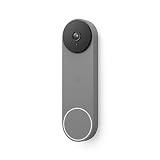
The Nest Doorbell (Battery) is the right choice if your home runs on Google. It handles 24/7 HDR streaming without requiring a subscription – the baseline experience is solid even without Nest Aware. Battery-powered means no wiring headache, and it works with Alexa too if you’re running a mixed setup. Read our full Google Nest Doorbell review for the complete breakdown.

Eufy’s S330 is the pick if you want to avoid subscriptions entirely. Local storage through the HomeBase means your footage stays on your hardware – no cloud, no monthly fee. The dual-camera setup covers both the visitor’s face and the package they just set down, which is a genuinely useful design decision. See our full Eufy doorbell roundup for the E340 and dual-camera options.
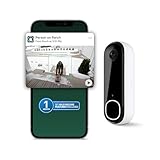
Arlo’s 2K Doorbell covers wired installs with 2K HDR and a 180-degree head-to-toe view. The video quality is the clearest of the three at distance. It works with Alexa, Google Home, and SmartThings. The catch is it needs existing doorbell wiring – not a problem if you have it, a dealbreaker if you don’t.
If HomeKit Is the Actual Reason You Want Off Ring
Here’s the part worth being straight about: switching to Nest or Eufy doesn’t fix a HomeKit problem. Neither the Nest Doorbell nor the Eufy S330 has native Apple HomeKit support – Nest cameras and doorbells have never shipped it, and Eufy’s HomeKit Secure Video certification covers specific older models (the eufyCam 2 family, older Indoor Cams) that doesn’t extend to the S330 doorbell. Ring, Blink, Wyze, and most of Nest’s camera lineup are all in the same boat: no Matter, no HomeKit, no roadmap to add it.
If genuine HomeKit Secure Video support is the requirement, not just “works with Apple stuff in some limited way,” check our HomeKit Secure Video guide for the full table of what’s actually certified, and our broader HomeKit compatible devices list for every category. It’s a shorter list than the marketing copy on any of these boxes would suggest.
Ecosystem Compatibility at a Glance
| Doorbell | Alexa | Google Home | Apple HomeKit | Subscription-free footage? |
|---|---|---|---|---|
| Nest Doorbell (Battery) | Yes | Yes, native | No | Yes – live view and event history without Nest Aware |
| Eufy S330 | Yes | Yes | No (not this model) | Yes – local storage via HomeBase, no subscription |
| Arlo 2K Doorbell | Yes | Yes | No | No – full history needs Arlo Secure |
| Ring (any model) | Yes, deepest integration | Yes, limited | No | No – live view only without Ring Protect |
Laid out this way, the pattern is obvious: every mainstream battery doorbell talks to Alexa and Google Home reasonably well, none of them talk to Apple Home, and the subscription-free question is really a two-way split between Nest/Eufy (yes) and Ring/Arlo (no, not for saved footage). Pick your doorbell based on which of those two columns actually matters to your household.
What About Ring Itself
Ring is still a reasonable choice in specific situations. If you already have Ring indoor cameras, a Ring alarm, or flood lights, the ecosystem integration is real and convenient. The Ring app is polished, the hardware is reliable, and the installation process is genuinely easy. Our own Ring doorbell buying guide covers which model to get if you decide to stay.
Just go in knowing what you’re signing up for: a recurring subscription, Amazon’s data practices, and no HomeKit compatibility. If none of that bothers you, Ring does exactly what it promises.
What to Look for in a Video Doorbell
Resolution: 1080p is the minimum worth buying in 2026. Anything below that and you’re squinting at a pixelated face trying to decide if you recognize someone. 2K adds meaningful detail for package reading and facial ID at distance.
Storage model: Cloud-only means a subscription. Local storage via an SD card or base station means a one-time cost. Hybrid options exist. Know what you’re getting – the difference in lifetime cost is significant.
Mounting: Battery-powered doorbells are the move if you’re renting or just don’t want to touch existing wiring – no transformer required, and third-party no-drill mounts cover the rest. Wired doorbells need an existing transformer (8-24V AC) – retrofitting one where there isn’t already a doorbell is more work than most people want to take on.
Compatibility matters more than people think. A doorbell that doesn’t work with your smart home platform is just a doorbell with an app. Check Alexa, Google Home, and Apple Home compatibility before buying – and check the specific model, not just the brand name, since compatibility varies within a single manufacturer’s lineup.
FAQ
Does the Nest Doorbell work without a subscription?
Yes. Without Nest Aware, you get live view and event notifications but no recorded video history. The Nest Aware subscription adds 30-day event history and familiar face detection. It’s useful but not required to use the doorbell.
Which has the best night vision?
Arlo’s 2K Doorbell produces the clearest night video in this group. The 2K resolution holds up better in low light. Eufy’s S330 is close. Nest’s battery doorbell is solid but trails slightly at the edges of the frame in very dark conditions.
Which video doorbell works with HomeKit?
None of the three in this roundup have native HomeKit support – that includes the Eufy S330, despite HomeBase-connected Eufy cameras elsewhere in the lineup carrying HomeKit Secure Video certification. Ring doesn’t support it either. If HomeKit is a hard requirement, check our HomeKit Secure Video guide before buying any doorbell on this page – the honest answer right now is that no mainstream battery doorbell gets you there cleanly.
Do I need to drill into my door frame to install a battery doorbell?
No, not necessarily. Both the Nest Doorbell (Battery) and the Eufy S330 run on battery power, so neither needs existing doorbell wiring to function at all – the included mount is a couple of screws into the door frame or siding. If you can’t put screws in anything, third-party adhesive no-drill mounts exist for both (Wasserstein makes one for the Nest Doorbell, for example) that hold up to a couple of pounds without wall damage. Wired-only options like the Arlo 2K Doorbell do need an existing transformer, full stop.