

This post contains affiliate links. If you buy through them, DumbSwitches may earn a commission at no extra cost to you. See our full disclosure.
If you have existing doorbell wiring and are already in the Google Home ecosystem, get the Nest Doorbell (Wired, 3rd Gen). It shoots 2K video, records 24/7, and the Gemini AI is genuinely useful. If you are renting or your front door has no wiring, the Nest Doorbell (Battery) installs in 20 minutes with a screwdriver and still delivers solid detection – just without continuous recording.
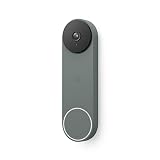
Either way, you are committing to the Google Home app. There is no Apple HomeKit support, no Alexa-native integration, and no Amazon account required. If that is your world, these are excellent doorbells. If it is not, look elsewhere.
TL;DR – Battery vs Wired at a Glance
| Battery (2nd Gen) | Wired (3rd Gen) | |
|---|---|---|
| Video | 960p HD, 3:4 ratio | 2K 2048×2048, 1:1 ratio |
| Field of view | 145 degrees | 166 degrees |
| Power | Rechargeable battery (up to 2.5 months) | Hardwired (16-24VAC transformer) |
| 24/7 recording | No | Yes (with subscription) |
| Free history | 3 hours event clips | 6 hours event clips |
| Night vision LEDs | 4 infrared LEDs | Improved IR + color night vision |
| Gemini AI | Basic detection only | Full Gemini AI integration |
| Price (Amazon) | ~$100-130 | ~$180 |
| HomeKit | No | No |
Nest Doorbell (Battery) Review
The battery model is the right call for anyone renting, anyone whose existing doorbell wiring is ancient (or nonexistent), or anyone who just does not want to deal with a transformer. The install takes about 20 minutes.
Video quality is 960×1280 – solid for the price, better than most budget competitors, and the tall 3:4 aspect ratio captures both faces and packages in the same frame without tilting the camera down. Daytime footage is sharp. Night vision reaches about 10 feet with 4 infrared LEDs, which is fine for a standard front porch.
The battery lasts up to 2.5 months under normal use. Heavy foot traffic shortens that – more motion events means more recordings, which drains the battery faster. In a busy urban entry you are probably looking at 4-6 weeks between charges. Charging via the included cable takes roughly 5 hours.
Detection without a subscription catches people, packages, animals, and vehicles. That is not nothing – most Ring models at this price gate some of those alert types behind a plan. You also get 3 hours of free event clip history, which is enough to see who rang your bell an hour ago but not enough to review last night’s footage in the morning.
Check price on Amazon – Nest Doorbell (Battery)
Battery Model – Pros and Cons
- No wiring required – installs anywhere
- Free person/package/animal/vehicle detection
- Good daytime video quality for the price
- Tall aspect ratio captures full-body + packages
- Works with optional doorbell wiring if you want trickle charging
- No 24/7 continuous recording – ever
- Only 3 hours free event history
- 960p feels dated compared to the Wired 3rd Gen’s 2K
- Night vision range is short (10 feet)
- Recharging takes the doorbell offline
Nest Doorbell (Wired, 3rd Gen) Review
Google released the 3rd Gen Wired in late 2025 and it is a meaningful jump from the 2nd Gen. The headline changes: 2K video (2048×2048 pixels, 1:1 square aspect ratio), a wider 166-degree field of view, and full Gemini AI integration. This is currently the best video doorbell Google makes.
The 2K resolution is noticeably better in real-world use – you can actually read package labels and license plates without zooming in and losing the plot. The 166-degree FOV catches more of your porch without distortion. And unlike the battery model, it records continuously once you are on a subscription plan, so you are not waiting for a motion trigger to capture something that already happened.
The Gemini integration is the feature that separates this from everything in Ring’s lineup at this price. Even on the base Google Home Premium Standard plan ($10/mo), Gemini generates natural-language descriptions of captured events and lets you search footage by description rather than scrubbing through clips. “Show me deliveries from this morning” actually works. It is not a gimmick.
The free tier gives you 6 hours of event history – double the battery model – and all the smart detection categories. Wirecutter’s 2026 pick for best wired video doorbell is this one, citing fewer false alerts than Ring in real-world side-by-side testing.
The catch: it requires a 16-24VAC, 10-40VA transformer. Most homes with existing doorbell wiring are already in that range, but if your system is older than 15 years, check before buying. Installation is straightforward if you are comfortable turning off a breaker and connecting two wires.
Check price on Amazon – Nest Doorbell (Wired, 3rd Gen)
Wired Model – Pros and Cons
- 2K video with noticeably better detail than 960p
- 166-degree field of view – widest in the Nest lineup
- 24/7 continuous recording (with subscription)
- 6 hours of free event history
- Full Gemini AI – searchable footage descriptions
- Never needs recharging
- Requires existing doorbell wiring and compatible transformer
- Best AI features need a subscription
- Not useful if you are renting or have no wiring
Google Home Integration – and What Does Not Work
Both Nest Doorbells run through the Google Home app. Setup takes 5-10 minutes, the live view loads quickly, and two-way talk works well. You can set activity zones to focus detection on specific areas (the front path, not the street), and automations are available – “when doorbell rings, turn on porch light” is a standard setup.
Google Home works on Android and iOS equally well. The app is clean and the notification system is responsive. If you have a Google Nest Hub display, your doorbell feed pops up automatically when someone rings.
HomeKit is not supported. No native HomeKit integration exists, and the Nest Doorbell is not a Matter device (cameras are not yet in the Matter standard). If you want Nest Doorbell in Apple Home, you need a third-party bridge like Starling Home Hub – an extra $100 device that does the translation for you. For most Apple users, that is not worth it. See our full breakdown of whether Nest works with HomeKit if you are in the Apple ecosystem.
Ring integrates natively with Alexa. If you have Echo devices and you want your doorbell to announce “someone is at the front door” through every speaker in the house, Ring does that out of the box. Nest does not. That is a real difference for Amazon-heavy households.
Google Home Premium (Subscription Plans) Explained
Google rebranded Nest Aware as Google Home Premium in 2025, and raised prices in August 2025. Here is the current breakdown:
| Plan | Monthly | Annual | Event history | 24/7 recording |
|---|---|---|---|---|
| Free | $0 | $0 | 3-6 hrs (varies by model) | No |
| Standard | $10/mo | $100/yr | 30 days | No |
| Advanced | $20/mo | $200/yr | 60 days | 10 days |
The Standard plan covers all cameras on your account – not per device. So if you have a Nest Doorbell plus two Nest Cams, one $10/month plan covers the whole house. That changes the math significantly compared to Ring, which charges per device tier.
Gemini AI is included on both paid tiers. The full searchable-footage feature and Gemini’s natural-language event descriptions work on Standard and Advanced. You do not need the $20/month Advanced plan just to use Gemini – that is only necessary if you need 24/7 continuous recording or 60 days of history.
Is the subscription worth it? On the Wired 3rd Gen, yes – the combination of 24/7 recording, 30 days of history, and Gemini search makes it a genuinely useful security tool. On the Battery model, it is more situational. You are paying for longer history and smarter alerts, but you still cannot get continuous recording no matter which plan you buy.
Nest Doorbell vs Ring Doorbell – Which Wins What
The Ring Doorbell 2 is the main competitor this site covers, and the comparison is worth being direct about. See our Ring Doorbell 2 review for the full breakdown – the short version is below.
Choose Nest Doorbell If:
- You are already using Google Home or have Google Nest devices
- You want Gemini AI search across your footage
- You want one subscription covering all cameras (not per-device)
- You want the best AI detection accuracy at this price point
- You are buying the Wired 3rd Gen and want 24/7 recording capability
Choose Ring If:
- You have Echo devices and want native Alexa announcements
- You want the broadest third-party smart home compatibility (140,000+ Alexa-compatible devices)
- You are already in the Amazon ecosystem and do not want another app
- You want a proven battery doorbell with a longer track record
On pure video quality, the Nest Doorbell Wired 3rd Gen has Ring beat at this price. The $180 Nest versus the $250 Ring Wired Pro is not a close call. On ecosystem fit, it depends entirely on whether your home runs Google or Amazon. Pick your ecosystem, then pick your doorbell.
How to Install a Nest Doorbell
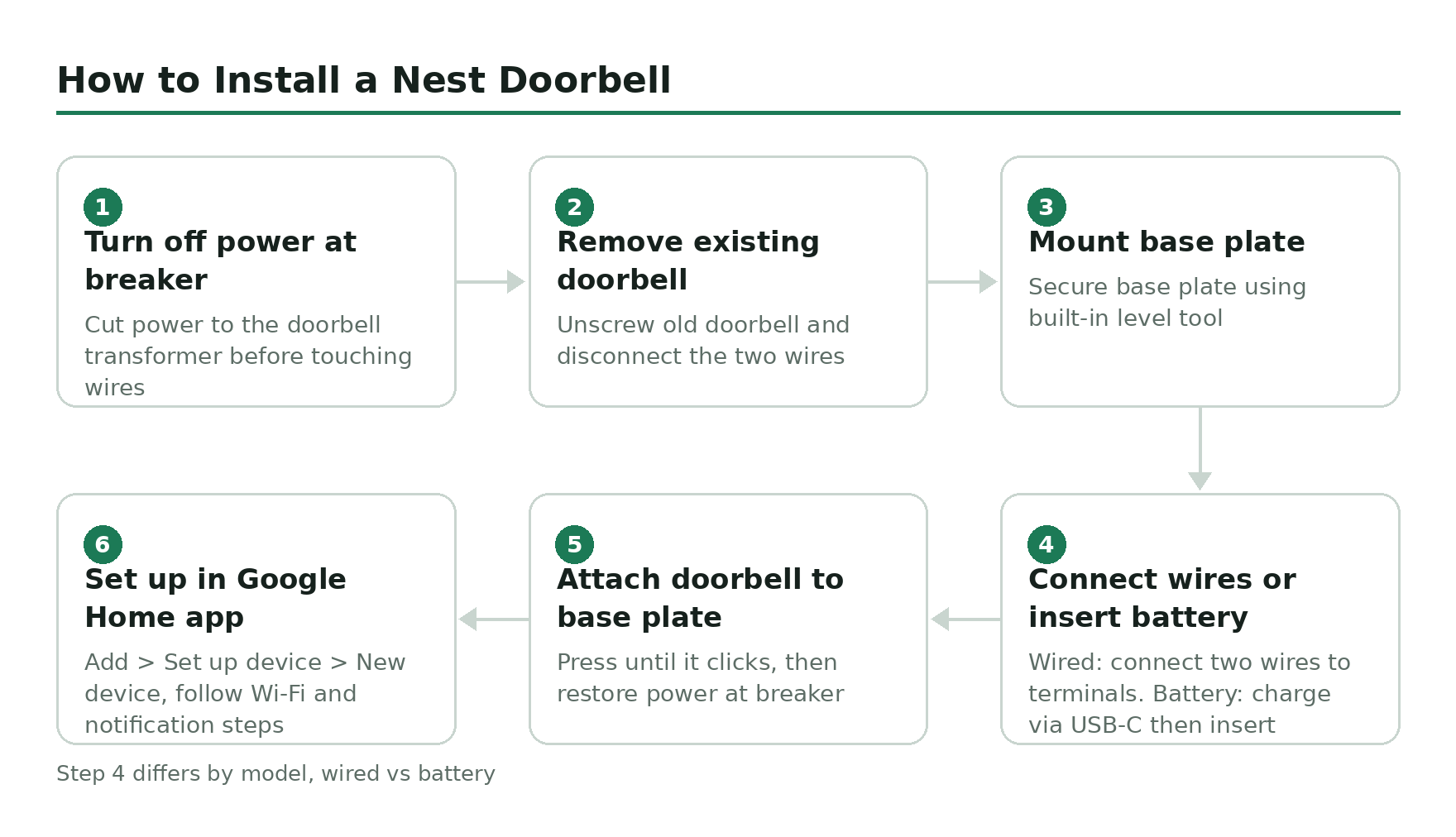
Turn off power at the breaker
Locate the circuit breaker that controls your doorbell transformer and flip it off. Most doorbell transformers are 16-24VAC – low voltage but still worth cutting before you touch any wires.
Remove your existing doorbell
Unscrew the old doorbell from the wall and disconnect the two wires. Note which wire connects to which terminal – for most doorbells it does not matter, but take a photo anyway.
Mount the Nest Doorbell base plate
Use the included mounting hardware to secure the base plate to your wall or door frame. The Nest Doorbell comes with a level tool built into the box to help you get it straight.
Connect the wires (Wired model) or insert battery (Battery model)
For the Wired model, connect the two doorbell wires to the back terminals and push any excess wire into the wall. For the Battery model, charge the battery first using the USB-C cable, then insert it into the device before mounting.
Attach the doorbell to the base plate
Press the Nest Doorbell onto the mounted base plate until it clicks. Restore power at the breaker.
Set up in the Google Home app
Open the Google Home app on your phone, tap Add > Set up device > New device, and follow the on-screen steps. The app walks you through Wi-Fi setup, activity zone configuration, and notification preferences. The whole process takes about 5 minutes.
Bottom Line
The Nest Doorbell (Wired, 3rd Gen) is the one to buy if you have wiring. The 2K video, Gemini AI, and continuous recording capability make it the best value in wired video doorbells right now – better than Ring’s equivalent at a lower price. The Battery model is a solid option for flexible installation, but the older 960p video and no continuous recording option are real limitations that will not go away with a subscription.
Both require the Google Home ecosystem. If you are already there, you are going to be happy. If you are not, the Ring Doorbell 2 is still a reasonable choice for Amazon households – just do not expect Gemini.