

This post contains affiliate links. If you buy through them, DumbSwitches may earn a commission at no extra cost to you. See our full disclosure.
The Ring Doorbell 2 has infrared night vision – it works, it is black and white after dark, and it gets the job done for most front-door situations. But the defaults are not always optimized for your specific setup, and there are a few things about this camera's night vision that Ring's marketing glosses over. Here is what you actually need to know.
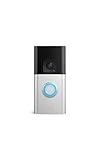
Quick note: Ring discontinued the Video Doorbell 2 and it is no longer sold new. If you already own one, everything below still applies. If you are shopping, see the upgrade section at the bottom.
How Night Vision Works on the Ring Doorbell 2
The Doorbell 2 uses infrared (IR) LEDs to illuminate the scene after dark. At night, the image switches to black and white – that is normal and expected, not a fault. The camera's light sensor detects low ambient light and activates the IR illuminators automatically.
The IR range is adequate for a typical front porch – roughly 15-25 feet under ideal conditions. Beyond that, subjects get progressively harder to identify.
Night Vision Settings in the Ring App
Open the Ring app, go to your Doorbell 2, tap Device Settings, then Video Settings. You will see a Night Vision section with three options: Auto, On, and Off.
Auto is the default and the right choice for most people – the camera switches to IR mode when ambient light drops below a threshold. "On" forces IR mode at all times (useful if you are troubleshooting a sensor issue). "Off" disables night vision entirely, which only makes sense if you have very bright external lighting that keeps the camera in color mode permanently.
One important clarification: the Doorbell 2 does not have Color Night Vision. That feature – which blends ambient light with IR to produce color footage after dark – is only available on newer Ring models like the Ring Battery Doorbell Plus and Ring Video Doorbell Pro 2. On the Doorbell 2, "Auto" and "On" are functionally identical: both produce black and white IR footage after dark.
How to Adjust Night Vision Settings
Open the Ring app and tap the three lines in the upper left corner.
Tap Devices and select your Ring Doorbell 2 from the list.
Tap Device Settings, then tap Video Settings.
Tap Night Vision and choose Auto, On, or Off.
Auto is recommended for most setups. Only select Off if you have permanent bright porch lighting keeping the camera in color mode.
Tap Save and check a Live View to confirm the change took effect.
Common Night Vision Problems and Fixes
IR Glare From a Storm Door or Window
This is the most common night vision complaint, and it is a physics problem rather than a camera fault. The Doorbell 2's IR LEDs fire forward – if there is glass between the camera and the outside world, the IR bounces straight back into the lens and produces a washed-out white blob where your video should be.
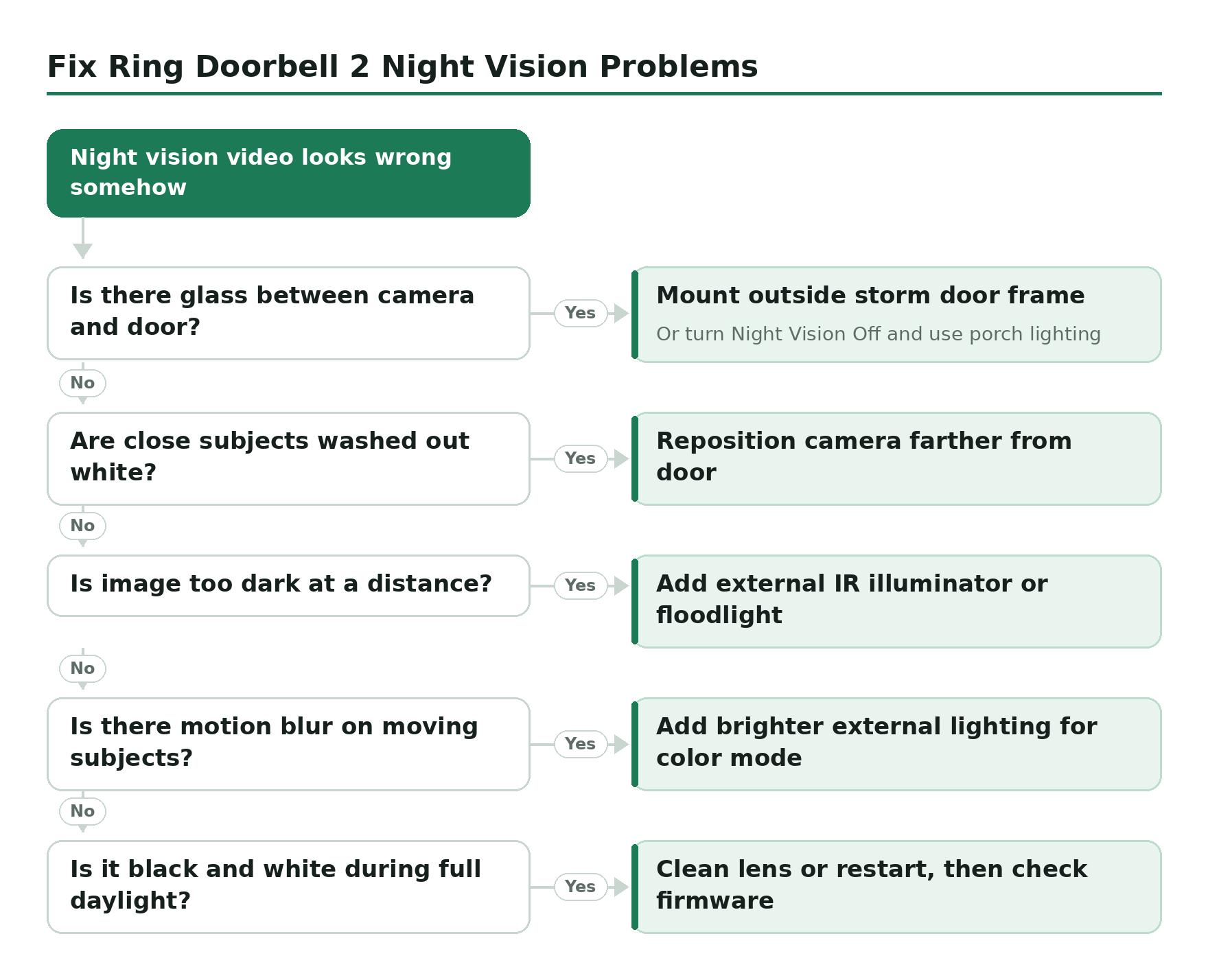
The fix is to mount the doorbell on the exterior side of the storm door frame rather than inside behind glass. If that is not possible, turning Night Vision Off in the app and relying on external porch lighting is more reliable than fighting the IR reflection.
Image Too Bright (IR Washout)
If subjects within a few feet of the camera appear washed out – bright white faces, blown-out details – the IR LEDs are overpowering subjects at close range. The Doorbell 2 does not have an adjustable IR intensity slider (that is a feature on higher-end Ring models). Your best option is slight repositioning to increase the effective distance between camera and door.
Image Too Dark at Distance
If you need to see farther down a driveway or across a wide porch, the Doorbell 2's built-in IR simply cannot reach. Adding a dedicated IR illuminator or external lighting extends the camera's effective range significantly. A motion-activated floodlight – something like the Ring Floodlight Cam Wired Pro used as a standalone light, or any motion-activated security flood – improves image quality by giving the camera ambient light to work with rather than relying on IR alone.
Motion Blur at Night
IR night vision uses a longer effective exposure than daytime color mode. Fast-moving subjects – someone sprinting, a car – will blur. This is a hardware limitation of the sensor, not a settings issue. Brighter external lighting lets the camera stay in color mode at lower light levels, which reduces blur on moving subjects.
Stuck in Night Vision Mode During the Day
If the camera is showing black and white video in full daylight, the light sensor is either blocked (clean the lens with a soft dry cloth – no solvents) or the unit needs a restart. Hold the orange setup button on the back of the device for 20 seconds. If it persists after a restart, check for a firmware update: Device Settings > Device Health > Firmware.
How to Improve Night Vision Quality
The single most effective upgrade is external lighting. When there is enough ambient light – from a porch light, a motion-activated floodlight, or a nearby streetlight – the camera can capture a color image rather than switching to IR mode. Color footage has more detail and is easier to use for identification.
A few approaches that actually work:
- Add a motion-activated porch light: Triggered by the same motion events as the doorbell, so the area lights up right when the camera needs it. Smart lighting can be tied directly to Ring motion alerts via Alexa or Ring-compatible integrations.
- Adjust camera angle: If you have a Ring Wedge Kit or Corner Kit, angling the camera slightly downward reduces the amount of open dark sky in the frame and gives the IR LEDs a better reflective surface to work with.
- Keep the lens clean: Dust and grime on the lens scatter IR light and reduce image sharpness significantly. A soft cloth every month or two makes a noticeable difference.
Considering an Upgrade?
The Ring Doorbell 2 is discontinued, and the night vision limitations above are baked into the hardware. If you are running into these walls – specifically the lack of IR intensity control, the inability to get color footage at night, or the limited IR range – the current equivalent is the Ring Battery Doorbell Plus. It has Color Night Vision, a taller head-to-toe field of view, and the same battery-or-hardwired flexibility as the Doorbell 2.
For everything else – troubleshooting motion detection, resetting the device, or comparing models – the other guides in the Ring Doorbell 2 troubleshooting guide cover those scenarios in detail.