

This post contains affiliate links. If you buy through them, DumbSwitches may earn a commission at no extra cost to you. See our full disclosure.
No. Ring does not work with Apple HomeKit – not through Matter, not through Apple’s HomeKit Accessory Protocol, not at all. Amazon owns Ring, and Amazon runs its own smart home ecosystem around Alexa. Apple is the direct competitor. That was true the day Amazon closed the acquisition in 2018, and it is still true in 2026.
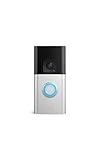
If you want Ring gear showing up in the Apple Home app, you have exactly one working route: Homebridge, a third-party bridge server that translates unsupported devices into HomeKit accessories. It works. It also means running a bridge, not buying a certified product, and the whole thing can break the day Ring changes its API. More on that below – along with cameras and doorbells that just work with Apple Home out of the box, no bridge required.
Why Ring Still Won’t Play With HomeKit
Ring is an Amazon company. Amazon has spent a decade building Alexa into the center of its smart home strategy, and Ring’s cameras, doorbells, and alarm sensors all feed that strategy. Apple’s HomeKit is a rival platform selling the same customer the same category of hardware. Neither company gains anything by making the other’s ecosystem easier to use, so neither one tries.
Matter was supposed to route around this. It is the cross-platform standard Apple, Google, Amazon, and the rest of the smart home industry co-developed specifically so devices would stop caring which app you use. Camera and doorbell device types were added to the Matter spec in its most recent major revisions – and Ring has not shipped a single certified device against them. Amazon sits on the Matter governing body and has committed to Matter controller support elsewhere in its lineup. Ring itself has stayed silent. There is no roadmap, no beta, no statement of intent. Assume that silence is the answer.
Ring’s own support site backs this up in the most Ring way possible: it does not mention HomeKit or Matter at all. Not a comparison page, not a “coming soon,” not even a support thread telling you no. The topic just does not exist there, which tells you everything about where it sits on Ring’s priority list.
Why Some People Want Off Ring’s Ecosystem Anyway
HomeKit lock-out is a compatibility problem, not a security problem – but it is fair to ask why anyone would want out of Ring’s ecosystem badly enough to fight with Homebridge for it. Part of the answer is Ring’s own record. The FTC sued Ring in 2023 and found that more than 55,000 US customers were hit by credential stuffing and brute-force attacks between January 2019 and March 2020, in some cases giving attackers access to camera feeds inside bedrooms. Ring settled for $5.8 million and agreed to mandatory multi-factor authentication going forward – notable mostly because two-factor authentication had been sitting there as an optional feature since May 2019, and fewer than 2% of customers had bothered turning it on.
None of that is a HomeKit issue specifically – it is a “turn on 2FA on every camera you own, regardless of brand” issue, and it applies across the industry, not just to Ring. If you want the mechanics of how a camera gets compromised in practice, our breakdown of how a Blink camera gets hacked covers the attack patterns that show up everywhere in this product category, Ring included.

What Ring Does Work With
Ring integrates well with Amazon Alexa (same company, obviously) and reasonably well with Google Home. Between the two, that covers most non-Apple households.
With Alexa you get motion announcements, live view on Echo Show devices, arm/disarm for Ring Alarm, and routines triggered off Ring motion events – the deepest integration Ring offers anywhere. With Google Home you get live view and motion notifications, functional but shallower.
Ring’s subscription plans (renamed in January 2026) are Solo at $4.99/month for one device, Multi at $9.99/month for every device at one location, and AI Pro at $19.99/month for professional monitoring plus AI-powered alerts. You need at least Solo to get video recording and history at all.
Getting Ring Into HomeKit With Homebridge
Homebridge is open-source software that runs on its own machine and presents non-HomeKit devices to Apple’s Home app as if they were certified accessories. The homebridge-ring plugin, maintained by developer dgreif on GitHub, covers Ring cameras, doorbells, the Ring Alarm system, and Ring Smart Lighting. It is still getting active updates in 2026 – recent releases added support for newer Node.js versions and fixed websocket issues on alarms and light hubs – which is about as healthy as an unofficial plugin gets.
What you get through Homebridge: motion sensors, contact sensors, live view (pair it with Scrypted if you want full HomeKit Secure Video), alarm arm/disarm, and automation triggers inside the Home app. What you do not get: the reliability of a device Apple actually certified. Ring can change its API without warning and break the plugin – it has happened before, and it will happen again. Go in knowing that.
You will also need a machine to run Homebridge on – a Raspberry Pi, an old Mac mini, anything that stays powered on. If that machine goes offline, every Ring device attached to it disappears from HomeKit until it comes back.
How to Add Ring to Apple HomeKit via Homebridge
If You Want Native HomeKit, Buy One of These Instead
If a bridge server running in your closet sounds like a bad time, skip Ring entirely for this use case. These doorbells are certified against Apple’s HomeKit Accessory Protocol directly – no Homebridge, no Scrypted, no machine that has to stay online.
- Aqara Video Doorbell G4 – native HomeKit Secure Video, works wired or on battery, and the newer G410 variant throws in a built-in Matter/Zigbee hub so it can anchor other Aqara gear too. This is the safest pick for someone who wants Apple Home to just work.
- Logitech Circle View Doorbell – wired, purpose-built for HomeKit Secure Video, no other ecosystem supported at all. The catch: Logitech’s own leadership called this product line “pretty much gone” back in 2024, walked it back, and has since gone quiet again. It is still sold. Treat it as a shrinking bet, not a long-term one.
- Eufy Video Doorbell S4 – the first Eufy doorbell with native HomeKit Secure Video support, routed through a HomeBase 3 hub rather than the cloud. It launched in early 2026, so it has not built a long track record yet, but every earlier Eufy doorbell needed a bridge to reach HomeKit – this is the first one that does not.
- Arlo Essential 2K Video Doorbell (2nd Gen) – adds to Apple Home for live view and motion/audio alerts, but skips HomeKit Secure Video entirely. That is a deliberate choice on Arlo’s part: HomeKit Secure Video gives you unlimited iCloud recording without an Arlo subscription, and Arlo would rather sell you the subscription. Know that going in.
For the full list of brands and device categories that actually earn Apple’s HomeKit certification – not just doorbells – see our HomeKit compatible devices guide.
Staying with Ring anyway? The Ring Battery Doorbell Plus is Ring’s current mid-range doorbell and a solid one. Just don’t expect it to show up in your Home app without Homebridge doing the work.