

This post contains affiliate links. If you buy through them, DumbSwitches may earn a commission at no extra cost to you. See our full disclosure.
Yes, SimpliSafe works with Google Home – and by extension, the Google Nest Hub (what Google used to call the Google Home Hub). You can arm your system and check its status with a voice command. That’s about it. Disarming by voice is not supported, and SimpliSafe has confirmed it’s not in development.
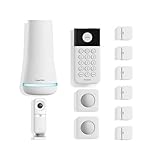
Here’s the full breakdown: what the integration actually does, what plan you need to use it, and how to set it up without guessing your way through the Google Home app.
What SimpliSafe + Google Home Can Do
The integration runs through Google Assistant, not a dedicated SimpliSafe app on the Nest Hub. Once connected, you can:
- Arm your system to Home mode: “Hey Google, arm SimpliSafe to Home.”
- Arm your system to Away mode: “Hey Google, arm SimpliSafe to Away.”
- Check system status: “Hey Google, is my security system armed?”
- Trigger the general command and let Google ask: “Hey Google, turn on the security system” prompts Assistant to ask which mode you want.
That’s the full list. You cannot disarm by voice, view camera feeds on a Nest Hub display, or lock/unlock doors through the integration. SimpliSafe’s own support documentation is direct about this: the system “cannot be used to disarm your system through voice commands,” full stop.
What Works and What Doesn’t
| Action | Supported |
|---|---|
| Arm to Home mode by voice | Yes |
| Arm to Away mode by voice | Yes |
| Check armed/disarmed status by voice | Yes |
| Disarm by voice | No |
| View camera feed on Nest Hub display | No |
| Lock or unlock smart locks by voice | No |
| Get push alerts through Google Home when a sensor trips | No – use the SimpliSafe app |
Worth knowing if you’re cross-shopping: Ring Alarm’s Alexa integration goes further than SimpliSafe’s Google integration does. Ring supports voice disarming through Alexa, provided you speak a four-digit passcode along with the command. SimpliSafe doesn’t offer that option through any voice assistant, Google or Amazon. If ecosystem depth is what you’re after, our SimpliSafe vs Ring Alarm comparison covers the tradeoff in full.
Requirements
You need three things to make this work:
- A Gen 3 SimpliSafe system – the current generation SimpliSafe sells and the only one Google integration supports
- One of the qualifying monitoring plans: Core (SimpliSafe’s old “Fast Protect” plan under its current name), Pro, Pro Plus, or Self-Monitoring with Camera Recordings for residential accounts
- The Google Home app (or Google Assistant app) and an active Google account
SimpliSafe’s entry-level Standard monitoring plan does not qualify – Google integration sits above it. That trips people up, because Standard still gets you 24/7 professional monitoring, just not the smart home connections. Check your plan under SimpliSafe’s account settings before you assume the integration should be working.
The Nest Hub itself is optional. The integration runs through any Google Assistant device, including phones and speakers – the hub just gives you a screen to glance at, which the SimpliSafe integration doesn’t actually use.
How to Connect SimpliSafe to Google Home
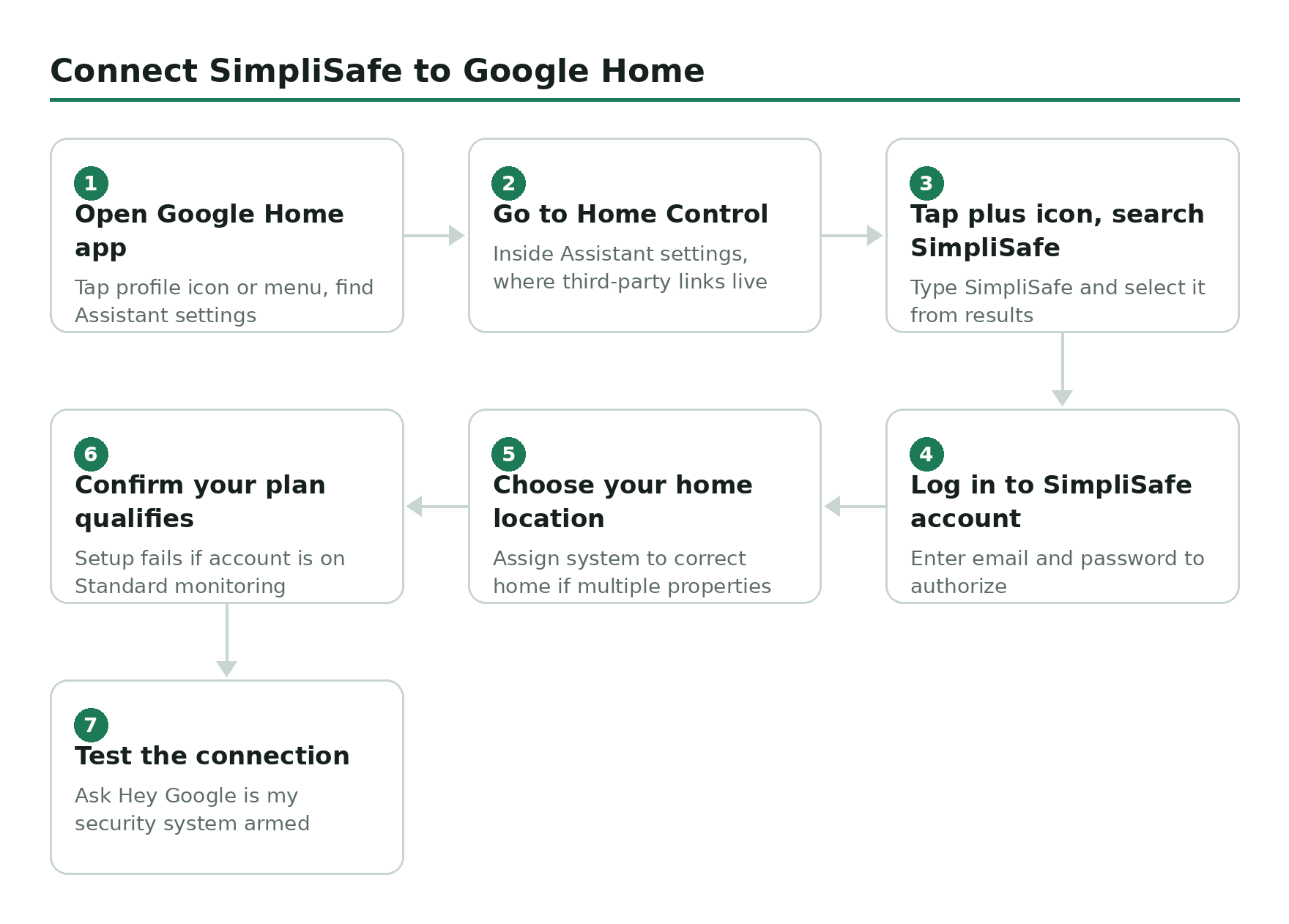
Open the Google Home app
Tap your profile icon or the menu, then find Assistant settings.
Go to Home Control
Inside Assistant settings, tap Home Control – this is where all third-party device links live.
Tap the plus icon and search for SimpliSafe
Type SimpliSafe in the search bar and select it from the results.
Log in to your SimpliSafe account
Enter your SimpliSafe email and password to authorize the connection.
Choose your home location
Assign the system to the correct home in Google Home, especially if you manage more than one property.
Confirm your plan qualifies
If setup fails at this point, it’s almost always because the account is on Standard monitoring, not Core, Pro, Pro Plus, or Self-Monitoring with Camera Recordings.
Test it
Say: Hey Google, is my security system armed? If Assistant answers correctly, the link is live.
If the Connection Stops Working
Check three things before assuming something’s actually broken:
- Your monitoring plan. If you downgraded to Standard, or let the account lapse, the link stops qualifying even if it still appears connected in the Google Home app.
- Your SimpliSafe password. If you changed it since setup, the authorization can go stale – unlink SimpliSafe in Google Home and reconnect it.
- Which location is linked. If your SimpliSafe account covers more than one property, confirm Google Home is pointed at the right one.
Removing SimpliSafe from Google Home and adding it again from scratch clears up most connection problems that survive the three checks above.
Why Voice Disarming Isn’t Coming
Disarming by voice is off the table – SimpliSafe considers it a security risk and has no plans to add it. If someone breaks in and yells “Hey Google, disarm SimpliSafe,” that’s a problem you do not want. So the system only takes voice commands in one direction.
This isn’t a SimpliSafe quirk. It’s an industry-wide stance. Voice recognition alone isn’t considered reliable authentication for a function that lets someone into your house – a recorded or synthesized voice sample can trigger the same command a real person would speak. Alexa has the same general caution built in for most security platforms, which is why Ring’s PIN-gated disarm still requires you to speak a code, not just your voice.
The Nest Hub display does not show your SimpliSafe camera feeds either. The integration is voice and status only – there’s no visual component, even on screen-equipped Google devices. If you want to check what your cameras are actually seeing, that happens in the SimpliSafe app, not Google Home.
If you want full remote control including disarming, arming schedules, or camera access, you need the SimpliSafe app. The Google integration is a supplement, not a replacement.
None of this is a reason to skip the integration. Arming by voice and getting a status check without pulling out your phone is genuinely useful, and it takes about five minutes to set up. Just don’t expect it to replace the app, and don’t buy a Nest Hub specifically for SimpliSafe camera viewing – that part isn’t there.
Want to build out your SimpliSafe system? Browse SimpliSafe systems on Amazon.