
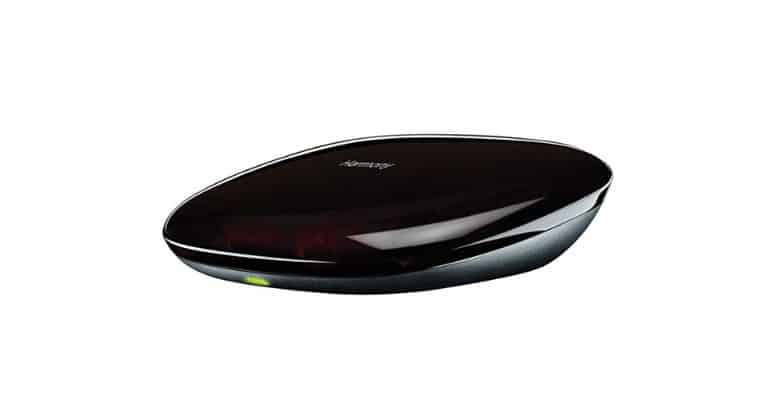
Yes, Harmony Hub worked with HomeKit – past tense intentional. Logitech discontinued the entire Harmony product line in April 2021, which means no new units, no updates, and no pretending this is a product you should go buy today. That said, if you already own one, the setup still works and the servers are (as of mid-2026) still running.
Here is the full picture on what works, what does not, and what to buy instead if you are starting from scratch.
Current Status for Existing Harmony Hub Owners
Logitech’s servers are still online. The MyHarmony desktop app and the Harmony mobile app for iOS and Android continue to work, which means hub-based systems can still sync with the cloud and be reconfigured. Logitech has given no hard end date for shutting these servers down, but they will eventually pull the plug – they just have not said when.
One thing that did end: on May 28, 2025, Logitech retired the legacy Harmony Remote Software used to configure older non-hub remotes. If your remote relied on that app, it can no longer be updated or reprogrammed. Hub-based remotes are unaffected by that specific change.
The HomeKit integration itself was never native – Harmony Hub does not talk directly to Apple HomeKit. It has always required a third-party bridge (Homebridge being the most common). That bridge approach still works in 2026 for existing owners.
Is It Still Worth Setting Up?
If you already own a Harmony Hub: yes, set it up. It works, Homebridge is free, and you will get solid HomeKit integration for however long the servers stay alive.
If you do not own one and are thinking about buying used: harder sell. Used units on Amazon run $80-$150+ for hardware tied to a server Logitech can kill whenever they feel like it. You would be buying someone else’s risk. The alternatives below are cheaper, actively maintained, and not waiting for a shutdown notice.
How to Connect Harmony Hub to HomeKit (via Homebridge)
For existing Harmony Hub owners who want to get the HomeKit integration running:
Install Homebridge on a always-on device
Download Homebridge from homebridge.io. It runs on a Raspberry Pi, Mac, Windows PC, or NAS. The device needs to stay on for HomeKit to see your Harmony Hub.
Open the Homebridge dashboard and go to Plugins
Once installed, open the Homebridge web UI. Click the Plugins tab in the top navigation.
Search for and install the Harmony Hub plugin
Search “harmony hub” in the plugins search. Install the homebridge-harmony plugin. It will prompt you to configure it after installation.
Configure the plugin with your Hub details
Enter a name for your hub and confirm the IP address. Homebridge will auto-discover the Hub on your local network in most cases.
Restart Homebridge
Hit the restart button in the top right of the dashboard. Your Harmony activities will appear as switches in the Apple Home app within a minute or two.
Alternatives to Harmony Hub for HomeKit
If you are starting fresh, here are the options actually worth looking at in 2026.
Broadlink RM4 Pro
The closest thing to a Harmony Hub replacement for IR and RF control. Supports over 100,000 devices, handles both IR and 433MHz RF (which matters for ceiling fans, blinds, and RF-controlled gear). No native HomeKit support, but the Homebridge plugin for Broadlink is actively maintained. Same Homebridge setup as above, different plugin. Available on Amazon for around $40.
SwitchBot Hub 2
Good option if you are already in the SwitchBot ecosystem or want a plug-and-play setup. Handles IR remotes and bridges SwitchBot devices to voice assistants. Works with Alexa and Google Home natively – HomeKit requires going through Home Assistant or Homebridge. Better suited for people who want something simple and are not Apple-first.
Bond Home
Narrow use case, but excellent at it: ceiling fans, fireplaces, and Somfy window shades that use RF remotes. If your main frustration is a ceiling fan without smart control, Bond solves it cleanly and does have HomeKit support. Not a general-purpose IR blaster.
Home Assistant + Any IR Blaster
If you are comfortable with a bit of setup, Home Assistant running on a Raspberry Pi or NUC paired with a Broadlink or SwitchBot hub gives you the most flexibility. Home Assistant bridges everything to HomeKit through its native HomeKit integration – no Homebridge required. Steeper learning curve, but you own the whole stack and there is no cloud dependency to worry about.