
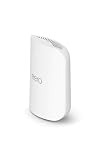
Yes, eero works with Apple HomeKit – but it is a router, not a smart home device, and that distinction matters for what HomeKit actually controls. eero functions as a HomeKit Secure Router on select models, meaning the Apple Home app can manage network-level security for your HomeKit accessories, not control the eero itself like a light switch or thermostat.
What eero + HomeKit Actually Does
HomeKit Secure Router is a feature Apple introduced in 2019 to let certified routers enforce firewall rules on individual HomeKit accessories. When you add a supported eero to Apple Home, you can set each IoT device on your network to one of three security levels: Restrict to Home, Automatic, or No Restriction. That is what “works with HomeKit” means for a router – network-level access control, not a tile in your Home app you can tap to toggle Wi-Fi on and off.
Here is the catch: Apple quietly stopped accepting new routers into the HomeKit Secure Router program in early 2024, and eero has confirmed it will not add HomeKit Secure Router support to its newer models. So the feature is real and still functional on supported hardware, but the program is effectively frozen.
Which eero models support HomeKit Secure Router
- eero 6 – supported
- eero Pro 6 – supported
- eero Max 7, eero 7, eero Pro 7 – support HomeKit via Matter/Thread (smart home hub functionality), but NOT HomeKit Secure Router
- eero Pro 6E, eero 6+ – no HomeKit support at all
The newer Wi-Fi 7 lineup (eero 7, eero Pro 7, eero Max 7) takes a different approach: they include a built-in Zigbee hub, Thread border router, and Matter controller, so they connect to and manage HomeKit-compatible smart home devices directly. That is actually more useful day-to-day than the Secure Router feature ever was for most people.
How to Set Up eero in Apple Home
Setup applies to eero 6 and eero Pro 6 for HomeKit Secure Router. You need a Home Hub (HomePod, Apple TV, or iPad set as home hub) and your eero network must be in NAT mode (not bridge mode).
Open the eero app and tap Discover
From the main dashboard, tap the Discover tab at the bottom of the screen.
Tap Apple HomeKit
You will see an option for Apple HomeKit in the Discover section. Tap it to start pairing.
Tap Set Up HomeKit and allow access
Tap OK to allow eero to access your HomeKit home, then tap Add to Apple Home.
Name your eero and assign a room
Give your router a name, tap Continue, select a room, and tap Continue again.
Turn on Accessory Security
When prompted, tap Turn On Accessory Security. This enables the HomeKit Secure Router firewall rules for accessories on your network.
Set security level per device
In the Apple Home app, go to each accessory’s settings and choose Restrict to Home, Automatic, or No Restriction depending on how tightly you want to control its internet access.
eero vs. Other HomeKit Routers
The HomeKit Secure Router landscape is thin. Apple stopped certifying new models in 2024, and the list of officially supported routers on Apple’s site has been down to just a couple of options for years. eero was one of the early adopters and remains one of the more practical choices because the hardware is well-regarded, the app is simple, and Amazon’s ecosystem integration (Alexa, Sidewalk, Ring) adds utility outside of Apple Home.
If you are buying a new eero specifically for HomeKit Secure Router, the eero 6 and eero Pro 6 are your targets – though they are older hardware at this point. If you are buying new and want the best eero with Apple Home compatibility, the eero Pro 7 is the current flagship: Wi-Fi 7, tri-band, Matter and Thread support, and a Zigbee hub built in. It will not give you HomeKit Secure Router, but it will work as a full-featured Matter controller for your HomeKit smart home devices.
Linksys Velop and Amplifi Alien are the other routers Apple has listed with HomeKit Secure Router support, but both are older hardware. For most Apple Home users, eero is the easiest path that still gets you real functionality.