
This post contains affiliate links. If you buy through them, DumbSwitches may earn a commission at no extra cost to you. See our full disclosure.
Ring Doorbell 2 records motion-triggered video clips and stores them in the cloud – but only if you have a Ring Protect subscription. Without one, you get live view and motion alerts, but nothing gets saved. Ring changed this policy in 2023, and a lot of owners found out the hard way when their event history disappeared.
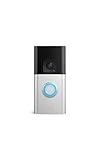
One more thing worth knowing up front: the Ring Doorbell 2 is discontinued. Ring stopped manufacturing it years ago. If you’re reading this as an existing owner, everything below still applies to your device. If you’re shopping, skip to the end – there’s a better option now.
How Recording Actually Works
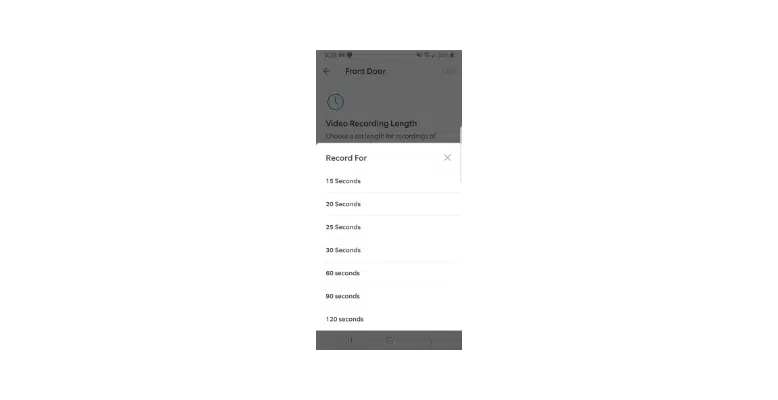
When the Ring Doorbell 2 detects motion or someone presses the button, it triggers a recording. That clip gets uploaded to Ring’s cloud servers, where it lives for 180 days – assuming you have an active subscription. The default clip length is 20 seconds, but you can dial it up to 120 seconds in the app settings.
The camera itself records at 1080p HD with a 155-degree field of view. Night vision kicks in automatically in low light. None of that changes based on your subscription status – the camera always records. What changes is whether the footage gets saved anywhere you can actually access later.
What You Get Without a Subscription
This is the part Ring doesn’t exactly shout from the rooftops. Without a Ring Protect plan, you can still:
- Watch Live View in real time through the Ring app
- Receive motion alerts and doorbell press notifications on your phone
- Have two-way audio conversations with whoever’s at the door
What you cannot do without a subscription: access any recorded video history. Clips are triggered and uploaded, but they aren’t stored. You get the notification – you just can’t go back and watch the footage afterward if you missed it live.
Ring made this change quietly in 2023. If you had an older device and a lapsed subscription, you may have assumed the free tier still included some recording. It doesn’t. Zero saved history without a plan.
Ring Protect Subscription Plans
Ring rebranded its plans in January 2026 (they were previously called Ring Home plans, and before that Ring Protect Basic/Plus). The current lineup:
Ring Protect Solo – $4.99/month or $49.99/year
Covers one Ring device. You get 180 days of video event history, smart alerts (person, package, vehicle detection), extended live view, and device modes. This is the entry point for actually saving footage – if you only have one doorbell and no other Ring devices, this is what you need.
Ring Protect Multi – $9.99/month or $99.99/year
Covers all Ring devices at one address for a flat rate. Same 180-day history and smart alerts, plus multi-cam live view and an extended warranty on eligible devices. Worth it if you have a doorbell plus one or more cameras – the math works out fast.
There’s also a Ring AI Pro tier at $19.99/month that adds 24/7 professional monitoring and AI-powered video search, but that’s overkill for a standalone doorbell setup.
Snapshot Capture
Snapshot Capture takes still images every 15 to 60 seconds (configurable) so you get a visual timeline of activity between triggered recordings. It requires a paid subscription. Without one, you only see clips from actual motion events – nothing in between.
Local Storage: There Isn’t Any
The Ring Doorbell 2 has no SD card slot and no local storage option. All footage goes to Ring’s cloud or nowhere. This is different from some competitors – Blink, for instance, lets you add a Sync Module with a USB drive for local storage. Ring’s ecosystem is entirely cloud-dependent.
If offline storage is a priority for you, Ring isn’t the brand to bet on.
How to Adjust Recording Length
The default clip length is 20 seconds. You can change it to anywhere between 15 and 120 seconds in the app. Longer clips drain the battery faster, so there’s a tradeoff worth thinking about on a battery-powered device.
Open the Ring app on your phone
Tap the three lines (menu) in the top left, then select your Ring Doorbell 2
Tap “Device Settings”
Tap “Video Settings”
Scroll to “Video Recording Length” and set your preferred clip duration (15-120 seconds)
Viewing and Sharing Your Footage
All saved clips are accessible through the Ring app (iOS and Android) or at ring.com. You can scrub through your event history, download individual clips, or share them directly from the app – useful if you need to send footage to a neighbor or hand it off to police.
You can also add shared users to your account so family members or a house sitter can access live view and review recordings without needing your login. Go to Account > Shared Users in the app to set this up.
Troubleshooting: Clips Only Recording for 2 Seconds
If your Ring Doorbell 2 is cutting recordings short, a few things are usually responsible:
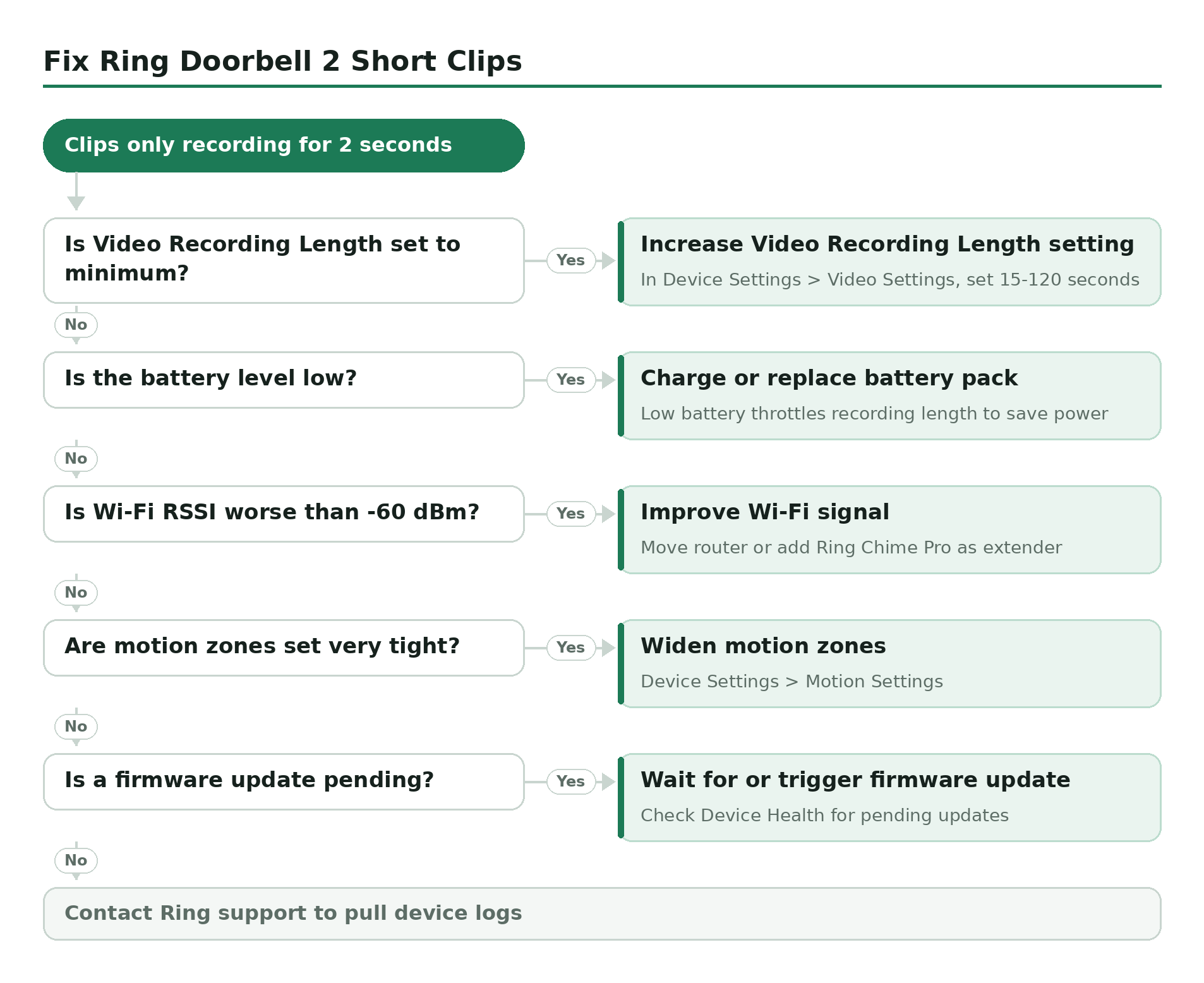
- Check Video Recording Length in settings – Make sure it hasn’t been set to the minimum. Walk through the steps above and confirm the duration.
- Battery level – A low battery causes the device to throttle recording length to preserve power. Charge or replace the battery pack and retest.
- Wi-Fi signal strength – Weak signal causes the device to drop the upload mid-clip. Check RSSI in the Ring app under Device Health. Anything worse than -60 dBm is a problem. Move your router or add a Ring Chime Pro as a Wi-Fi extender.
- Motion sensitivity triggering early cutoff – If the motion zone is very tight, the device may stop recording once the subject leaves the zone. Widen your motion zones in Device Settings > Motion Settings.
- App and firmware updates – Check Device Health for any pending firmware updates. Ring pushes these automatically, but the update may not have applied yet if the device has been offline.
If none of that helps, Ring’s support team can pull device logs remotely. Reach them at ring.com/support.
The Ring Doorbell 2 Is Discontinued – What to Buy Instead
Ring stopped manufacturing the Doorbell 2 years ago. If yours dies or you’re advising someone who’s shopping, the closest current equivalent is the Ring Battery Doorbell Plus. It runs on the same quick-release battery pack, installs the same way, works with all the same Ring Protect plans, and improves on the Doorbell 2 with 1536p HD+ video and a head-to-toe field of view (150 degrees vertical vs. the Doorbell 2’s narrower frame).
The Doorbell 2 still works fine if you have one. Ring still provides firmware updates and the app still supports it. But if you need a replacement unit, you won’t find it new from Ring – and the Battery Doorbell Plus is genuinely better hardware.