
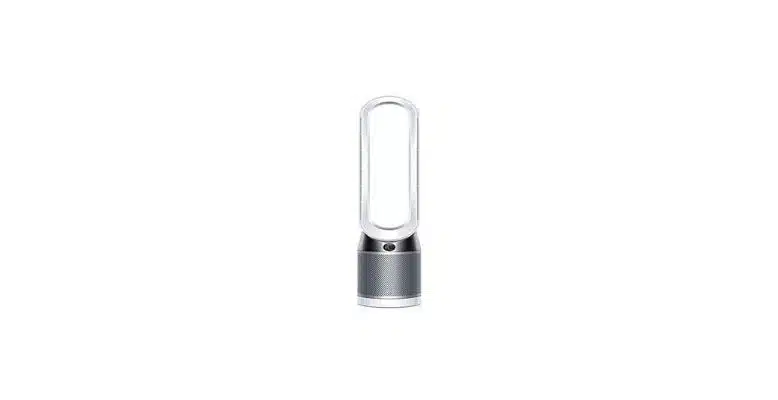
No. Dyson fans do not natively support Apple HomeKit. Dyson has never added HomeKit support to any of its fans, and as of 2026 there is no indication that is changing. If you want to control a Dyson fan through the Home app or Siri, you are going to need a workaround.
What Dyson Actually Supports
Out of the box, Dyson fans work with Amazon Alexa and Google Home. That covers most of the smart home market, so it is not as if Dyson is ignoring the space entirely – they just have a specific blind spot when it comes to Apple.
The MyDyson app (previously Dyson Link) handles the direct connection for all current models – the Purifier Cool TP07, the Purifier Hot+Cool HP1, and the newer HF1. You get full control over fan speed, oscillation, scheduling, and air quality data through the app. None of that connects to HomeKit.
Dyson did announce Matter support in October 2025, but only for a handful of specific purifier models: the Purifier Cool PC2 De-NOx, the Purifier Hot+Cool HP2 De-NOx, and the Purifier Humidify+Cool PH2 De-NOx. Matter is a different protocol from HomeKit, though Matter-certified devices can work with Apple Home. If you happen to own one of those specific models, check your MyDyson app for the firmware update – it may already give you Apple Home compatibility via Matter. For everyone else with a standard Dyson fan, nothing has changed.
Homebridge: The Actual Workaround
Homebridge is a free, open-source platform that acts as a bridge between non-HomeKit devices and the Apple Home app. It runs on a Raspberry Pi, an old Mac mini, or a spare computer, and it has been the standard solution for connecting Dyson fans to HomeKit for years.
The plugin you want is homebridge-dyson-pure-cool. It supports most current Dyson fan and purifier models, exposes controls for fan speed, oscillation, night mode, and air quality sensors, and is still actively maintained in 2026. There is also homebridge-dyson-link, but that one has not been updated in years – skip it.
One important note: Homebridge requires a always-on device to run. If you shut it down, your Dyson disappears from HomeKit. A Raspberry Pi 4 costs around $35-50 and is the most common solution. Some people run it on a NAS.
Is Homebridge Worth the Effort?
That depends entirely on how invested you are in the Apple ecosystem. If HomeKit is your primary smart home platform and you want Dyson in your automations – turn the fan on when the temperature hits 75F, for example – then yes, Homebridge is worth it. The setup takes an afternoon and the plugin is solid.
If you just want to say “Hey Siri, turn on the fan” without building any of this, you can use Siri Shortcuts with the MyDyson app instead. It is clunkier than proper HomeKit integration (you have to build a shortcut for every command), but it requires zero hardware and works on your existing iPhone. For basic use cases, that might be enough.
If Alexa or Google Home works for you, just use one of those. Dyson’s native integration with both is clean, straightforward, and requires nothing beyond the app.
How To Add a Dyson Fan to Apple HomeKit via Homebridge
Install Homebridge
Download and install Homebridge from homebridge.io. Official installation guides exist for Raspberry Pi, Mac, Linux, and Windows.
Open the Homebridge dashboard and go to Plugins
Log into your Homebridge UI at http://homebridge.local or your device’s local IP address, then click the Plugins tab.
Search for and install homebridge-dyson-pure-cool
Type “dyson” in the plugin search box. Install the homebridge-dyson-pure-cool plugin – not homebridge-dyson-link, which is no longer maintained.
Configure the plugin with your Dyson credentials
After installation, the configuration screen opens automatically. Enter your MyDyson account email and password. The plugin will discover your connected Dyson devices.
Restart Homebridge
Click the Restart button in the top-right of the dashboard. Your Dyson fan should appear as an accessory in the Apple Home app within a minute or two.
Add to Apple Home and test
Open the Home app on your iPhone, confirm the Dyson accessory is listed, and test control via the app and Siri.
Related Guides
- Best Apple HomeKit Compatible Robot Vacuums
- Does SmartThings Work With HomeKit?
- Does Lutron Caseta Work With HomeKit?
- Smart Home Automation Protocols: Explained & Compared
If you are shopping for a Dyson fan, the Dyson Purifier Hot+Cool HP07 is the most popular all-rounder – it covers heating, cooling, and purification in one unit, works with Alexa and Google Home natively, and is compatible with the Homebridge workaround above for HomeKit users.