

This post contains affiliate links. If you buy through them, DumbSwitches may earn a commission at no extra cost to you. See our full disclosure.
Most indoor cameras get crippled without a monthly fee. The manufacturer prices the hardware low enough to sell, then locks live view, recording, or both behind a plan until the “cheap camera” turns into a recurring bill. These four cameras don’t do that – they work properly via local storage, a genuinely free cloud tier, or both. Below each pick, and in the comparison table, is exactly which features survive without a plan.
The best picks
Four cameras made this list because they each handle the no-subscription requirement differently – and all of them do it without gutting the core feature set.

Camera comparison: what’s free, what’s paywalled
Live view is free almost everywhere – it costs the manufacturer nothing in storage. Recorded history and AI detection are where the paywalls live. Current as of September 2026; every brand below has moved its terms at least once.
| Camera | Local storage | Free without a plan | Paywalled | Works fully offline |
|---|---|---|---|---|
| Wyze Cam v4 | microSD, 24/7 | Live view, alerts, 14-day cloud clips, two-way audio, local recording | AI person/pet/package detection (Cam Plus) | No – routes through Wyze’s servers |
| Blink Mini 2 | USB via Sync Module 2 only | Live view, alerts, two-way audio, local recording (with module) | Person/vehicle detection, cloud storage past trial | No – Amazon’s servers broker every connection |
| Eufy Indoor Cam E220 | microSD, AES-encrypted | Live view, alerts, on-device person/pet AI, two-way audio, local recording, download | Nothing – no paid tier exists | Recording continues offline; remote viewing needs the Eufy app |
| Reolink E1 Pro | microSD, NVR, or NAS/FTP | Live view, alerts, on-device person/vehicle AI, two-way audio, local recording, download | Nothing – no subscription exists | Yes with NVR/NAS – zero vendor server involvement |
What “no subscription” actually means
The phrase gets thrown around loosely, so let’s be specific. There are three versions of it, and they’re not equivalent.
Local storage means clips save to a microSD card or connected drive inside your home. No cloud involved. You own the footage. If the camera gets stolen, the footage goes with it – that’s the real trade-off.
Free cloud tiers exist on several platforms but come with limits. Wyze’s free tier saves 12-second event clips with a five-minute cooldown between them and a 14-day rolling history. Useful, but not unlimited 24/7 recording, and Wyze has narrowed this tier before. Don’t treat it as guaranteed to stay this generous.
No cloud at all (Eufy and Reolink’s approach) means nothing leaves your home network by default. That’s the most private option, and the most durable one – there’s no service for either company to discontinue out from under you. The trade-off is that remote access depends on your home internet staying up, and you get no offsite backup. For most people in a stable living situation, that’s an acceptable trade.
One capacity number worth knowing: a 128GB card holds roughly 5-7 days of 24/7 continuous 1080p-2K recording, longer on motion-only clips. Buy 256GB or larger for a real buffer, and format the card inside the camera’s own app – Wyze and Eufy both refuse cards formatted on a computer.

Wyze Cam v4
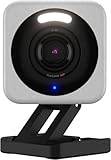
The Wyze Cam v4 is the best-value indoor camera available right now, and it’s not particularly close. You get 2.5K QHD resolution for less than most competitors’ 1080p models. Color night vision is genuinely good.
Wyze includes 14 days of free cloud event storage without a subscription. Motion and sound clips save automatically and stay in the app for two weeks – plenty for reviewing a specific incident, which rarely means going back further than that.
Insert a microSD card for local continuous recording, so you have full footage even if Wyze’s servers have issues. Card recordings save as plain, unencrypted MP4 files, so anyone with the physical card and a reader can pull the footage. Convenient for handing a clip to police; a real exposure if the camera and card get stolen together. Read our full Wyze Cam v4 review for the complete rundown, including the 2024 privacy incident.
The exact line on this camera: live view, alerts, two-way audio, local 24/7 recording, and 14 days of cloud clips all work with no plan. AI-classified person, pet, and package detection are Cam Plus features – the free tier tells you “motion detected,” not what moved. Cam Plus itself got pricier in March 2026 (see below), which doesn’t touch the free tier here, but matters if you plan to add AI detection later.
Blink Mini 2
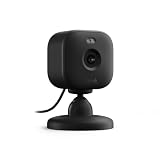
The Blink Mini 2 is Amazon’s compact indoor camera and it shows – Alexa integration is tighter than any third-party camera manages. If you use Echo devices for home automation, the Mini 2 works with them from day one.
On its own, the Mini 2 saves clips to the cloud with a 30-day free trial, then needs a subscription for storage. Add a Blink Sync Module 2 and you can store clips locally to a USB drive with no ongoing fees. Check which module ships in your kit first – Sync Module Core, bundled with some kits, doesn’t support local storage at all.
Video is 1080p with color night vision. Compact enough to hide on a bookshelf. Wired only, not battery powered, so it’s fine for a desk corner and useless anywhere without a nearby outlet.
Feature-by-feature: live view, motion alerts, two-way audio, and local recording via Sync Module 2 are free. Person and vehicle detection are locked to the Plus plan no matter where you store footage – local storage gets you the clips, not the AI that tells you what’s in them. Blink raised those plan prices October 8, 2025 (see below); if a new device just pushed your free trial out, check which side of that date your subscription renews on.
Eufy Indoor Cam E220

Eufy’s Indoor Cam E220 is the right choice if you want zero cloud involvement. It stores everything locally via microSD, nothing goes to Eufy’s servers, and every feature works without an account beyond initial setup. That’s a rare promise in this category, and Eufy has a reasonable track record of keeping it.
It pans 360 degrees and tilts 96, covering a full room with one unit. 2K resolution, on-device AI person and pet detection – classification runs on the camera, not the cloud, accurate enough to skip the false alerts shadows and curtains usually trigger.
No fees, ever, for any feature on this model – there’s no paid tier to upsell into. Local recordings are AES-encrypted and tied to your Eufy account: pull the card and the files are visibly there, but playback needs the app and login, not a plain card reader – a meaningfully different security posture than Wyze’s unencrypted cards. The trade-off is no offsite backup – stolen or destroyed camera, footage gone. For kids, pets, or a home office, that’s an acceptable trade for permanent zero cost.
Reolink E1 Pro

The Reolink E1 Pro competes on value harder than anything else here: 5MP resolution (sharper than 1080p and most 2K competitors), pan/tilt coverage, two-way audio, and a price that undercuts most of the field.
Storage is local via microSD, a Reolink NVR, or a NAS over FTP – useful if you already run a home server. Connecting straight to a NAS with no vendor cloud in the loop is a native Reolink feature most consumer cameras don’t offer.
Reolink’s AI person and vehicle detection runs on-device and ships free, no subscription gate – the same feature Blink charges for and Wyze reserves for Cam Plus. The app is functional, not polished, but motion zones, alerts, and remote access all work reliably. Paired with an NVR or NAS, this is the one pick that runs indefinitely with zero dependency on Reolink’s servers.
Brands that changed the deal after launch
“No subscription required” describes today’s terms, not a promise. Every brand here except Eufy and Reolink has already moved the line at least once.
Wyze cut free cloud recording twice. February 2022: free continuous cloud recording replaced with the current capped system – 12-second clips, five-minute cooldown, 14-day history. March 2026: Cam Plus annual pricing rose and multi-camera bundle discounts were dropped for flat per-camera rates, confirmed on Wyze’s own support pages. The free tier this pick relies on survived both changes, but it’s already been trimmed once.
Blink raised its subscription prices in 2025. Basic and Plus plans both increased starting October 8, 2025, per Blink’s own documentation – the first increase in years. Local storage via Sync Module 2 wasn’t touched; the price waiting at the end of the free cloud trial is higher now.
Ring never had much of a free tier, and the paid one keeps growing. Ring Protect rebranded to Ring Home in 2024 with a new top tier adding continuous recording – a feature that didn’t exist at any price before.
Nest Aware became Google Home Premium. Google folded its camera subscription into a renamed, restructured plan. The video-history requirement didn’t go away, it just sits under different branding.
The site has documented the sharper version of this risk: Nest Protect discontinued March 2025, Starling Home Hub shut down September 2025, both leaving buyers with hardware that lost function the day the company stopped running the service. A price hike is an inconvenience. A server shutdown is the same failure mode at full volume.
The subscription-free-ish alternative: HomeKit Secure Video
If you’re already in Apple’s ecosystem, HomeKit Secure Video is worth knowing about before you commit to a pick above. It charges no camera-specific fee – it rides on whatever iCloud+ tier you already pay for. See our full breakdown of how HomeKit Secure Video works and what each iCloud+ tier gets you. Short version: none of the four cameras here support it – Wyze, Blink, and Reolink have no native HomeKit path, and Eufy’s HKSV-compatible models are a different line than the E220 above. For what does and doesn’t work with Apple Home, see the full HomeKit Compatible Devices list.
Cameras to avoid without a subscription
Not every indoor camera belongs on this list. A couple get specifically worse without a plan.
The Arlo Indoor Camera is handsome with good video, but without an Arlo Secure subscription you lose video history entirely – live view and motion alerts, that’s it. For an indoor camera, where the whole point is reviewing incidents afterward, that’s a fundamental limitation.
The Ring Indoor Cam hits the same wall. Without a Ring Home subscription, motion alerts arrive but there’s nothing to review when you open the app. Live view works; anything else needs a paid plan. The camera is cheap, but factor in the subscription and the real cost passes the Eufy or Wyze options.
The Nest Cam Indoor deserves a note. It’s a genuinely good camera – 1080p HDR, tight Google Home integration, face detection in the free tier – but video history past three hours needs a Google Home Premium subscription (Nest Aware’s current name). Fine if you already pay for it; otherwise it’s a “subscription required” camera in practice.
Who should just pay for a plan
Subscriptions aren’t always the wrong call. A rolling 60-day cloud history searchable by person, offsite backup that survives a stolen camera, one app managing ten cameras across several properties – local storage and free tiers won’t give you any of that.
The picks here suit a specific buyer: someone monitoring one room, comfortable with a microSD card as the failure mode, who doesn’t want the hardware price to be the first of many bills. If that’s not you, budget for a subscription from the start. Hitting the Ring or Arlo wall above and adding a plan out of frustration later costs the same money and feels worse.
Outdoor cameras have the same problem
Everything above applies outdoors too, with weatherproofing and battery life added to the trade-offs. See our picks for the best wireless outdoor security cameras and the broader best outdoor security cameras roundup for a driveway or front door, not a living room.
Indoor Camera Subscription FAQ
Which indoor camera truly never requires a subscription?
Eufy Indoor Cam E220 and Reolink E1 Pro have no paid tier at all – every feature, including AI person and pet detection, works permanently on local storage. Wyze and Blink cover the basics free but reserve AI detection, and on Blink cloud storage past a trial, for paid plans.
Is footage on a local microSD card encrypted?
Depends on the brand. Eufy encrypts local recordings with AES and ties playback to your account login, so a stolen card alone won’t hand someone the footage. Wyze stores plain, unencrypted MP4 files – anyone with the card and a reader can view the clips, no login needed.
Will a no-subscription camera still work if I lose internet?
Local recording keeps running regardless of your connection. What stops working is remote viewing and any cloud-dependent alert. Reolink paired with a local NVR comes closest to a camera that doesn’t care whether the internet is up.
Can a manufacturer add a subscription requirement after I’ve already bought the camera?
For server-dependent features, yes – Wyze narrowed its free cloud tier in 2022 and raised Cam Plus pricing in 2026, and Blink raised subscription prices in October 2025. What it generally can’t paywall retroactively is local recording to a card or drive you already own – reason enough to weight that feature heavily.